4-4 QX-830 Compact Industrial Scanner User’s Manual
Configuration Database
Configuration Database
Configuration Database settings can also be configured by using the Configuration
Database serial commands.
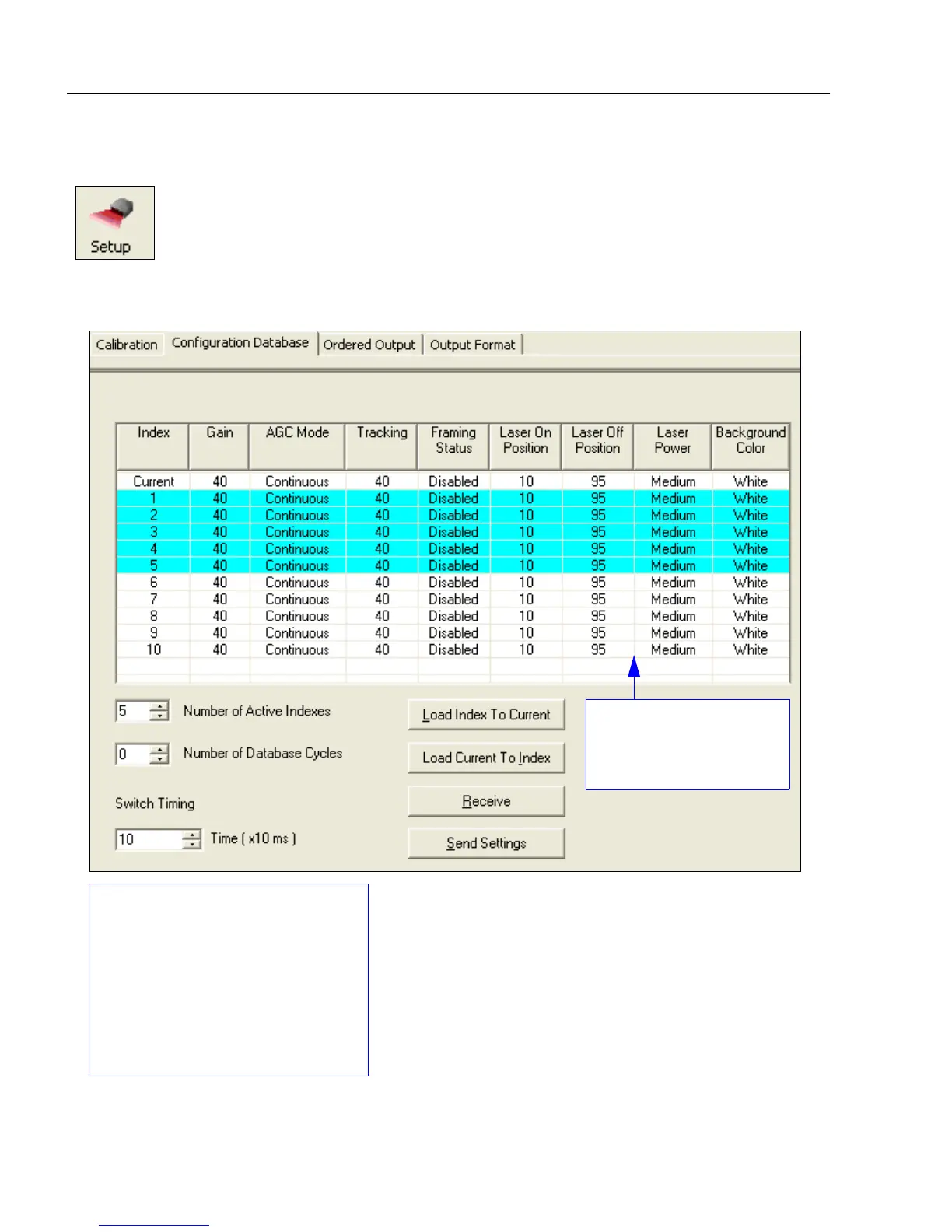
Click the Setup button and then the Configuration Database tab
to display the Configuration Database view.
Double-clicking on an
Index will bring up the
Configuration Database
Settings dialog.
Use the Number of Active
Indexes field to determine how
many database indexes will be used.
Use the Number of Database
Cycles to determine how many
times the active indexes will be
repeated.
Use the Switch Timing field to
determine the amount of time
between active indexes.



 To Next Page