2-14 QX-830 Compact Industrial Scanner User’s Manual
Menu Toolbar
View
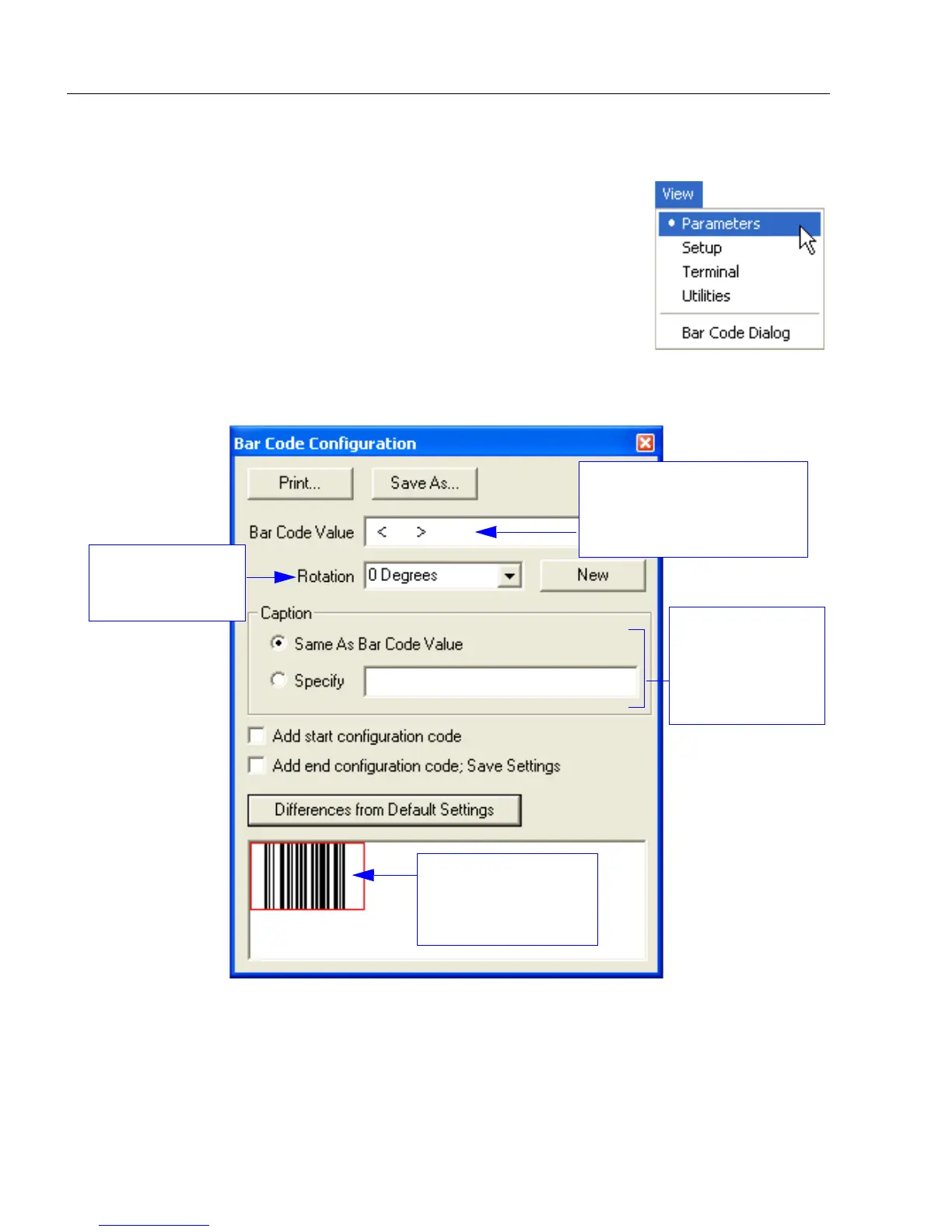
The View menu allows the user to move quickly between the
Setup, Terminal, and Utilities interfaces without using the icon
buttons on the App Mode toolbar. It also allows the user to
access the Bar Code Dialog, shown below.
Bar Code Dialog
Symbols can be created in the Bar Code Dialog by typing the
text to be encoded. This is a useful tool for creating configuration
symbols, allowing the user to configure the scanner by reading
the user-created symbols.
Drag specific configuration
values from the control tree
directly into this field to
encode new symbols.
Choose a spatial
orientation for the
new symbol.
Create a caption
for the symbol
that matches or
describes the
encoded data.
The symbol will be
displayed in the field
at the bottom of the
Bar Code Dialog.



 To Next Page