QX-830 Compact Industrial Scanner User’s Manual 2-13
Using ESP
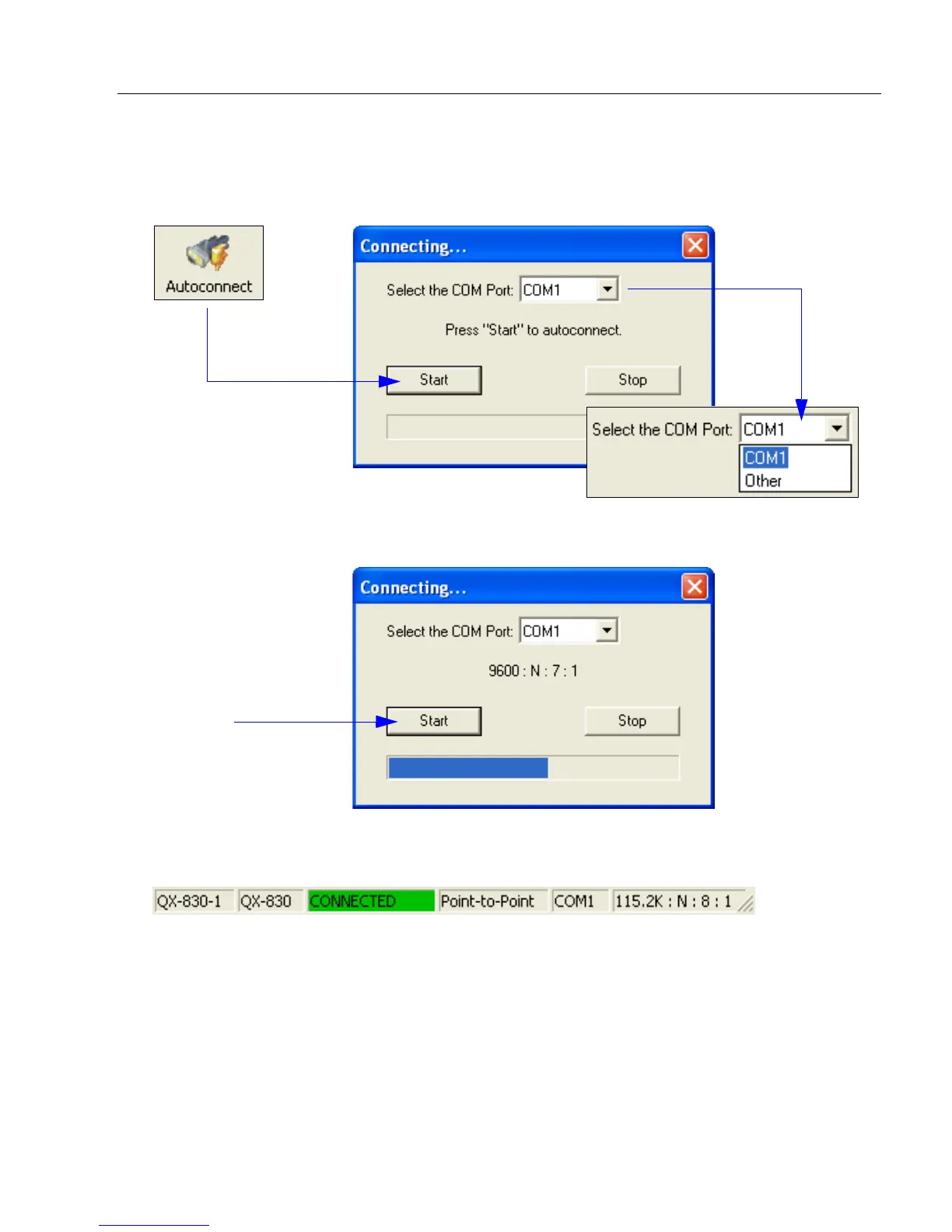
Autoconnect
•
If the RS-232 connection attempt fails, use
Autoconnect
to establish a connection
between
the scanner and the host.
• If the communication port is not the default COM1, use the dropdown menu to change
the port.
• When a connection is established, the green indicator in the status bar at the bottom
right of the screen will be visible:
• Once the correct
port is chosen,
click Start to
connect.



 To Next Page