2-12 QX-830 Compact Industrial Scanner User’s Manual
Menu Toolbar
Connect
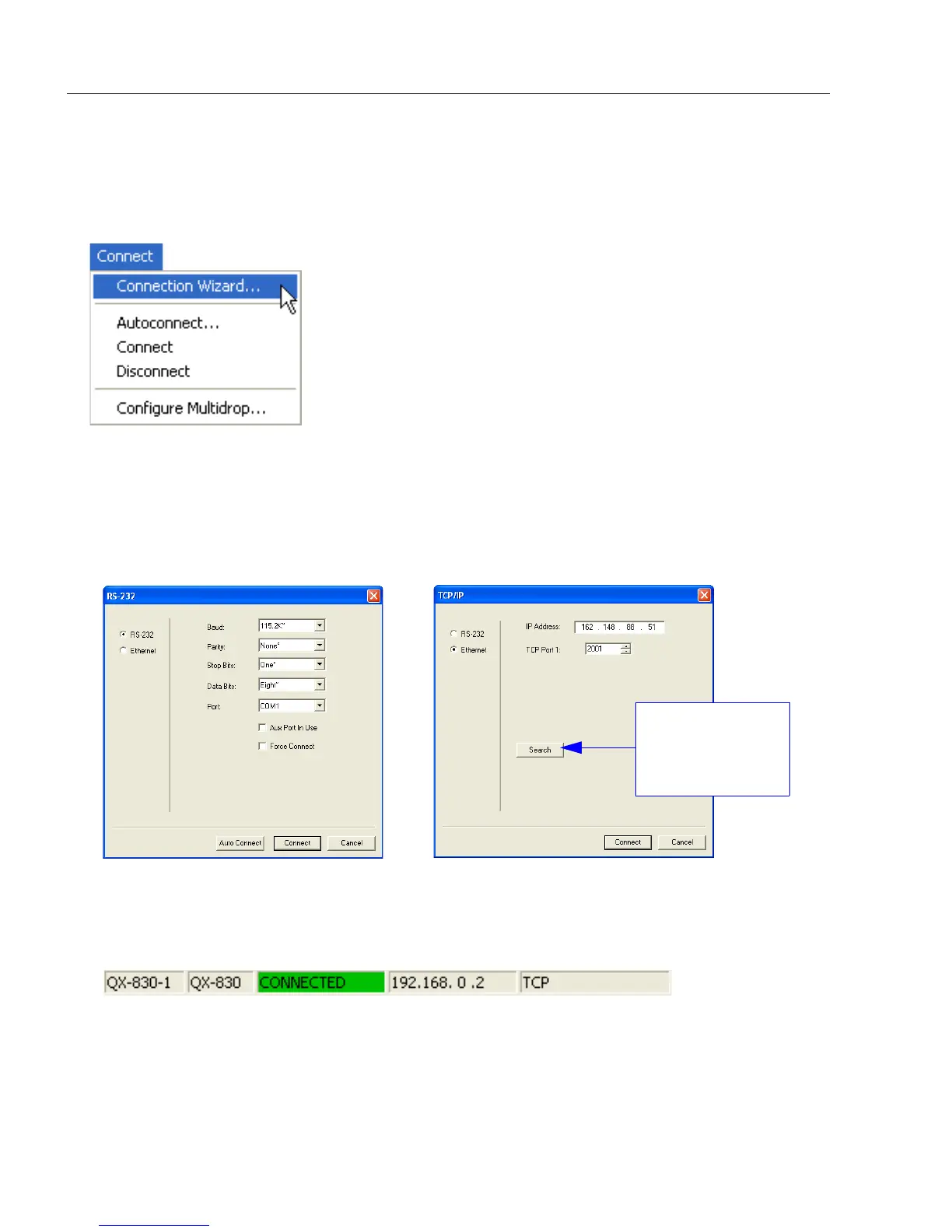
The Connect dropdown menu allows the user to access the Connection Wizard, as well
as the Autoconnect and Configure Multidrop dialogs. Connect and Disconnect can
also be performed directly from the dropdown menu without opening a dialog.
Connection Wizard
To connect using the Connection Wizard:
• Click Connect on ESP’s menu toolbar, and then select Connection Wizard.
• Select RS-232 or Ethernet to activate the appropriate display.
• Configure RS-232 or Ethernet settings as required by the application, and click Connect.
• When a connection is established, the green indicator in the status bar at the bottom
right of the screen will be visible:
RS-232 Connection Wizard
Ethernet Connection Wizard
Click the Search
button to locate
scanners on the
network.



 To Next Page