USER MANUAL
AVIOR-2/AVIOR-2 I/O & MIP-2/MIP-2 I/O
106491_C User manual AVIOR-2 MIP-2_En.docx
MIRION TECHNOLOGIES (Canberra)S.A.S, BP249, ZI de Vauzelles, 37602
26 TROUBLESHOOTING
26.1 DAMAGE MOST LIKELY
The following table shows troubleshooting not requiring disassembly of the AVIOR-2 or MIP-2.
Symptom Action
AVIOR-2/MIP-2 does not start Connect the mains cable, USB or, depending on the
option, the 24 VDC power supply.
Wait for the charging light to come on
Screen frozen or inactive key
Switch off by pressing and holding the key
Battery fault, flashing
audible alarm
Replace the battery (See § 26) : Do not
replace the battery with a battery or battery other
than that recommended in § 4 and § 5
Interface 1 fault flashing purple LEDs
Replace the probe cable (See § 10.1)
Replace the probe (See § 10.1)
Interface 2 fault flashing purple LEDs
Replace the probe cable (See § 10.1)
Replace the probe (See § 10.1)
Difficulty erasing LOG files Format the RAM (See § 13.7)
27 REMPLACEMENT OF BATTERY
27.1 REMOVAL
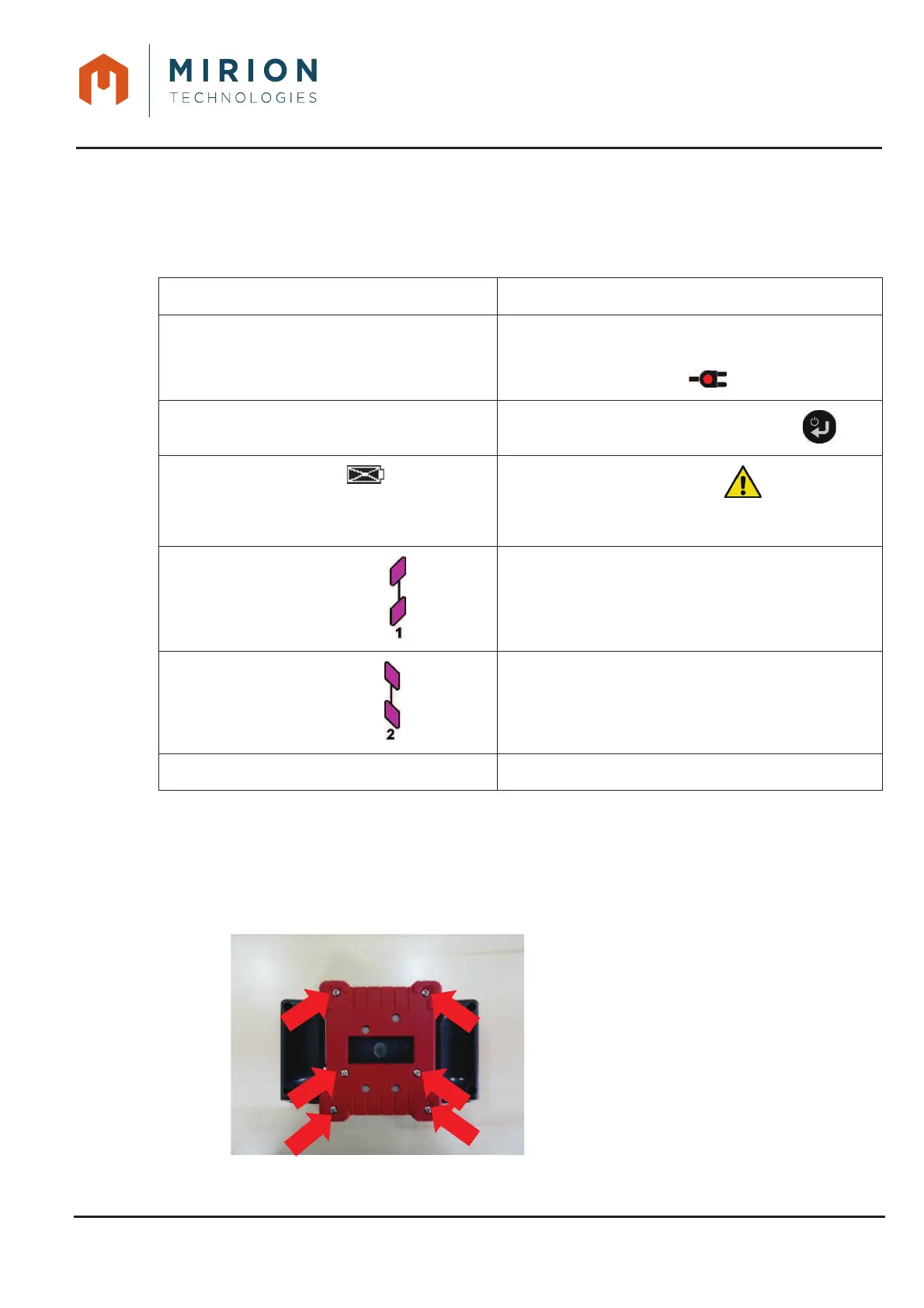
Removal of the battery cover1.
unscrew the 6 screws (red
arrow).
Note: the screws are captive
type and must remain
on the battery cover.













 To Next Page