USER MANUAL
AVIOR-2/AVIOR-2 I/O & MIP-2/MIP-2 I/O
106491_C User manual AVIOR-2 MIP-2_En.docx
MIRION TECHNOLOGIES (Canberra)S.A.S, BP249, ZI de Vauzelles, 37602
To activate an option and / or modify a value:
x Select the line with or ,
x Confirm the selection with the key ,
x To change a value, use the or keys
x Validate a value change with the key
x Press the key to go to exit and save.
14.3 BACKLIGHT ADJUSTMENT
: The backlight adjustment level can greatly reduce the battery of the AVIOR-2 / MIP-
2.
In the « Direct Measure » and « Screening » modes, the backlighting can be switched off by briefly
pressing the key and direct access to the setting by pressing and holding the key
(See step 4), in this case The backlight bargraph only appears for a few seconds without pressing a key
In other modes, a long press activates or deactivates the backlight.
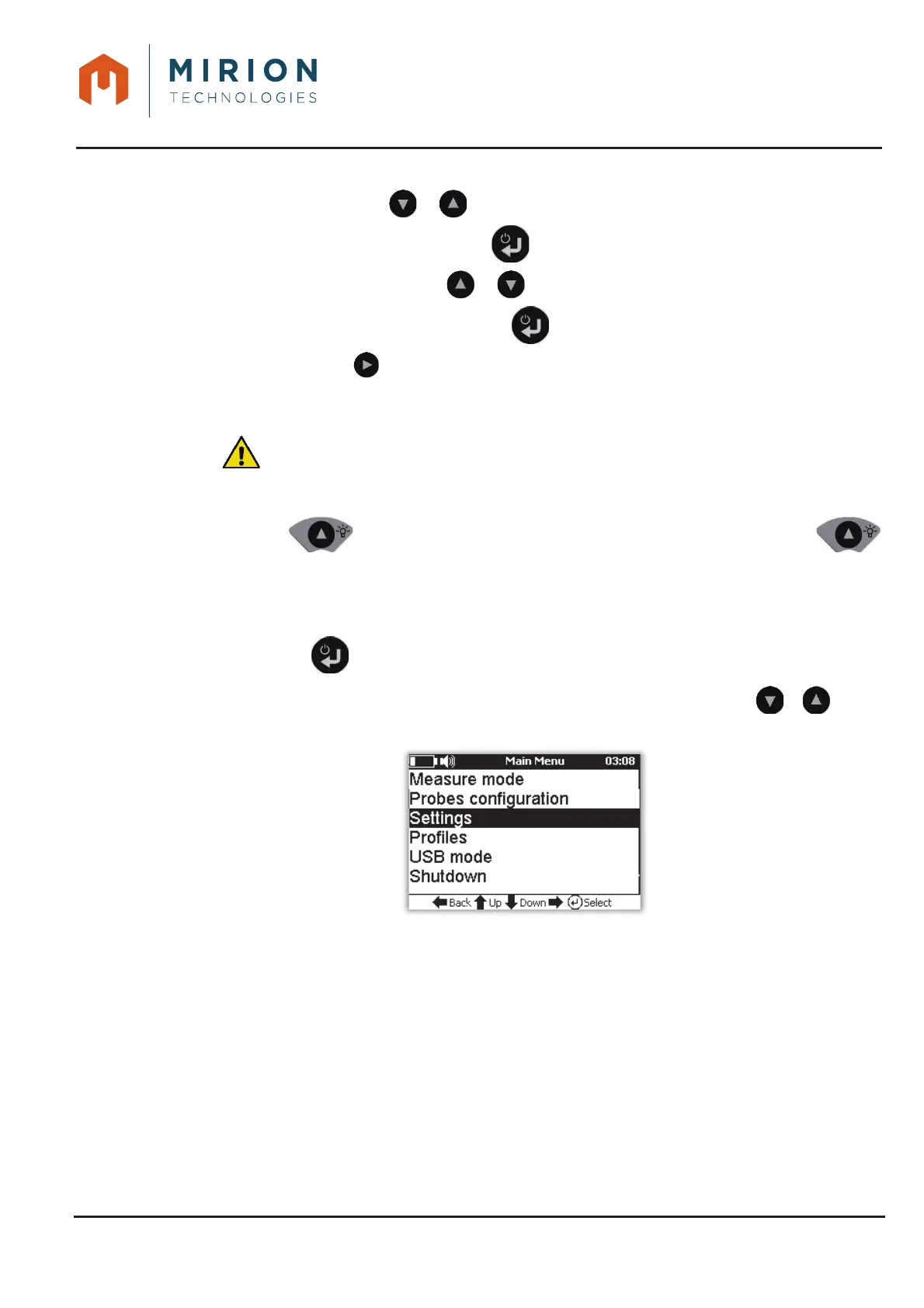
To access the setting through the menus:
Press the key to access the main menu1.
Note: The « Measure Mode » line is selected by default. If necessary press the or keys to
select the « Settings » line.













 To Next Page