106491_C User manual AVIOR-2 MIP-2_En.docx
MIRION TECHNOLOGIES (Canberra) S.A.S, BP249, ZI de Vauzelles, 3760
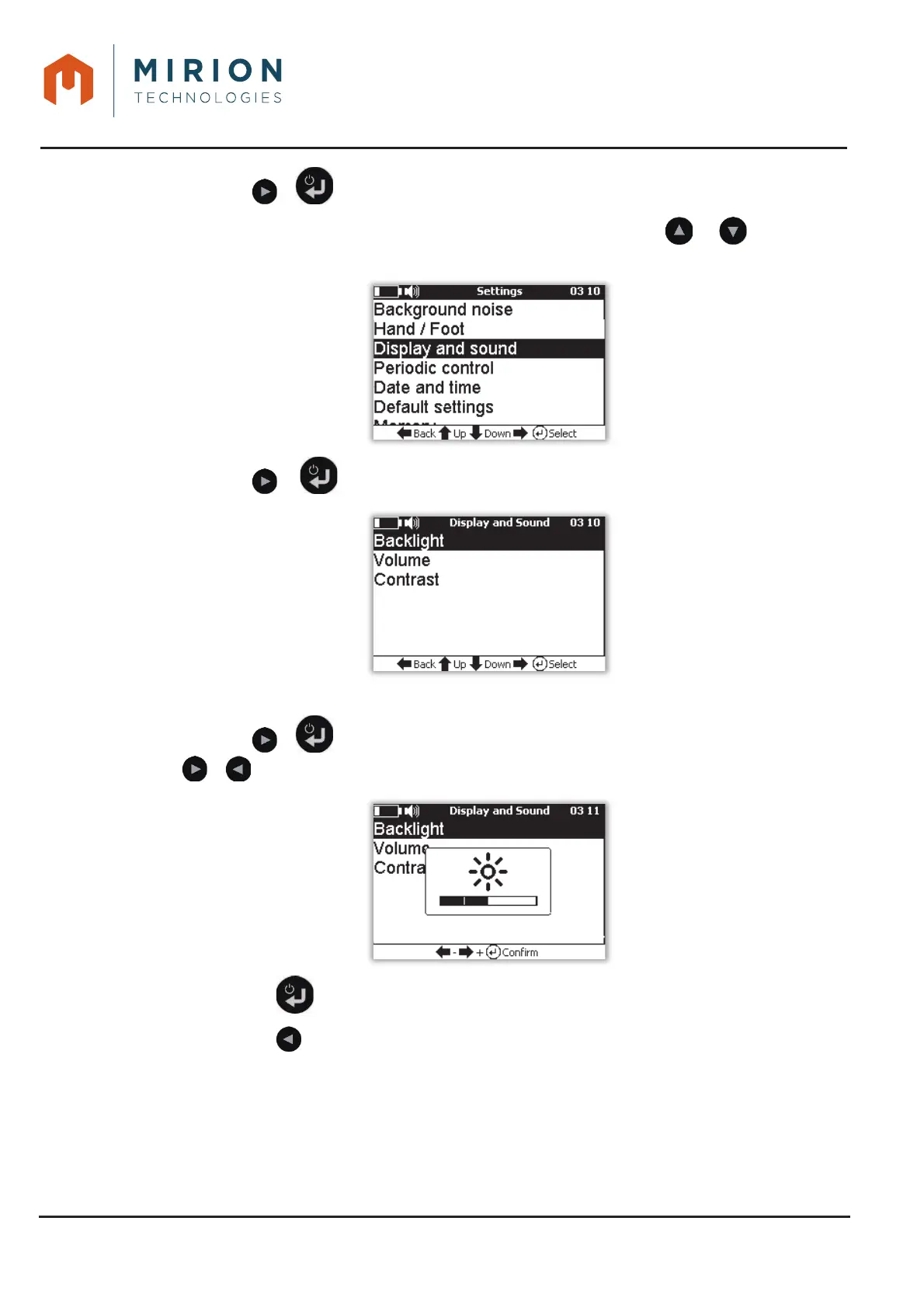
Press the or key to view the « Parameters » screen.2.
Note: The line « Background Noise » is selected by default. Use the or keys to select
the « Display and Sound » line.
Press the or key to view the « Display and sound » screen.3.
Note: The « Backlight » line is selected by default.
Press the or key to view the bargraph of the backlight level and adjust the level with the 4.
or keys.
Press the key to save the setting and return to the « Options » menu 5.
Press the key to return to the main menu.6.













 To Next Page