106491_C User manual AVIOR-2 MIP-2_En.docx
MIRION TECHNOLOGIES (Canberra) S.A.S, BP249, ZI de Vauzelles, 3760
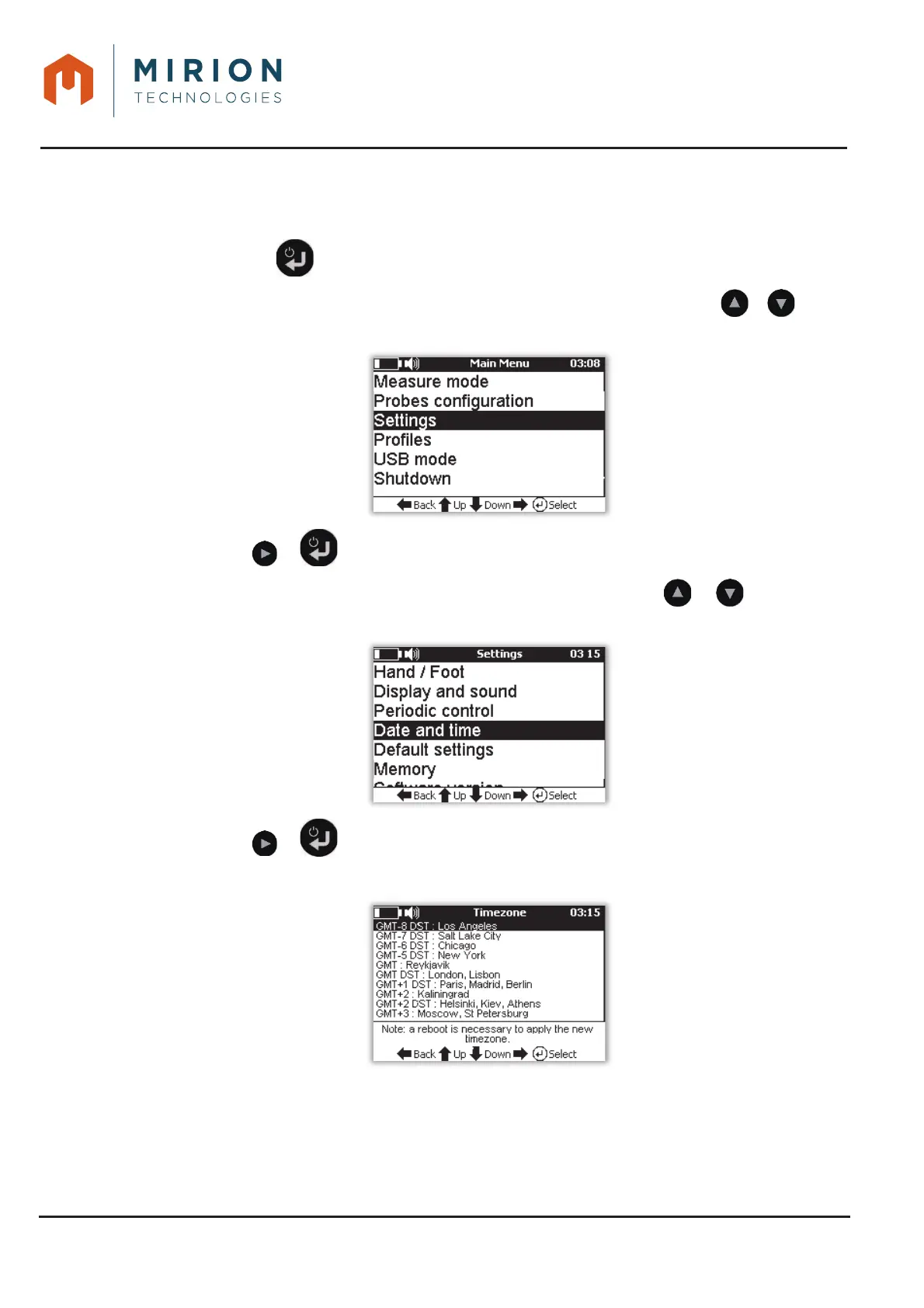
14.8 DATE AND TIME
This function is only accessible at the « Administrator » user level (To change the user level, refer to
§ 13.15).
Press the key to access the main menu 1.
Note: The « Measure Mode » line is selected by default. If necessary press the or keys to
select the « Settings » line.
Press the or key to view the « Parameters » screen.2.
Nota : The « Background Noise » line is selected by default Press the or keys to select
the « Date and time » line.
Press the or key to display and select the time zone3.
Note: A restart of the AVIOR-2 / MIP-2 is required to apply the new time zone.













 To Next Page