USER MANUAL
AVIOR-2/AVIOR-2 I/O & MIP-2/MIP-2 I/O
106491_C User manual AVIOR-2 MIP-2_En.docx
MIRION TECHNOLOGIES (Canberra)S.A.S, BP249, ZI de Vauzelles, 37602
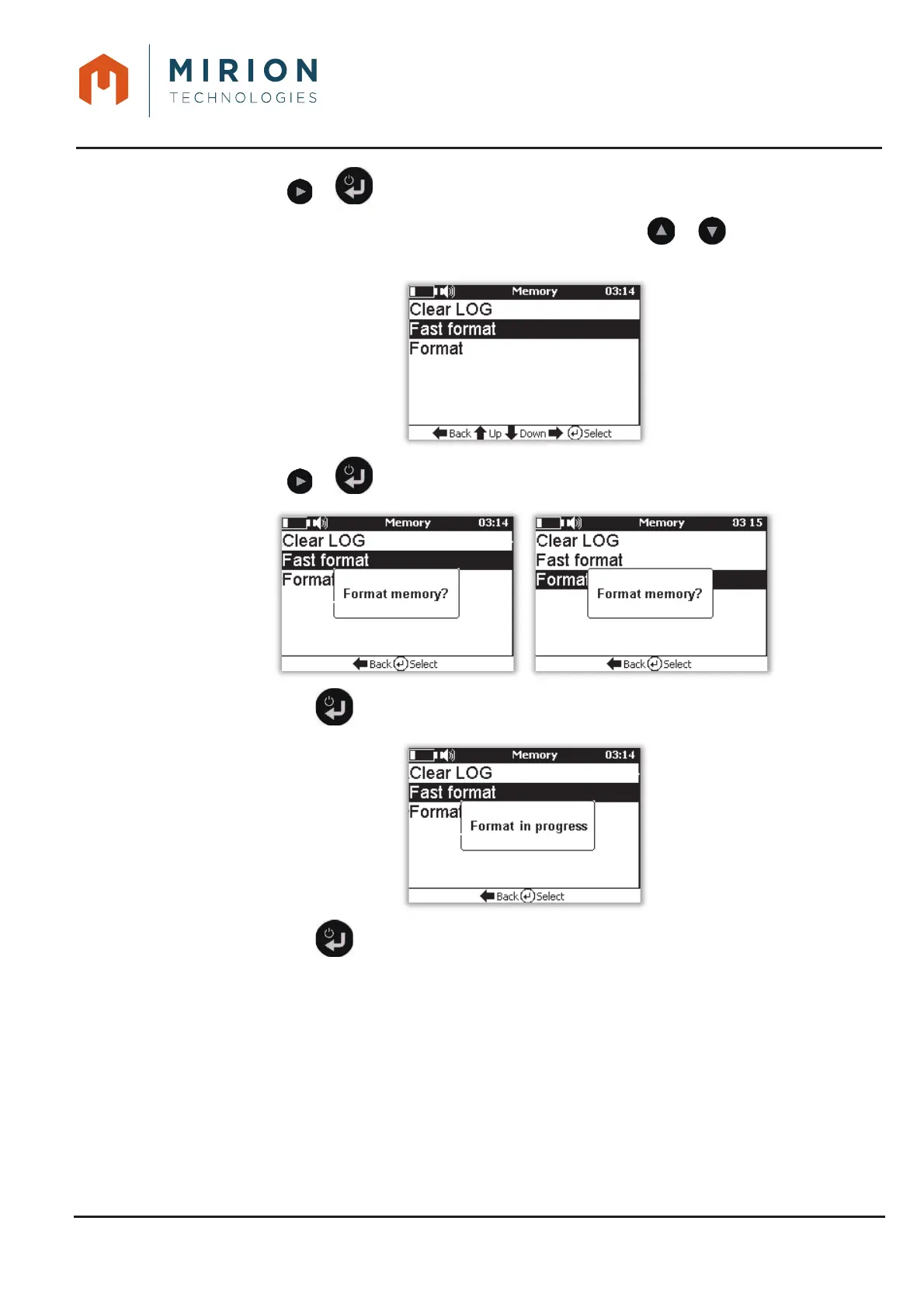
Press the or key to display the « Memory » screen.3.
Note: The « Clear LOG » line is selected by default. Press the or keys to select the line
« Fast format » or « Formatting »
Press the or key to format the internal memory.4.
Press the key to confirm formatting.5.
Press the key to return to the main menu.6.













 To Next Page