USE MANUAL
AVIOR-2/AVIOR-2 I/O & MIP-2/MIP-2 I/O
106491_C User manual AVIOR-2 MIP-2_En.docx
MIRION TECHNOLOGIES (Canberra) S.A.S, BP249, ZI de Vauzelles, 3760
Removal of the battery2.
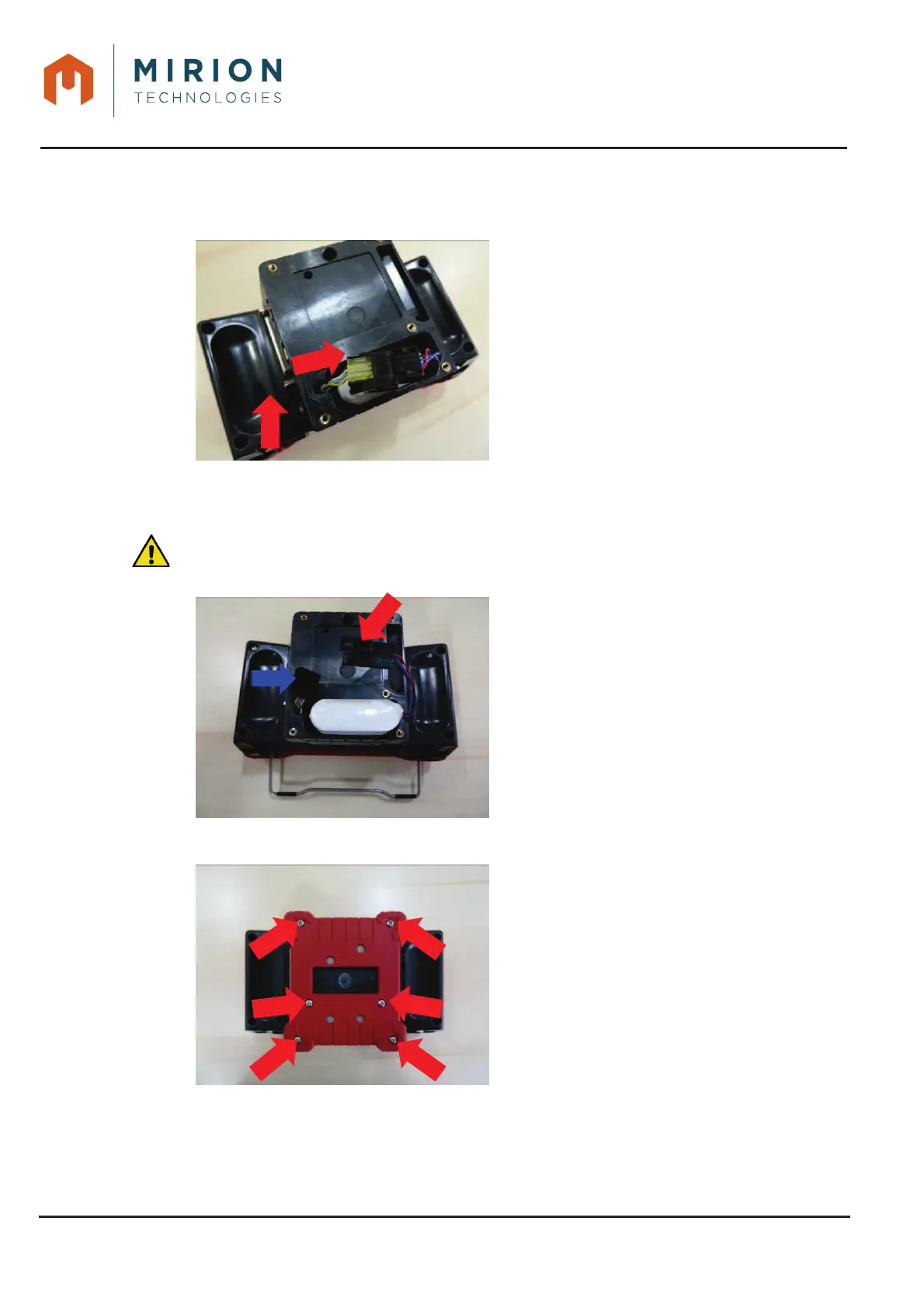
Unlock the connector by
pinching the connector tab
(red arrow) and then
disconnect it.
27.2 INSTALLATION
Installation of the battery.1.
: Do not replace the battery with a non-rechargeable battery or battery other than that
recommended in § 4 and § 5
Insert the battery so that the
opposite to the housing
connector (Blue arrow), as
shown in the illustration on
the right..
Installation of the battery cover2.
Screw the 6 screws of the
cover with a PH1 screwdriver.
Tighten the 6 screws to a
torque of 50 cNm.













 To Previous Page