USER MANUAL
AVIOR-2/AVIOR-2 I/O & MIP-2/MIP-2 I/O
106491_C User manual AVIOR-2 MIP-2_En.docx
MIRION TECHNOLOGIES (Canberra)S.A.S, BP249, ZI de Vauzelles, 37602
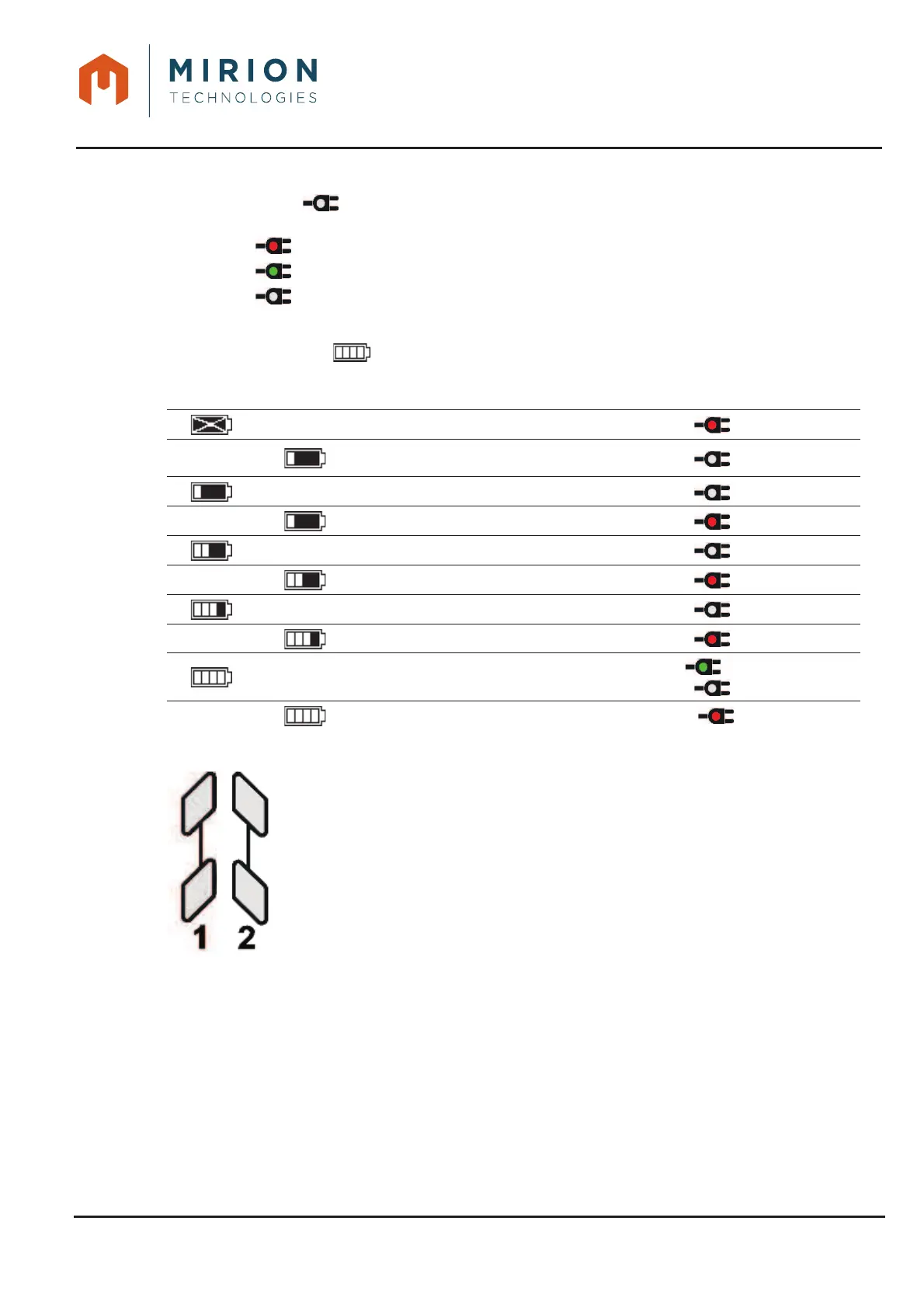
9.2.2 Charging indicator
The indicator lights up green or red to indicate the charge status of the battery when the AVIOR-2
or MIP-2 is connected to an external power source (AC, USB or 24 VDC (AVIOR-2 I/O & MIP-2 I/O)):
x ÎBattery charging
x ÎFully charged battery
x Î External power supply not connected
A message appears when the battery charge is less than 5%.
A battery status symbol is present on the top banner of the display.
Fixed
square
Flashing
square
Battery status
Charging
indicator
Sound
alarm
Battery fault
Low Battery
9
Battery charged less than 25%
Battery charging less than 25%
Battery charged between 25 & 50 %
Battery charging between 25 & 50 %
Battery charged between 50 & 75 %
Battery charging between 50 & 75 %
Battery charged between 90 & 100 %
or
Battery charging between 90 & 100 %
9.2.3 Interface 1 and 2 LEDs
Two multi-color LEDs (Red, Green, Blue, Orange, and Purple) are associated with
Interface 1 and Interface 2 to indicate alarms and malfunctions. LEDs cannot be disabled.













 To Next Page