USER MANUAL
AVIOR-2/AVIOR-2 I/O & MIP-2/MIP-2 I/O
106491_C User manual AVIOR-2 MIP-2_En.docx
MIRION TECHNOLOGIES (Canberra)S.A.S, BP249, ZI de Vauzelles, 37602
11.4 COUNTING SCALE MODE
The counting scale can only be accessed from the « Technician » user level (To change the user level,
refer to § 13.15).
The measurement makes it possible to integrate the counting rate to achieve a significant measurement
and / or to reduce uncertainty.
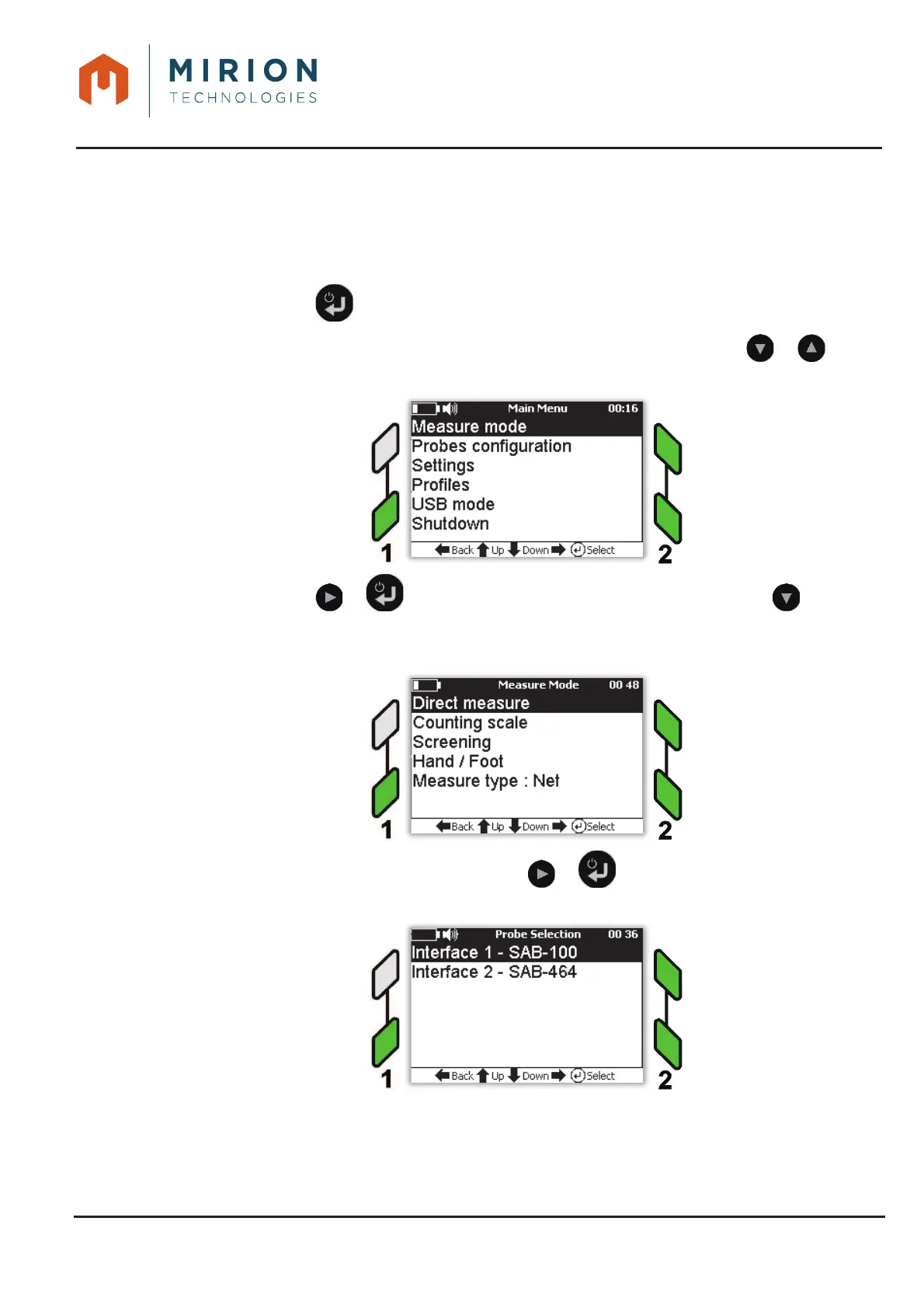
Press the key to access the main menu.1.
Note: The « Measure Mode » line is selected by default. If necessary press the or keys to
select the line.
Press the key or to display the « Measure Mode » and press the key to select 2.
the line « Counting scale ».
In the case of 2 connected probes, press the or key to select the measurement 3.
interface.













 To Next Page