106491_C User manual AVIOR-2 MIP-2_En.docx
MIRION TECHNOLOGIES (Canberra) S.A.S, BP249, ZI de Vauzelles, 3760
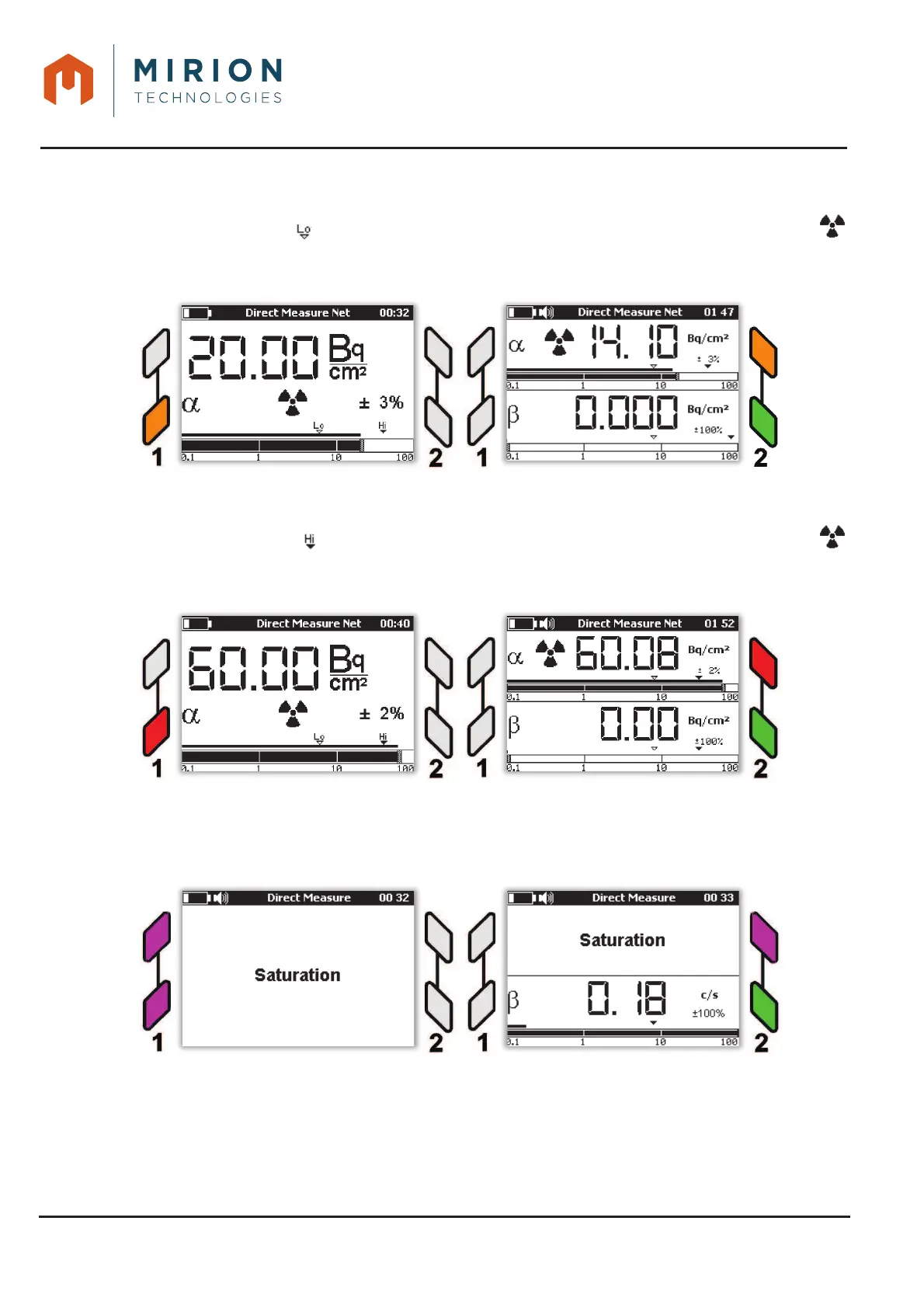
During the measurement, the triggering of the low, high threshold or saturation threshold alarms (refer
to § 12.1 for setting the thresholds) can occur:
- If the low threshold ( ) is exceeded, the AVIOR-2 / MIP-2 will sound an audible alarm, the tag
will be displayed and the indicators will change to flashing orange.
Note: For 2-channel probe, the LED of the channel in question changes to the flashing orange state.
From the « Technician » user level, press a key on the keypad to temporarily disable the alarm sound.
In case of new alert the sound is reactivated.
- If the high threshold ( ) is exceeded, the AVIOR-2 / MIP-2 activates an audible alarm, the tag
remains on the display and the indicators change from flashing orange to flashing red.
Note: For 2-channel probe, the LED of the channel concerned changes to the flashing red state.
From the « Technician » user level, press a key on the keypad to temporarily disable the alarm sound.
In case of new alert the sound is reactivated.
– If the probe becomes saturated, the AVIOR-2/MIP-2 activates an audible alarm and the LEDs on
the interface change to flashing purple.
From the « Technician » user level, press a key on the keypad to temporarily disable the alarm sound.
In case of new alert the sound is reactivated.
Note: All alarm or saturation events can be viewed in LOG files (See § 15)













 To Next Page