106491_C User manual AVIOR-2 MIP-2_En.docx
MIRION TECHNOLOGIES (Canberra) S.A.S, BP249, ZI de Vauzelles, 3760
14.16 PASSWORD AND USER LEVEL
The AVIOR-2 and the MIP-2 have 3 user levels:
x Administrator
x Technician
x Operator.
User profiles are disabled. When « Profiles » are disabled, the user access to all functions of the
device. The last user before shutdown is loaded at startup.
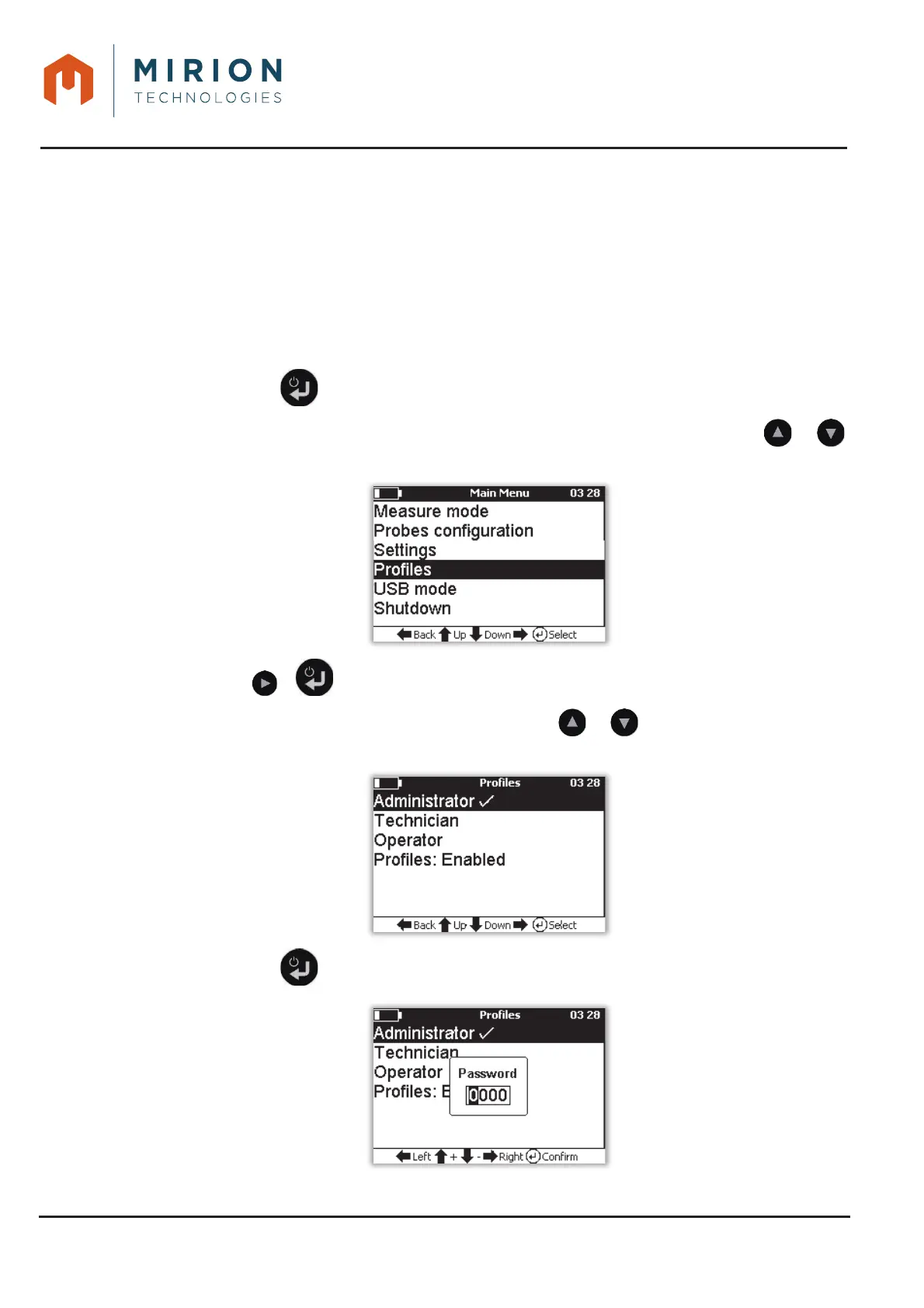
To change the user level:
Press the key to access the main menu.1.
Note: The « Measure Mode » line is selected by default. If necessary press the or
keys to select the line « Profiles ».
Press the or key to display the « Profiles » screen.2.
Note: The current user's line is checked. Press the or keys to select a user level or
disable profiles.
Press the key to enter the password of the selected level or validate profiles disabled.3.













 To Next Page