106491_C User manual AVIOR-2 MIP-2_En.docx
MIRION TECHNOLOGIES (Canberra) S.A.S, BP249, ZI de Vauzelles, 3760
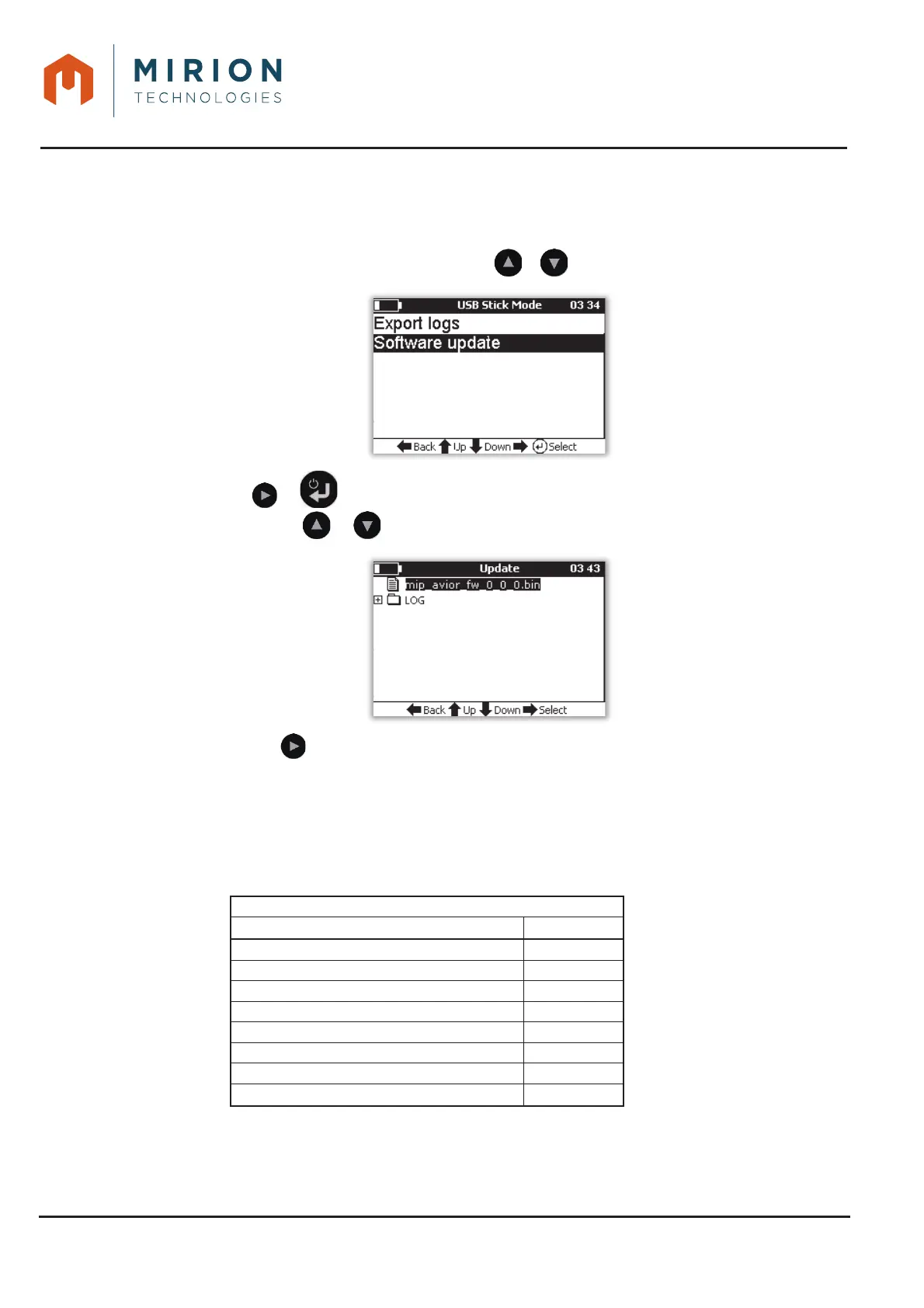
17.2 UPDATE FROM USB KEY
Using the USB female / mini USB cable, connect the USB flash drive to the AVIOR-2 or MIP-2.1.
Select the « Connect to a key » function (refer to § 14.2).2.
Select the line « Software Update » with the or keys3.
Press the or key to display the contents of the USB key and select the file (extension 4.
« .bin ») with the or keys.
Press the key to start the update: the copy of the update file is done then the AVIOR-25.
restarts automatically.
Check the software version at the bottom of the screen at startup or in the « Parameters »6.
menu (see § 13.14).
18 CONNECTOR INTERFACE 1 & 2 OF AVIOR-2













 To Next Page