106491_C User manual AVIOR-2 MIP-2_En.docx
MIRION TECHNOLOGIES (Canberra) S.A.S, BP249, ZI de Vauzelles, 3760
10 FIRST COMMISSIONNING
During storage, the AVIOR-2 / MIP-2 battery needs to be recharged every 18 months. It is therefore
recommended, before its first use; put the device in charge to ensure its proper functioning.
Check the presence of all accessories. Refer to the packing list. constituting the 1.
AVIOR-2 (See § 4) or that of the MIP-2 (See § 5)
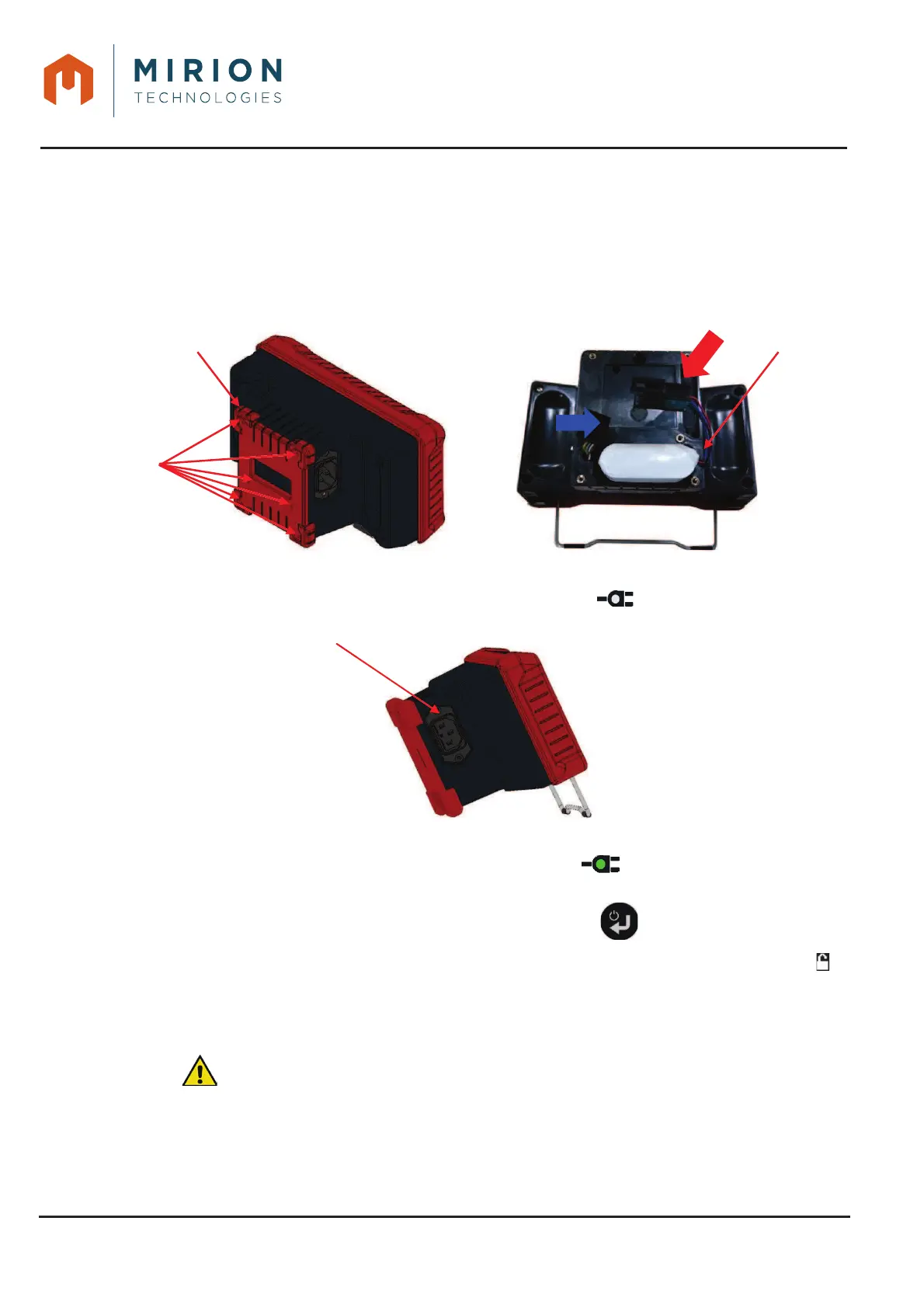
Remove the battery door and install the battery (6 screws, PH0 screw driver, tightening torque 2.
50 cNm).
Connect the mains cable and check that the indicator lights up.3.
AVIOR-2/MIP-2 – Mains connectorFigure 4 :
If the LED is red, perform a full charge cycle until the LED goes green (Charging time less 4.
than 4 hours, depending on the state of charge of the battery).
Start the AVIOR-2 or MIP-2 by pressing the keyboard button .5.
Before connecting a sensor, switch to the « Administrator » user mode (Display of the icon 6.
at the top of the screen. To change the user level, refer to § 13.15).
Configure the AVIOR-2 or MIP-2 (IPC in § 13.11 and CPC in § 13.12).7.
Connect a probe (See 10.1 below).8.
: Configure the probe (Alarm thresholds, IPC, etc., see § 12).9.













 To Next Page