106491_C User manual AVIOR-2 MIP-2_En.docx
MIRION TECHNOLOGIES (Canberra) S.A.S, BP249, ZI de Vauzelles, 3760
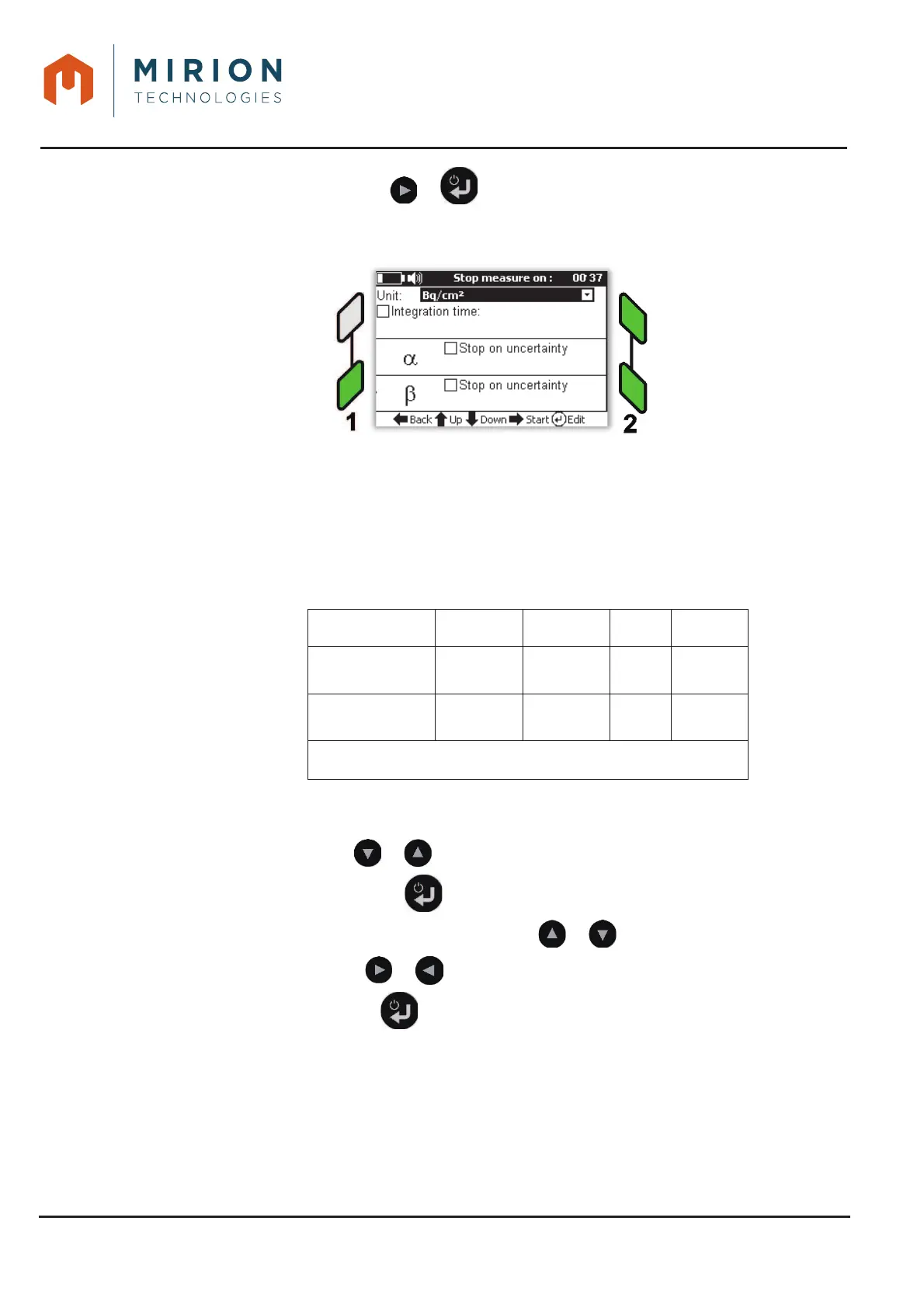
Confirm the selection with the or key to display the parameters for stopping the 4.
measurement.
Note: By default, no numeric value is set and no value will be saved when exiting the mode
The integration of the measure can be done on:
x A count with an integration time (in seconds),
x A count with an uncertainty to be reached (Į and / or ȕ depending on the type of probe).
x Counting with time and uncertainty In this case, the first value reached is taken into
account.
The unit of measure can be set according to the type of probe (See § 12.1).
User
Bq/cm
2
Bq c/s Sv/h (*)
Administrator
9 9 9 9
Technician
9 9 9 9
(*) : According to probe type
To modify a value:
x Select the line with or ,
x Edit the value with the key ,
x Select the value or confirm the option with the or keys
x Change column with or ,
x Exit edit mode with the and / or select another line to edit.













 To Next Page