USER MANUAL
AVIOR-2/AVIOR-2 I/O & MIP-2/MIP-2 I/O
106491_C User manual AVIOR-2 MIP-2_En.docx
MIRION TECHNOLOGIES (Canberra)S.A.S, BP249, ZI de Vauzelles, 37602
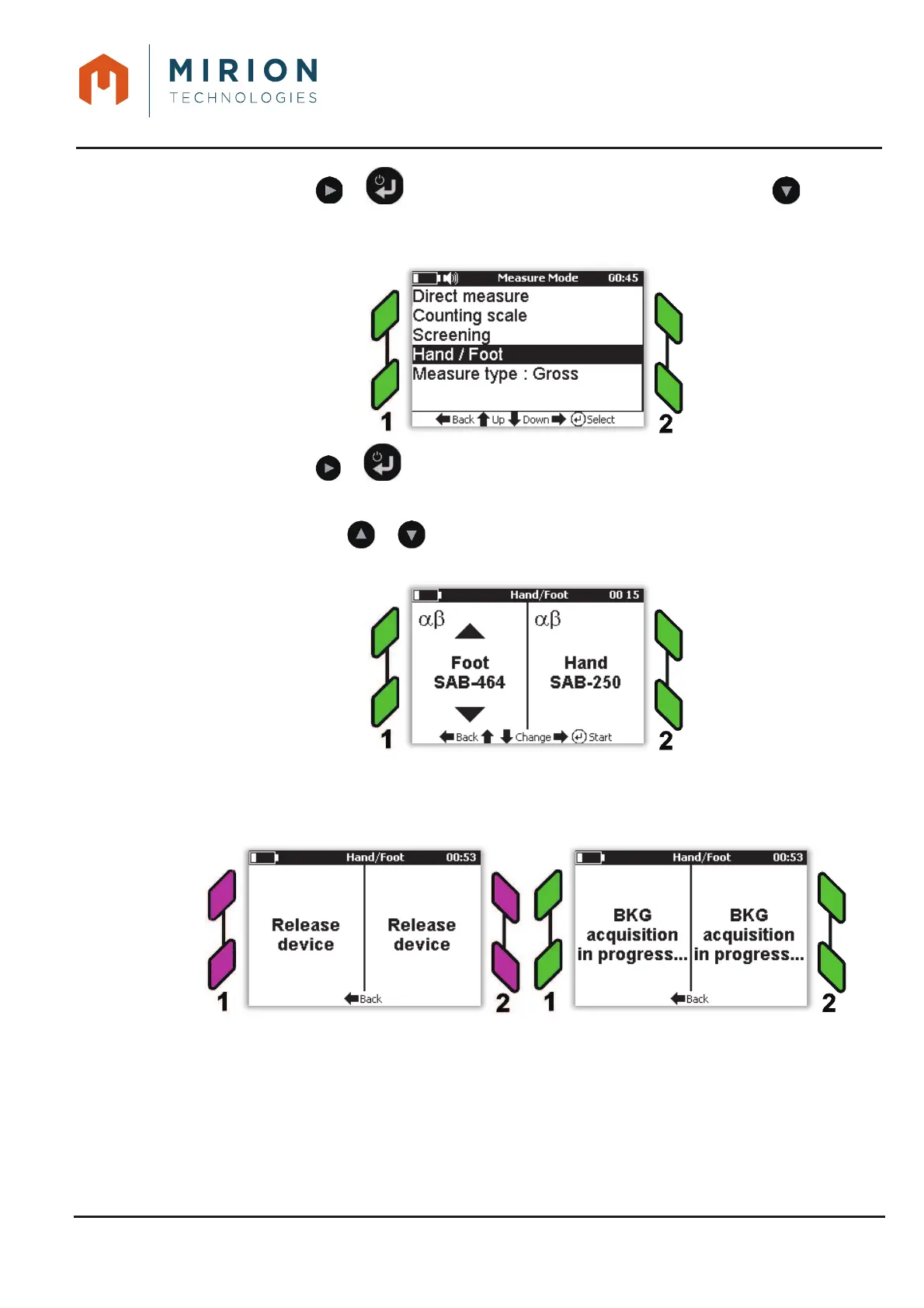
Press the key or to display the « Measure Mode » and press the key to select 2.
the line « Hand / Foot ».
Press the key or to start the mode.3.
Note: Press the or key to configure the hand probe and the foot probe in accordance
with the interface (1 or 2) where they are connected.
During the first use a measurement of the BGK is necessary. If the device detects a hand and / 4.
or foot presence, the message « Release device » is displayed with the flashing purple lights.
When the probes are released, the BGK measurement is running with the LEDs flashing green.













 To Next Page