106491_C User manual AVIOR-2 MIP-2_En.docx
MIRION TECHNOLOGIES (Canberra) S.A.S, BP249, ZI de Vauzelles, 3760
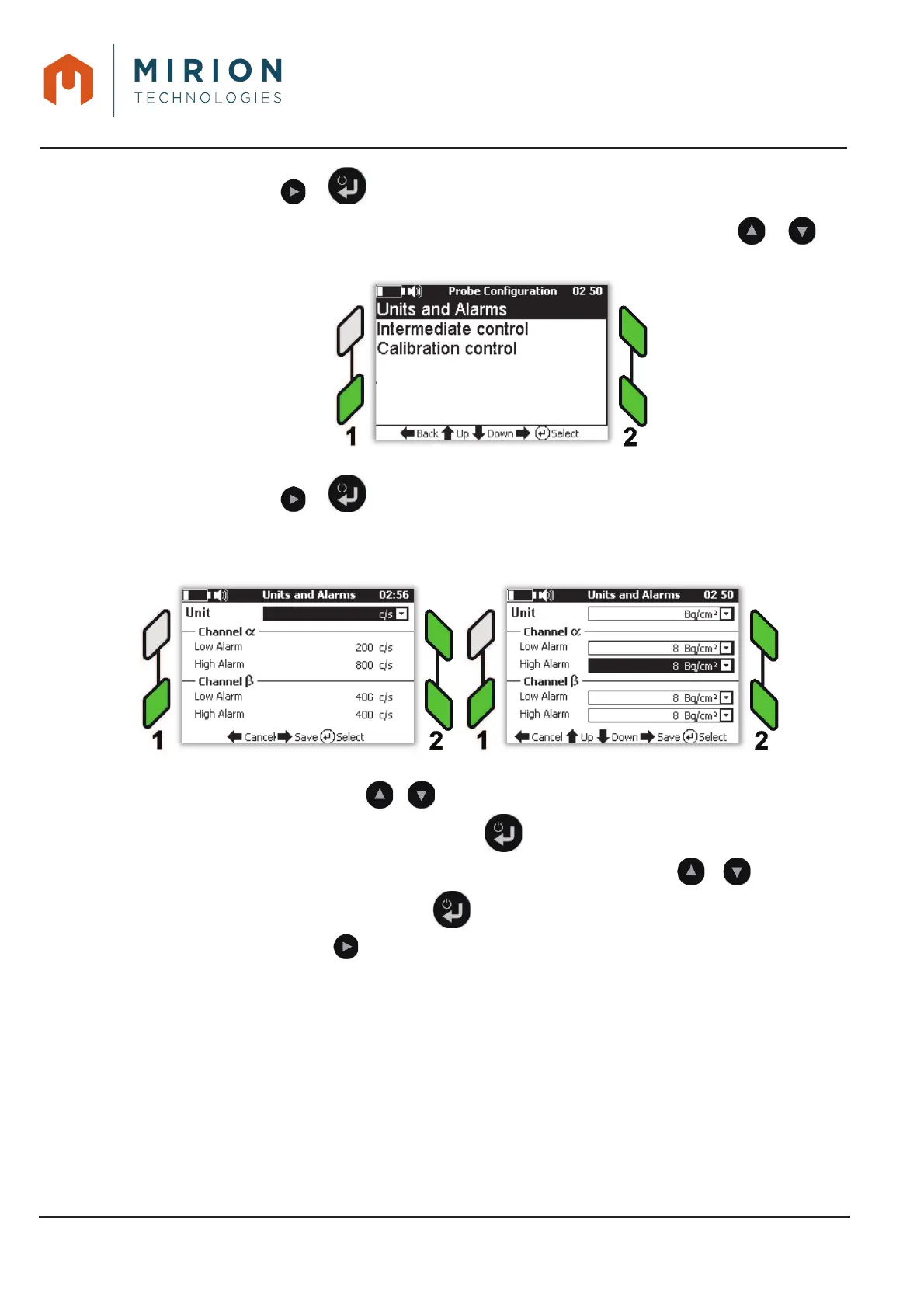
Press the key or to display the « Probe configuration » menu.2.
Note: The « Units and Alarms » line is selected by default. If necessary press the or key
to select the line.
Press the key or to display the « Unit and Alarms » menu.3.
Note: For 1-channel probes, only the probe channel is displayed
Note: For the « Operator » user level only the change of unit is allowed
To select a threshold and / or a unit:
Select the line with or ,
Display the list of values with the key
Select the value or unit from the list stored in the sensor with the or keys,
Exit from the list with the key and / or select another line to edit
Press the key to save the selection in the probe or in the AVIOR-2 and return to the
measurement.













 To Next Page