102
C
ONFIGURING SOFTKEYS PHONE LOCK KEY
Softkeys
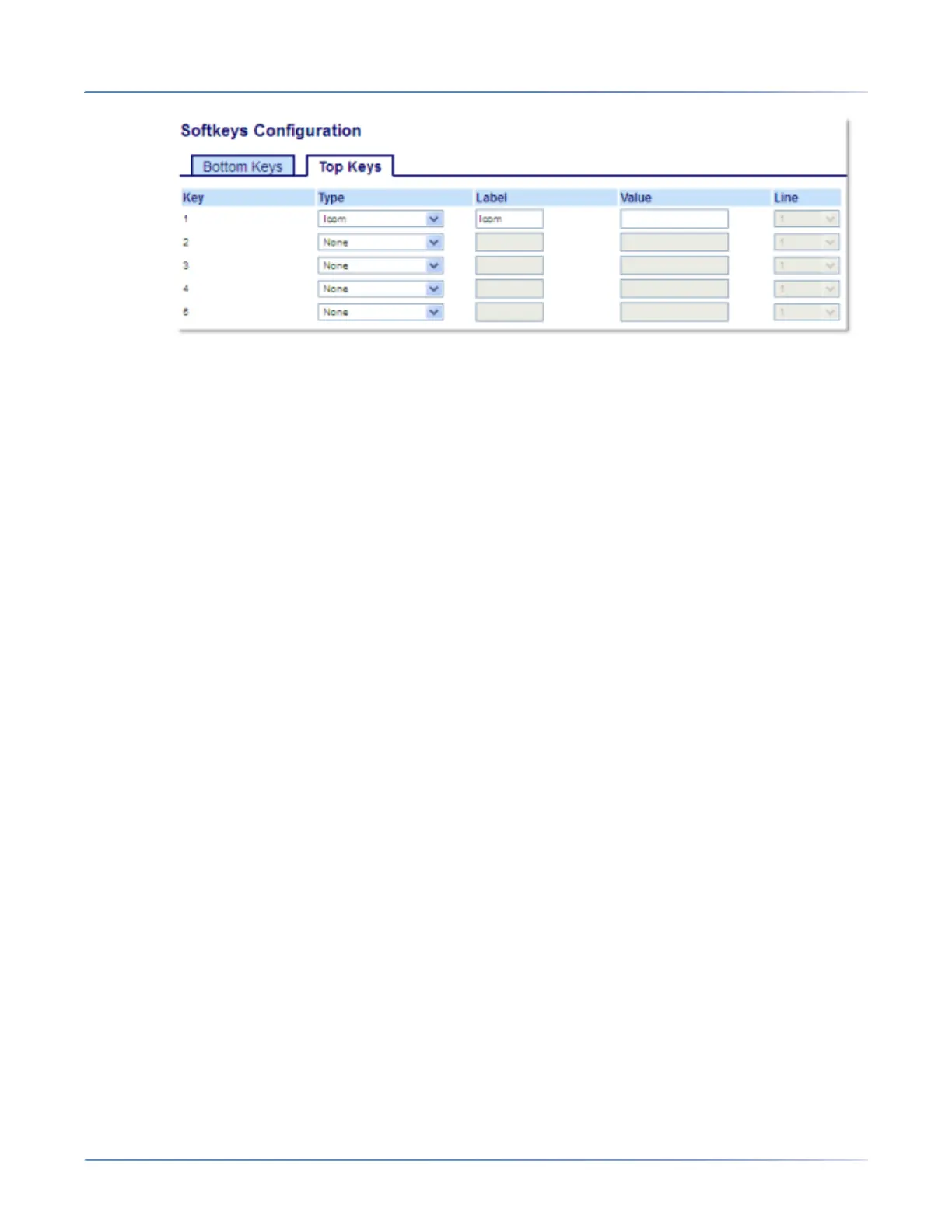
2. Select from Key 1 through Key 20 on the Top keys.
or
Select from Key 1 through Key 18 on the Bottom keys.
3. In the Type field, selectIcom.
4. In the Label field, enter a label to apply to this key.
5. In the Value field, enter the predefined number you wish to be dialed when the Intercom key is
pressed.
NOTE: If no value is defined, you will need to manually enter a number after pressing the Intercom
key.
6. In the state fields, check (enable) or uncheck (disable) the states you want to apply to this softkey.
Expansion Module Keys
7. Select from Key 1 through Key 84(M695).
8. In the Type field, selectIcom.
9. In the Value field, enter the predefined number you wish to be dialed when the Intercom key is
pressed.
NOTE: If no value is defined, you will need to manually enter a number after pressing the Intercom
key.
10. Click Save Settings.
Phone Lock Key
You can configure a key on the IP phone to use as a lock/unlock key. You assign the function of the key
as Phone Lock.
Configuring a Phone Lock Key
1. Click on Operation > Softkeys and XML.
or
Click on Operation > Expansion Module <N>.



 To Next Page