121
R
ECEIVING CALLS ANSWERING AN INCOMING CALL
Receiving Calls
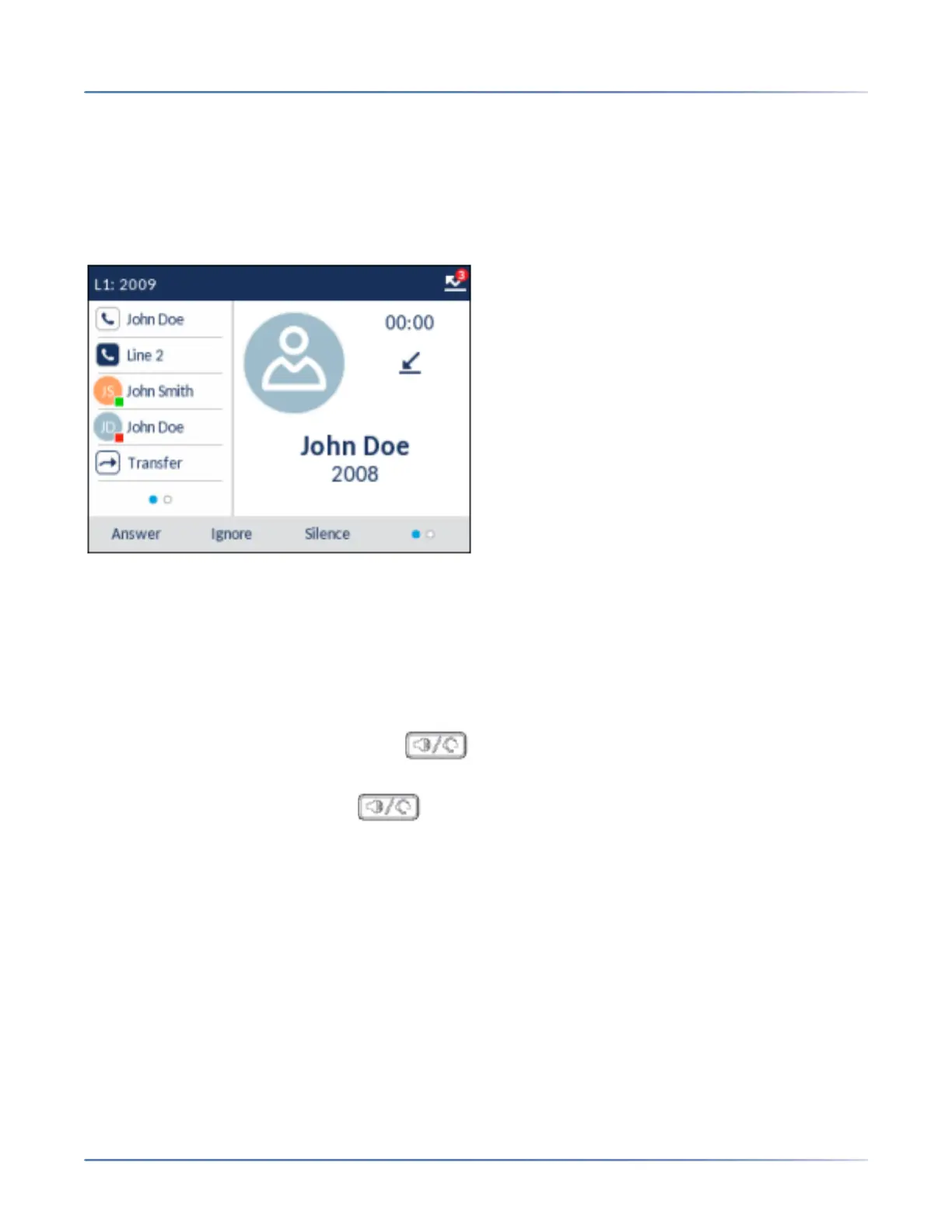
When a call is ringing at your extension, the inbound callers name, extension, picture ID (if applicable),
and incoming call icon display on the screen. Additionally, the line/call appearance LED flashes quickly
for the incoming call.
NOTE: You can press the Silence softkey on the bottom softkeys when the phone is ringing to immediately
silence the ring tone.
Answering an Incoming Call
To answer an incoming call
• For speakerphone operation, press the (Speaker/Headset) key, the Answer softkey or the
Line softkey for the incoming call. You phone must be configured to use the Speaker audio path.
• For headset operation, press the (Speaker/Headset) key or the answer button on your
headset (if available). You phone must be configured to use the Headset audio path.
• Lift the handset for handset operation.
NOTE: The audio mode setting you have selected in Settings > Audio> Audio Path menu on the
IP phone UI determines if the call goes to speakerphone or headset operation. For more informa-
tion, see the section “Audio Mode” .
If the phone is already connected to a call, pressing the Line softkey or Answer softkey for the new
incoming call automatically places the connected call on hold and answers the new call.
NOTE: If the Goodbye Key Cancels Incoming Call feature is disabled, you can also use the answer button
on your headset (if available) to answer the secondary incoming call. If the Goodbye Key Cancels
Incoming Call feature is enabled, the answer button on your headset will cancel the secondary incoming
call. For more information on the Goodbye Key Cancels Incoming Call feature, see the section “Goodbye
Key Cancels Incoming Calls” .



 To Next Page