81
C
ONFIGURING SOFTKEYS BLF/LIST KEY
For both BLF and BLF/List, the parameter "XXXkeyN ring splash" is applicable when the "..."keyN ring
splash" value is set to control the ring splash alert pattern.
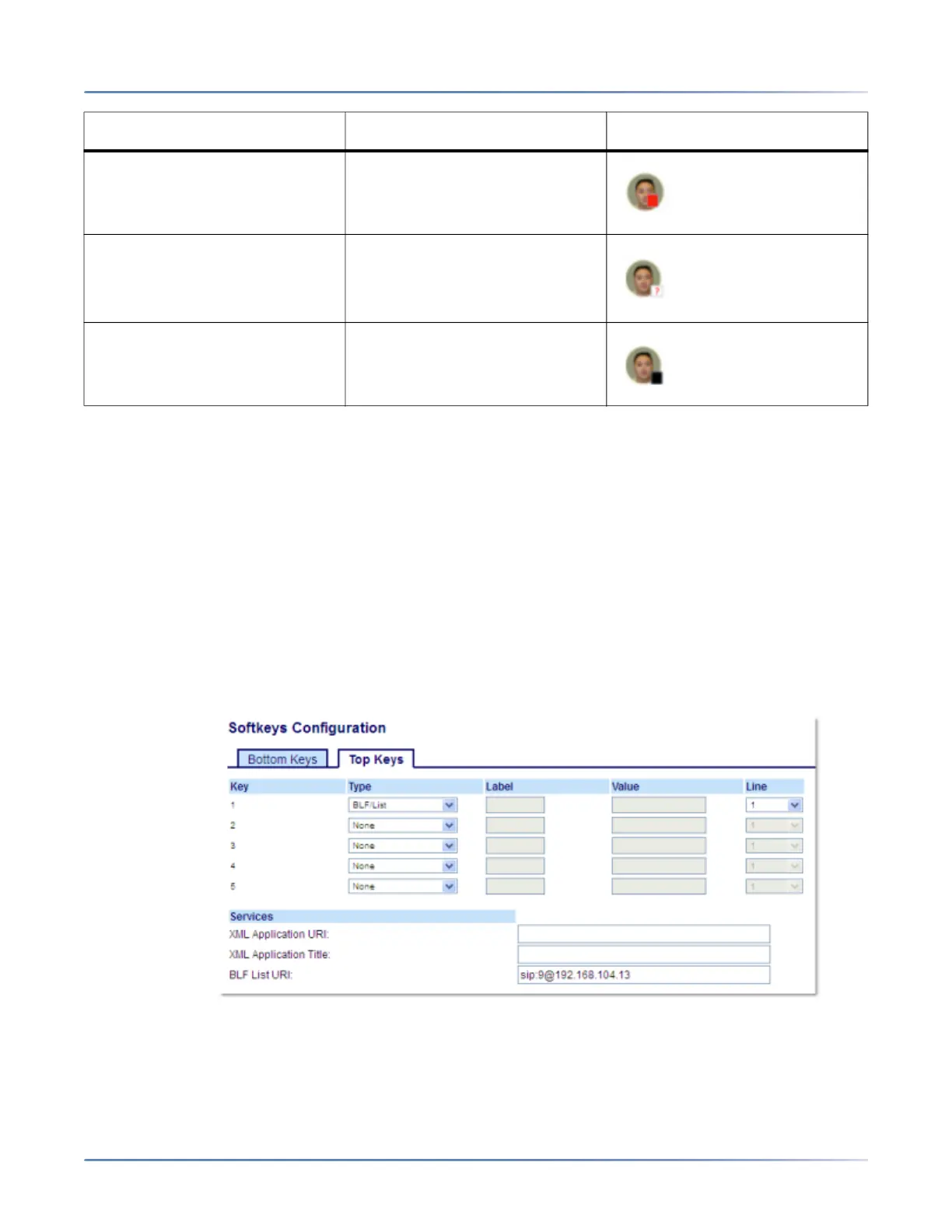
Configuring a BLF/List Key Using the Mitel Web UI
If you set a key to use BLF/List, you must also enter a BLF List URI at Operation > Softkeys and XML >
Services. The BLF List URIis the name of the BLF list defined on the BroadSoft BroadWorks Busy Lamp
field page for your particular user. For example, sip:9@192.168.104.13. The value of the BLF List URI
parameter must match the list name configured. Otherwise, no values display on the 6920 screen and the
feature is disabled.
1. Click on Operation > Softkeys and XML.
or
Click on Operation > Expansion Module <N>.
Softkeys
2. Select from Key 1 through Key 20 on the Top keys.
3. In the Type field, select BLF/List (BroadSoft BroadWorks).
Connected Solid Red
Unknown Off
Not Monitored Off
BLF/List State LED Behavior Softkey Icon



 To Next Page