7 Functions and settings
Maschinenfabrik Reinhausen 2014130 222/08 ENTAPCON® 240
This display is only provided for the following interface protocols:
▪ DNP3
▪ MODBUS ASCII/RTU
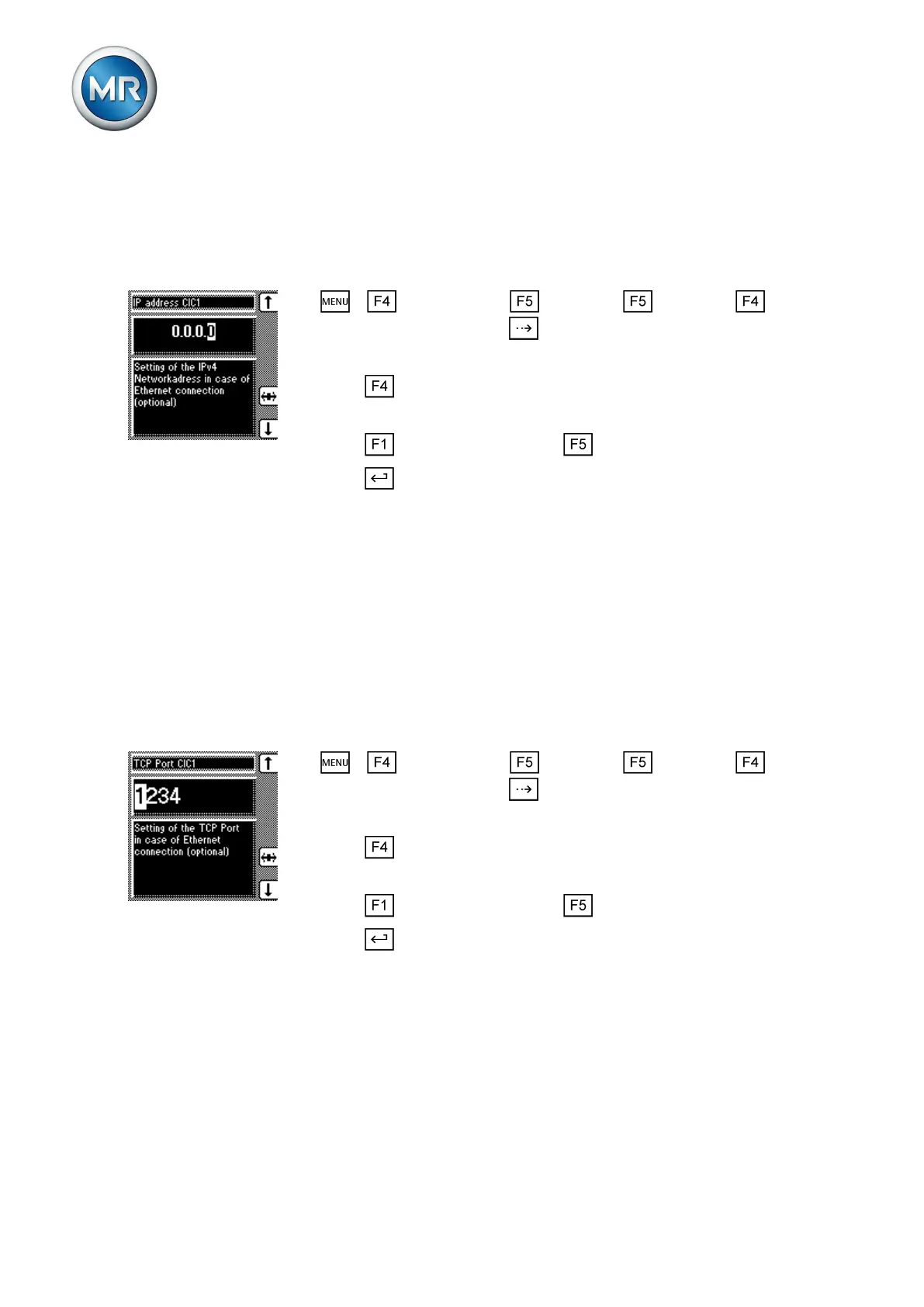
To assign the network address, proceed as follows:
1. > Configuration > Continue > Continue >
Comm. interface 1 > Press until the desired parameter is displayed.
ð Network address CIC1.
2. Press to highlight the position.
ð The position is highlighted and the value can be changed.
3. Press to increase the value or to reduce it.
4. Press .
ð The network address is assigned.
Assigning the TCP port
You can use this parameter to assign a TCP port to the device. If you want
to connect the device by means of Ethernet, you need to set a valid TCP
port.
This display is only provided for the following interface protocols:
▪ DNP3
▪ MODBUS ASCII/RTU
To assign the TCP port, proceed as follows:
1. > Configuration > Continue > Continue >
Comm. interface 1 > Press until the desired parameter is displayed.
ð TCP Port CIC1.
2. Press to highlight the position.
ð The position is highlighted and the value can be changed.
3. Press to increase the value or to reduce it.
4. Press .
ð The TCP port is assigned.
Setting fiber-optic cable transmission behavior
You can use this parameter to set the device's transmission behavior, when
you connect the device via optical fiber (OF). This determines whether or not
the transmit LED lights up when the signal (logical 1) is active.
7.14.4
7.14.5



 To Next Page