7 Functions and settings
Maschinenfabrik Reinhausen 2014132 222/08 ENTAPCON® 240
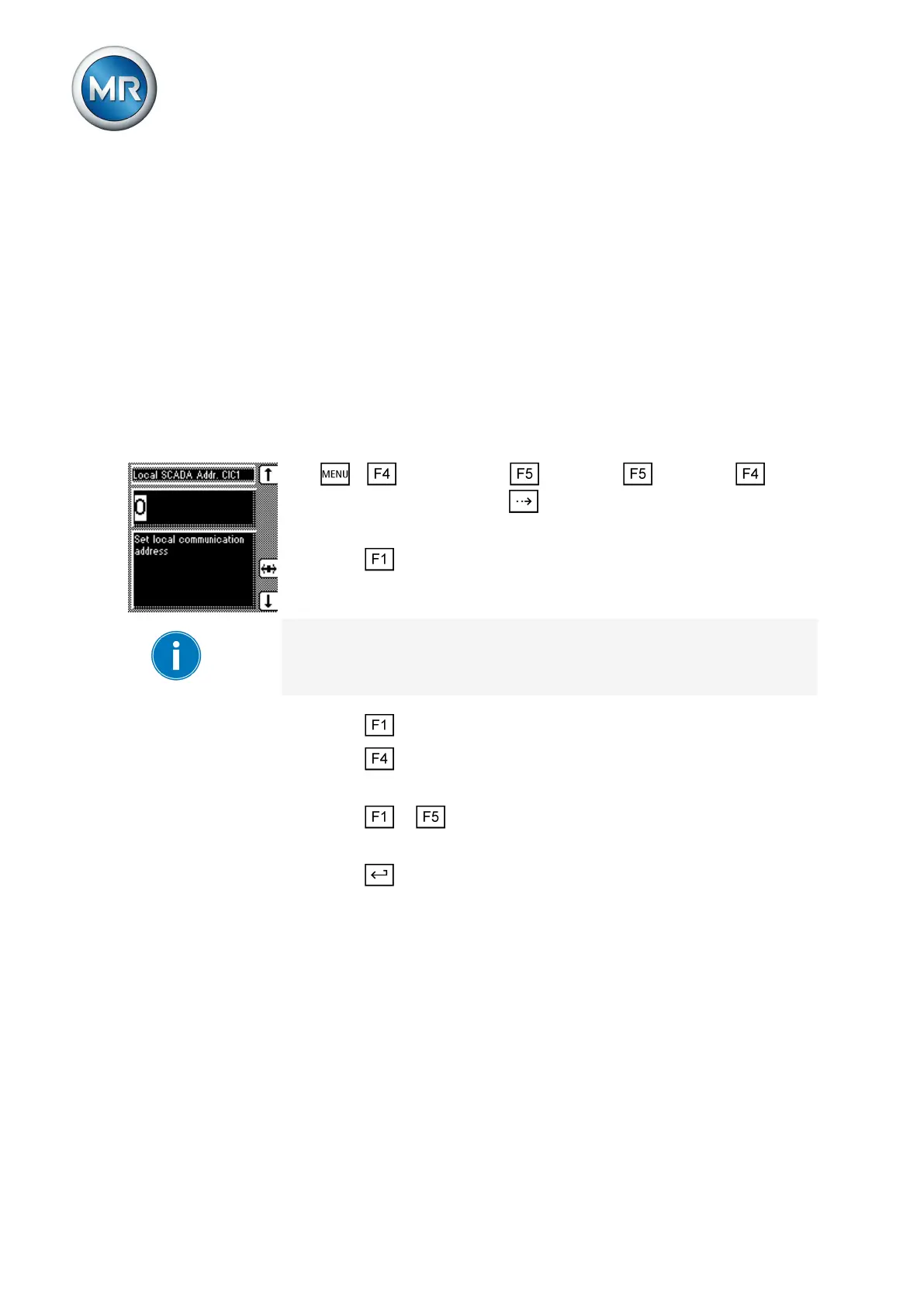
Setting local SCADA address
You can use this parameter to assign a SCADA address to the device. You
have to define this parameter if the device is to communicate via the control
system protocol.
This display is only provided for the following interface protocols:
▪ DNP3
▪ IEC 60870-5-101
▪ IEC 60870-5-103
▪ MODBUS ASCII/RTU
▪ ABB SPA
To set the SCADA address, proceed as follows:
1. > Configuration > Continue > Continue >
Comm. interface 1 > Press until the desired parameter is displayed.
ð Local SCADA Address CIC1.
2. Press to change the first digit.
If you wish to enter a multi-digit sequence, proceed to step 3. If you do not
wish to enter additional digits, proceed to step 7:
3. Press until another digit position appears.
4. Press to highlight a digit position.
ð The required digit is highlighted and can be changed.
5. Press or to change the digit.
6. Repeat steps 3 to 5 until all required digits have been entered.
7. Press .
ð The SCADA address is set.
Setting SCADA master address
You can use this parameter to set the SCADA address for the master sta-
tion. When the device is restarted, the device data is sent to this master sta-
tion without prompting.
This display is only provided for the following interface protocol:
▪ DNP3
To set the SCADA master address, proceed as follows:
7.14.7
7.14.8



 To Next Page