7 Functions and settings
Maschinenfabrik Reinhausen 201472 222/08 ENTAPCON® 240
The following requirements must be noted to set delay time T2:
▪ The delay time T2 must be greater than the switching pulse time.
▪ The delay time T2 must be greater than the maximum operating time of
the motor-drive unit.
▪ The delay time T2 must be less than the value set for delay time T1.
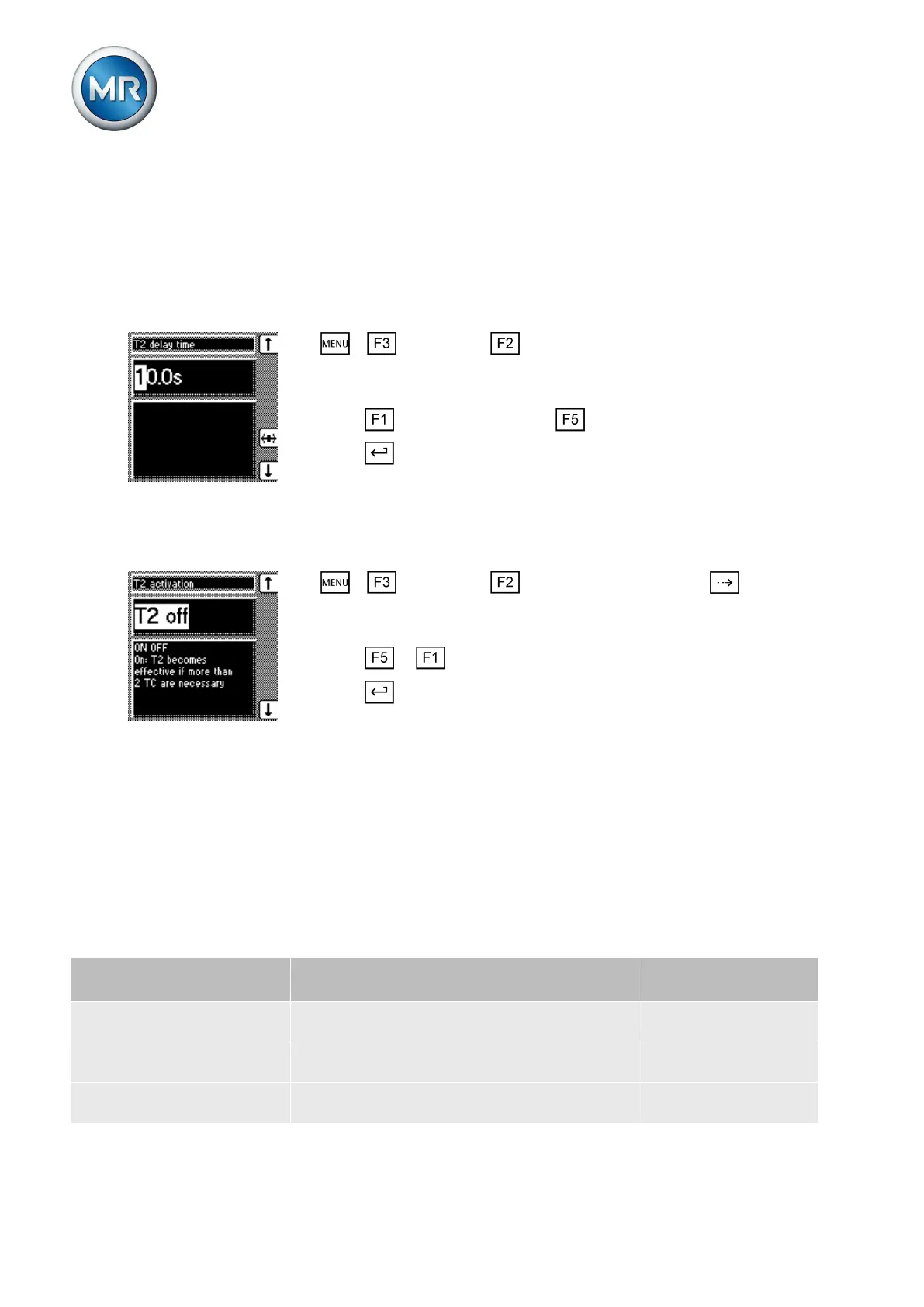
To set the delay time T2, proceed as follows:
1. > Parameter > Control parameter > Press until the de-
sired parameter is displayed.
ð Delay time T2.
2. Press to increase the time or to reduce it.
3. Press .
ð The delay time T2 is set.
Activating/deactivating delay time T2
To activate/deactivate delay time T2 , proceed as follows:
1. > Parameter > Control parameter > Press until the
desired parameter is displayed.
ð T2 activation.
2. Press or to activate/deactivate T2.
3. Press .
ð The delay time T2 is activated/deactivated.
Adjustment of desired voltage value dependent on active power
You can use these parameters to set an active power-dependent adjustment
of the desired voltage value. The desired value [► 67] you have set will be
adjusted automatically depending on the active power measured. This func-
tion is used to compensate for a voltage drop during increased load or an in-
crease in voltage due to a decentralized feed-in.
Depending on whether positive or negative active power is measured, the
desired value calculation is based on 2 linear equations (see example in dia-
gram below).
Parameter Function Settings (see dia-
gram below)
U
max
: Maximum desired value Maximum set desired value is activated when
P
max
is exceeded.
103.0 V
U
min
: Minimum desired value Minimum set desired value is activated when
value falls below P
min
.
99.0 V
U
0
: Desired value at 0 active
power
Set desired value is activated when measured
active power is 0 MW.
100.00 V
7.4.6



 To Next Page