7 Functions and settings
Maschinenfabrik Reinhausen 201478 222/08 ENTAPCON® 240
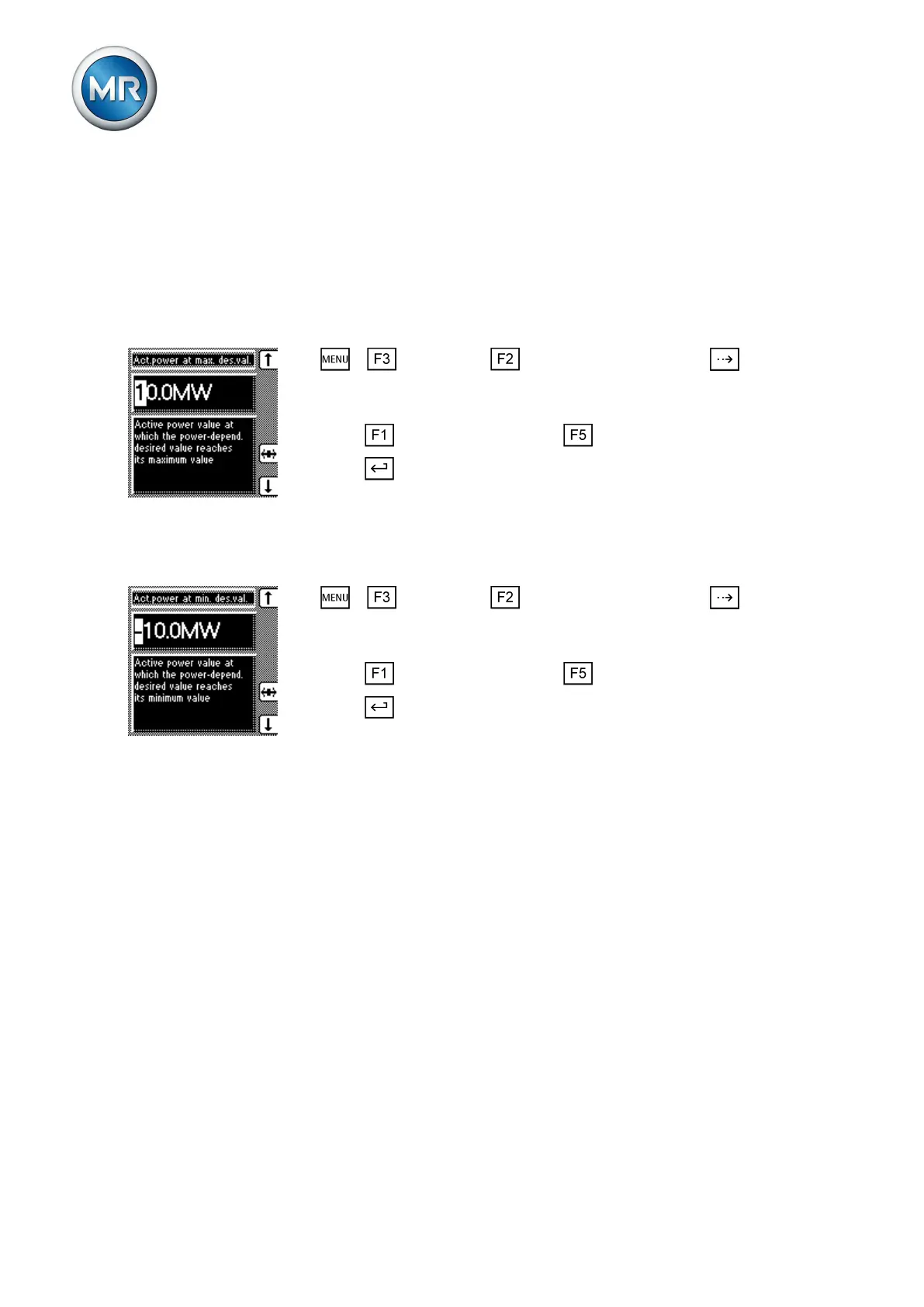
Setting active power at maximum/minimum desired value
You can use these parameters to set the maximum and minimum active-
power value at which the maximum and minimum active-power-dependent
desired value [► 76] is to be used for regulation.
Setting maximum active-power value
To set the maximum active-power value, proceed as follows:
1. > Parameter > Control parameter > Press until the
desired parameter is displayed.
ð Active power at max. desired value.
2. Press to increase the value or to reduce it.
3. Press .
ð The maximum active-power value is set.
Setting minimum active-power value
To set the minimum active-power value, proceed as follows:
1. > Parameter > Control parameter > Press until the
desired parameter is displayed.
ð Active power at min. desired value.
2. Press to increase the value or to reduce it.
3. Press .
ð The minimum active-power value is set.
Limit values
In the Limit values menu item, you can set all the parameters needed for lim-
it value monitoring as relative or absolute values. You can set three limit val-
ues:
▪ Undervoltage V<
▪ Overvoltage V>
▪ Overcurrent I>
Limit value monitoring is used to reduce damage to the system periphery.
The following sections describe how you can set the parameters.
Activating/deactivating absolute or relative limit values
You can use this parameter to select either the set relative or absolute limit
values. The following settings are possible:
7.4.6.4
7.5
7.5.1



 To Next Page