7 Functions and settings
Maschinenfabrik Reinhausen 2014 77222/08 EN TAPCON® 240
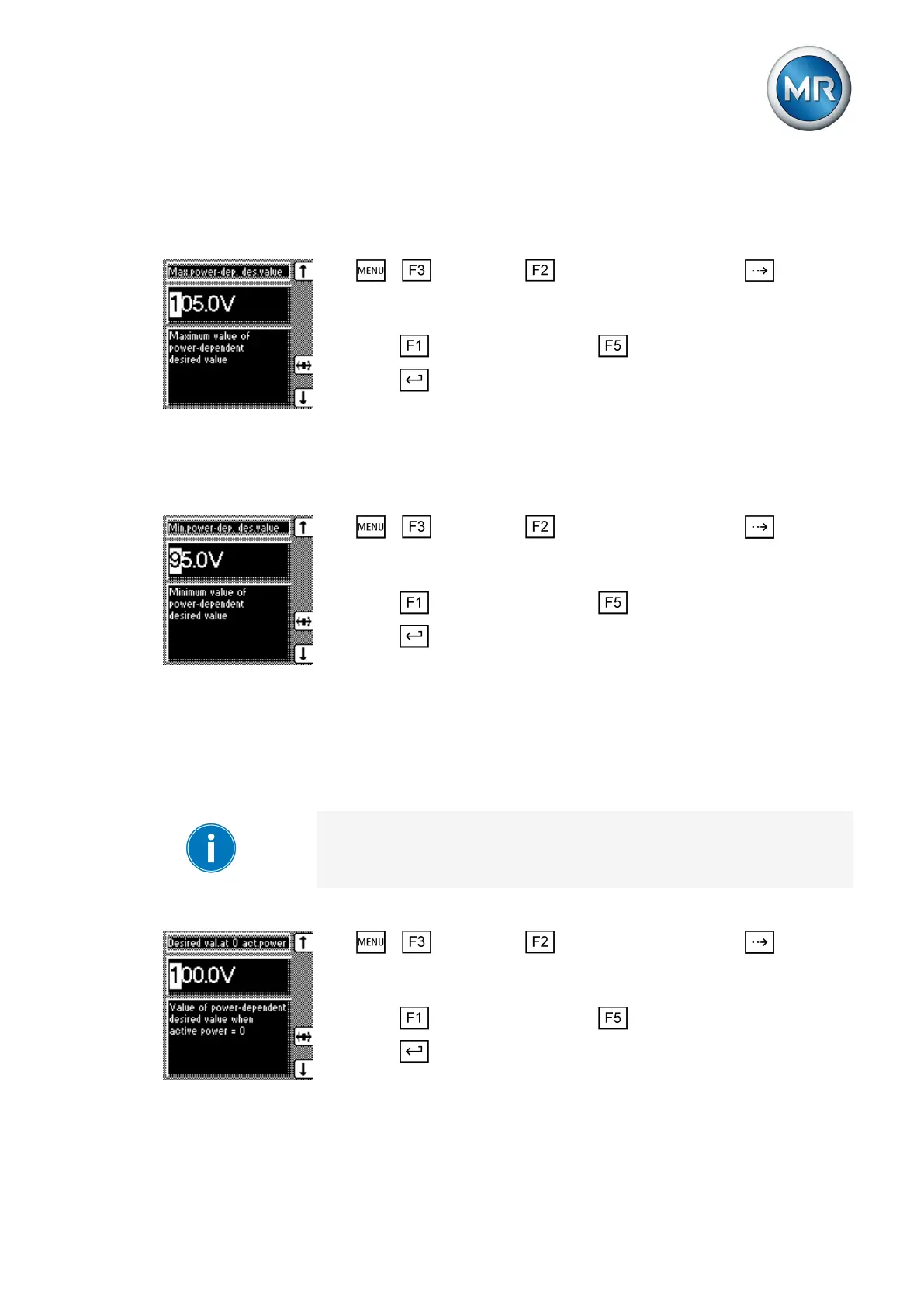
Setting maximum permissible power-dependent desired value
To set the maximum permissible power-dependent desired value, proceed
as follows:
1. > Parameter > Control parameter > Press until the
desired parameter is displayed.
ð Maximum power-dependent desired value.
2. Press to increase the value or to reduce it.
3. Press .
ð The maximum permissible power-dependent desired value is set.
Setting minimum permissible power-dependent desired value
To set the minimum permissible power-dependent desired value, proceed as
follows:
1. > Parameter > Control parameter > Press until the
desired parameter is displayed.
ð Minimum power-dependent desired value.
2. Press to increase the value or to reduce it.
3. Press .
ð The minimum permissible power-dependent desired value is set.
The following sections describe how to set the other parameters.
Setting desired value with active power 0
You can use this parameter to set the desired value which is to be used as
soon as the measured active power is 0.
You can enter the values in V or in kV. It is only possible to change from V
to kV if all the transformer data have previously been entered.
To set the desired value, proceed as follows:
1. > Parameter > Control parameter > Press until the
desired parameter is displayed.
ð Desired value at 0 active power.
2. Press to increase the value or to reduce it.
3. Press .
ð The desired value is set.
The following sections describe how to set the other parameters.
7.4.6.3



 To Next Page