7 Functions and settings
Maschinenfabrik Reinhausen 2014 71222/08 EN TAPCON® 240
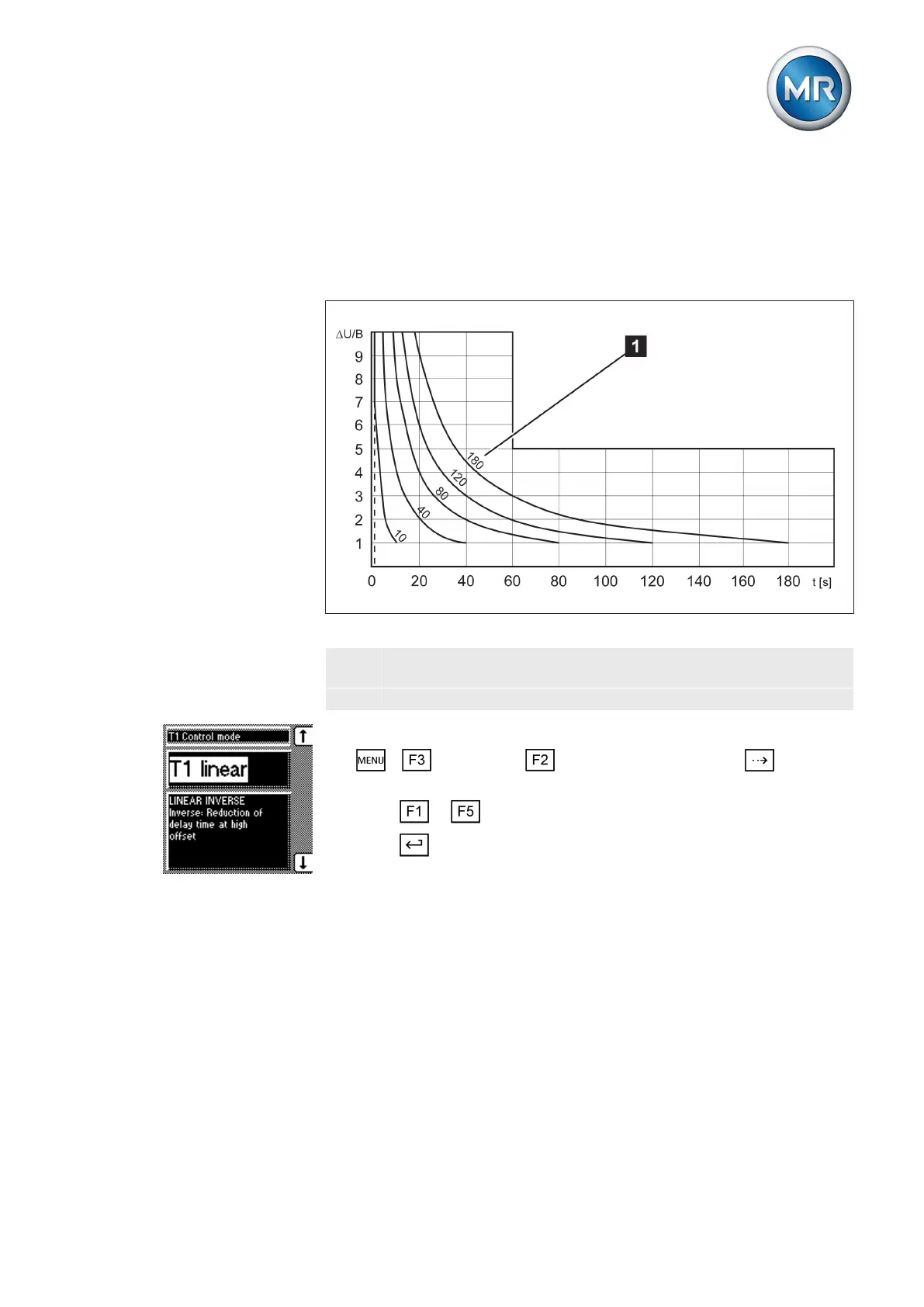
With integral control response, the device responds with a variable delay
time depending on the control deviation. The greater the control deviation
(ΔV) in relation to the set bandwidth (B), the shorter the delay time. The de-
lay time can therefore be reduced down to 1 second. This means that the
device responds faster to large voltage changes in the grid. Regulation accu-
racy improves as a result but the frequency of tap-changes increases too.
Figure 44: Diagram showing integral control response
ΔV/B Control deviation "ΔV" as % of desired value as ratio to the set
bandwidth "B" as % of desired value
1 "Delay time T1" parameter
To set the control response T1, proceed as follows:
1. > Parameter > Control parameter > Press until the
desired parameter is displayed.
2. Press or to set the response you want.
3. Press .
ð The control response T1 is set.
Setting delay time T2
With this parameter, you can set delay time T2. Delay time T2 is used to
compensate for large control deviations faster.
The delay time T2 only takes effect if more than one tap-change operation is
required to return the voltage to within the set bandwidth. The first output
pulse occurs after the set delay time T1. After the set tap-change delay time
T2 has elapsed, additional pulses occur in order to correct the existing con-
trol deviation.
Integral control response
T1
7.4.5



 To Next Page