7 Functions and settings
Maschinenfabrik Reinhausen 2014 97222/08 EN TAPCON® 240
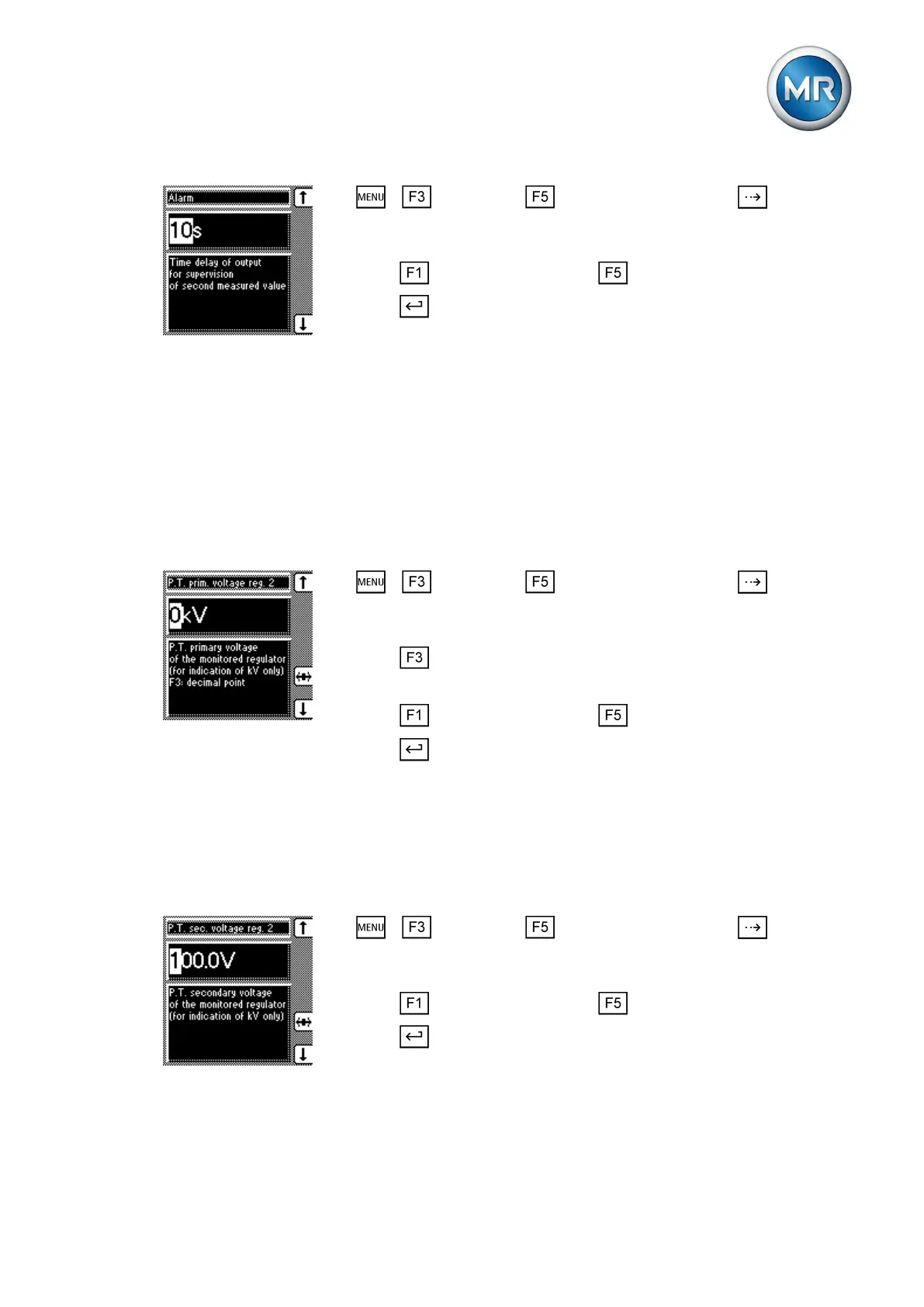
1. > Parameter > Cross-monitoring > Press until the de-
sired parameter is displayed.
ð Error message.
2. Press to increase the value or to reduce it.
3. Press .
ð The delay time is set.
Setting transformer for regulator 2
You use these parameters to set the transformer data of the device to be
monitored.
Setting the primary transformer voltage
The primary transformer voltage is set in kV.
To set the primary transformer voltage of voltage regulator 2, proceed as fol-
lows:
1. > Parameter > Cross-monitoring > Press until the de-
sired parameter is displayed.
ð P.T. prim. voltage reg. 2.
2. Press to highlight the decimal place.
ð The decimal place is defined and the value can be changed.
3. Press to increase the value or to reduce it.
4. Press .
ð The primary transformer voltage is set.
Setting the secondary transformer voltage
The secondary transformer voltage is set in V.
To set the secondary transformer voltage of voltage regulator 2, proceed as
follows:
1. > Parameter > Cross-monitoring > Press until the de-
sired parameter is displayed.
ð P.T. sec. voltage reg. 2.
2. Press to increase the value or to reduce it.
3. Press .
ð The secondary transformer voltage is set.
7.7.5



 To Next Page