9 Fault elimination
Maschinenfabrik Reinhausen 2014 149222/08 EN TAPCON® 240
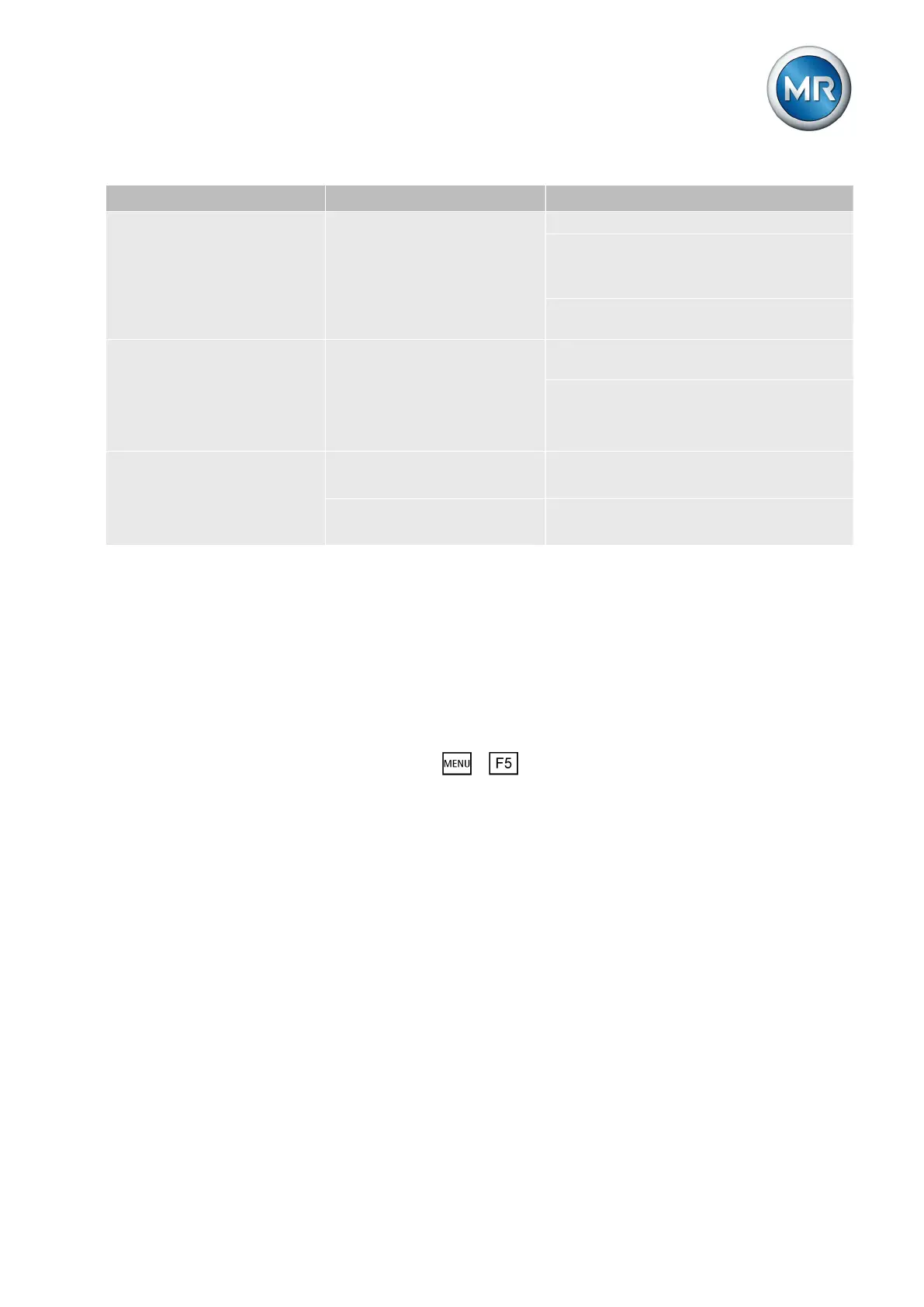
Characteristics/detail Cause Remedy
Step display incorrect.
▪ Display fluctuates.
Interference. Shield the line.
Increase distance from source of interfer-
ence.
Lay interference lines separately.
Route signal in separate lines (filter,
shielded lines).
No step display.
▪ "-" is displayed.
No measurement signal.
No L- for digital input.
Connect signal as shown in connection di-
agram.
Check wiring.
Review status screen.
Connect as shown in connection diagram.
No step display.
▪ "?" is displayed.
Bit combination (code) im-
permissible.
Check wiring.
Review status screen.
"Motor running" signal pres-
ent.
Check signal sequence
Review status screen.
Table 41: Tap position capture
Other faults
If you cannot resolve a problem, please contact Maschinenfabrik Reinhau-
sen. Please have the following data to hand:
▪ Serial number
This can be found:
▪ Outer right side when viewed from the front
▪ Info screen ( > Info)
Please provide answers to the following questions:
▪ Has a firmware update been carried out?
▪ Has there previously been a problem with this device?
▪ Have you previously contacted Maschinenfabrik Reinhausen about this
issue? If yes, then who was the contact?
9.7



 To Next Page