7 Functions and settings
Maschinenfabrik Reinhausen 2014 101222/08 EN TAPCON® 240
1. > Configuration > Transformer data > Press until the
desired parameter is displayed.
ð Current transformer connection.
2. Press or to select the required connection terminal.
3. Press .
ð The current transformer connection is set.
Setting the phase difference for the current transformer/voltage
transformer
You can use this parameter to set the phase difference of the current trans-
former and voltage transformer. You can set the common transformer cir-
cuits as follows:
Tap-change
operation
Setting Measurement
method
Phase differ-
ence
A 0 1PH 1 phase 0°
B 0 3PHN 3 phase 0°
C 0 3PH 3 phase 0°
D 90 3PH 3 phase 90°
E 30 3PH 3 phase 30°
F -30 3PH 3 phase -30°
Table 22: Set values for transformer circuit
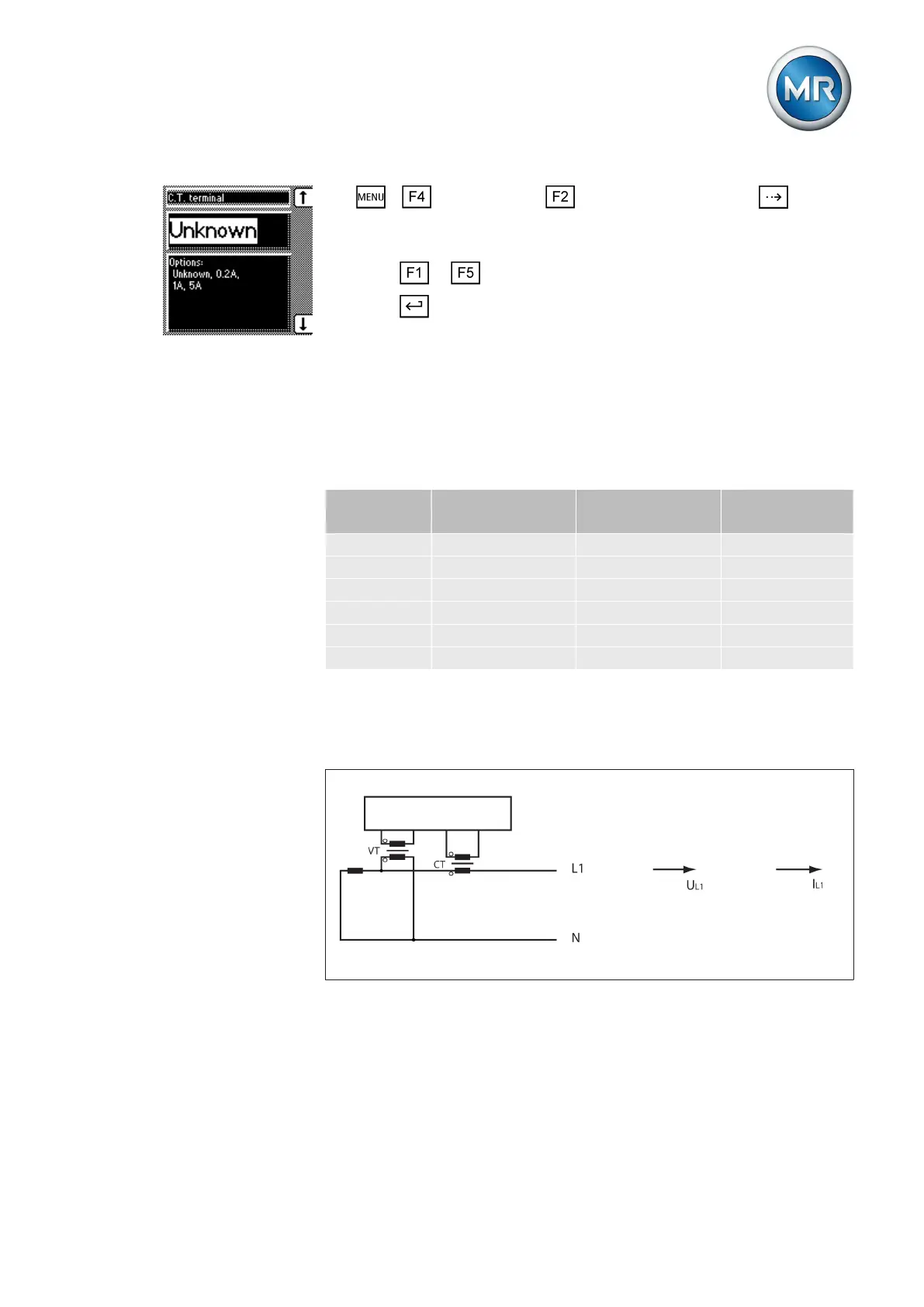
Note the following sample circuits to select the correct transformer circuit.
Circuit A: 1-phase measurement in 1-phase grid
Figure 59: Phase difference 0 1PH
▪ The voltage transformer VT is connected to the outer conductor and
neutral conductor.
▪ The current transformer CT is looped into the outer conductor.
▪ The voltage U
L1
and current I
L1
are in phase.
▪ The voltage drop on an outer conductor is determined by the current I
L1
.
7.8.5



 To Next Page