7 Functions and settings
Maschinenfabrik Reinhausen 2014 137222/08 EN TAPCON® 240
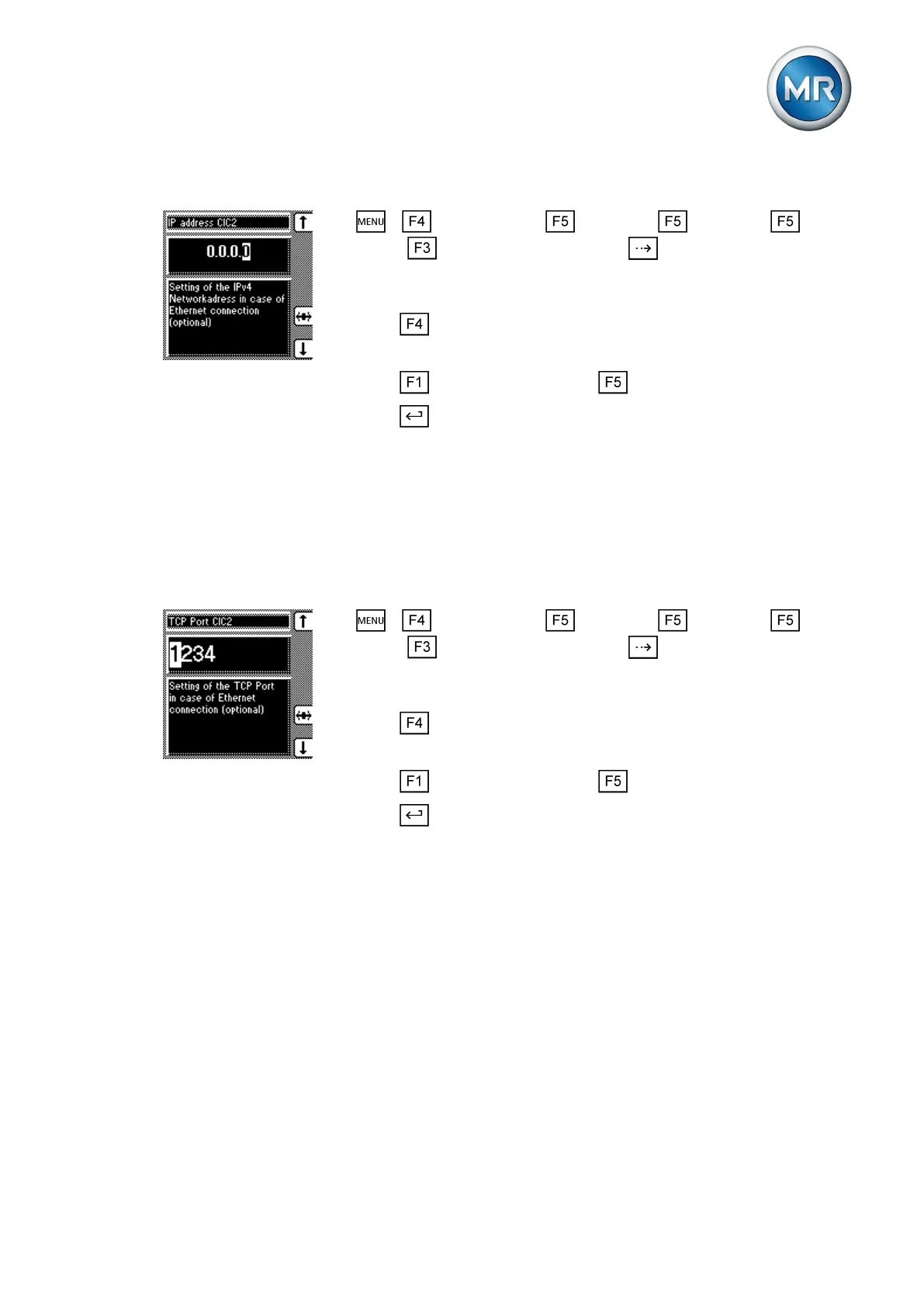
To assign the network address, proceed as follows:
1. > Configuration > Continue > Continue > Con-
tinue > Comm. interface 2 > Press until the desired parameter
is displayed.
ð Network address CIC2.
2. Press to highlight the desired position.
ð The position is highlighted and the value can be changed.
3. Press to increase the value or to reduce it.
4. Press .
ð The network address is assigned.
Assigning the TCP port
You can use this parameter to assign a TCP port to the device. If you want
to connect the device by means of Ethernet, you need to set a valid TCP
port.
To assign the TCP port, proceed as follows:
1. > Configuration > Continue > Continue > Con-
tinue > Comm. interface 2 > Press until the desired parameter
is displayed.
ð TCP Port CIC2.
2. Press to highlight the position.
ð The position is highlighted and the value can be changed.
3. Press to increase the value or to reduce it.
4. Press .
ð The TCP port is assigned.
Setting the transmission delay time for the RS485 interface
You can use this parameter to set a send delay for the interface, for exam-
ple, to compensate for the reaction time of an external RS485/RS232 trans-
former when changing between transmitting and receiving operation.
To set the transmission delay time for the RS485 interface, proceed as fol-
lows:
7.15.4
7.15.5



 To Next Page