3 Product description
Maschinenfabrik Reinhausen 2014 19222/08 EN TAPCON® 240
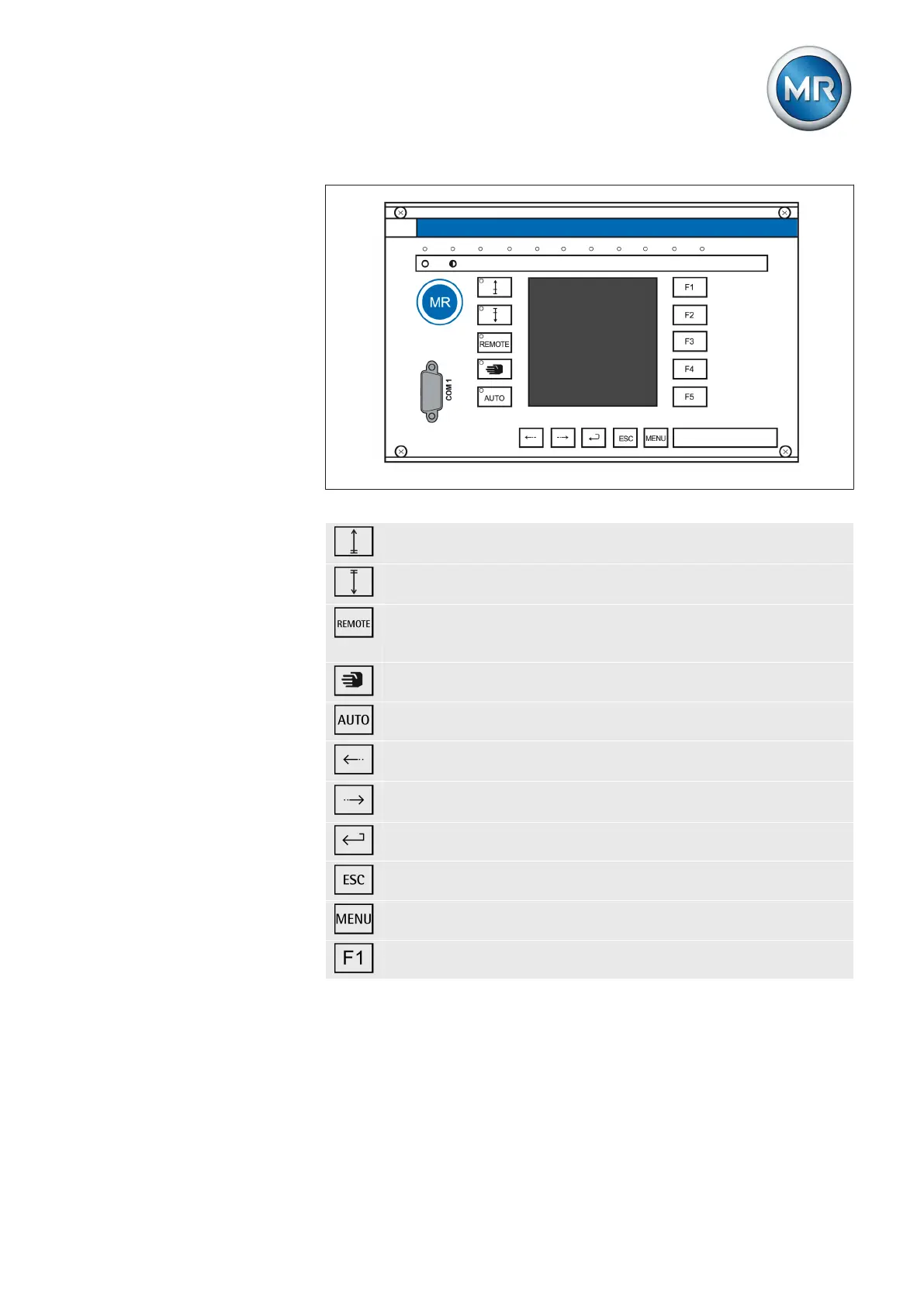
Figure 4: Operating controls
RAISE key: Sends control command for raise tap-change to the
motor-drive unit in manual mode.
LOWER key: Sends control command for lower tap-change to the
motor-drive unit in manual mode.
REMOTE key: Activate/deactivate "Remote" operating mode.
When you deactivate this operating mode, the "Local" operating
mode is automatically activated.
MANUAL key: Activate "Manual" operating mode.
AUTO key: Activate "Automatic" operating mode.
PREV key: Change measured value display and switch to previ-
ous parameters.
NEXT key: Change measured value display and switch to next
parameters.
ENTER key: Confirm selection and save modified parameters.
ESC key: Escape current menu and select previous menu levels.
MENU key: Select main menu.
F1…F5 function keys: Select functions displayed on the screen.



 To Next Page