7 Functions and settings
Maschinenfabrik Reinhausen 201492 222/08 ENTAPCON® 240
∆U Voltage increase I Load current in A
U
Tr
Transformer voltage with
current I
I
N
Nominal current of current-
transformer connection in A
(0.2 A; 1 A; 5 A )
U
Load
Voltage on line end with
current I and on-load tap-
changer in same operating
position
k
CT
Current transformer ratio
Sample calculation: U
Tr
= 100.1 V, U
Load
= 100.0 V, I
N
= 5 A k
CT
= 200 A/5 A,
I = 100 A
Produces a voltage increase ∆U of 0.2%
The following sections describe how you can set the parameters you need
for Z compensation.
Setting Z compensation
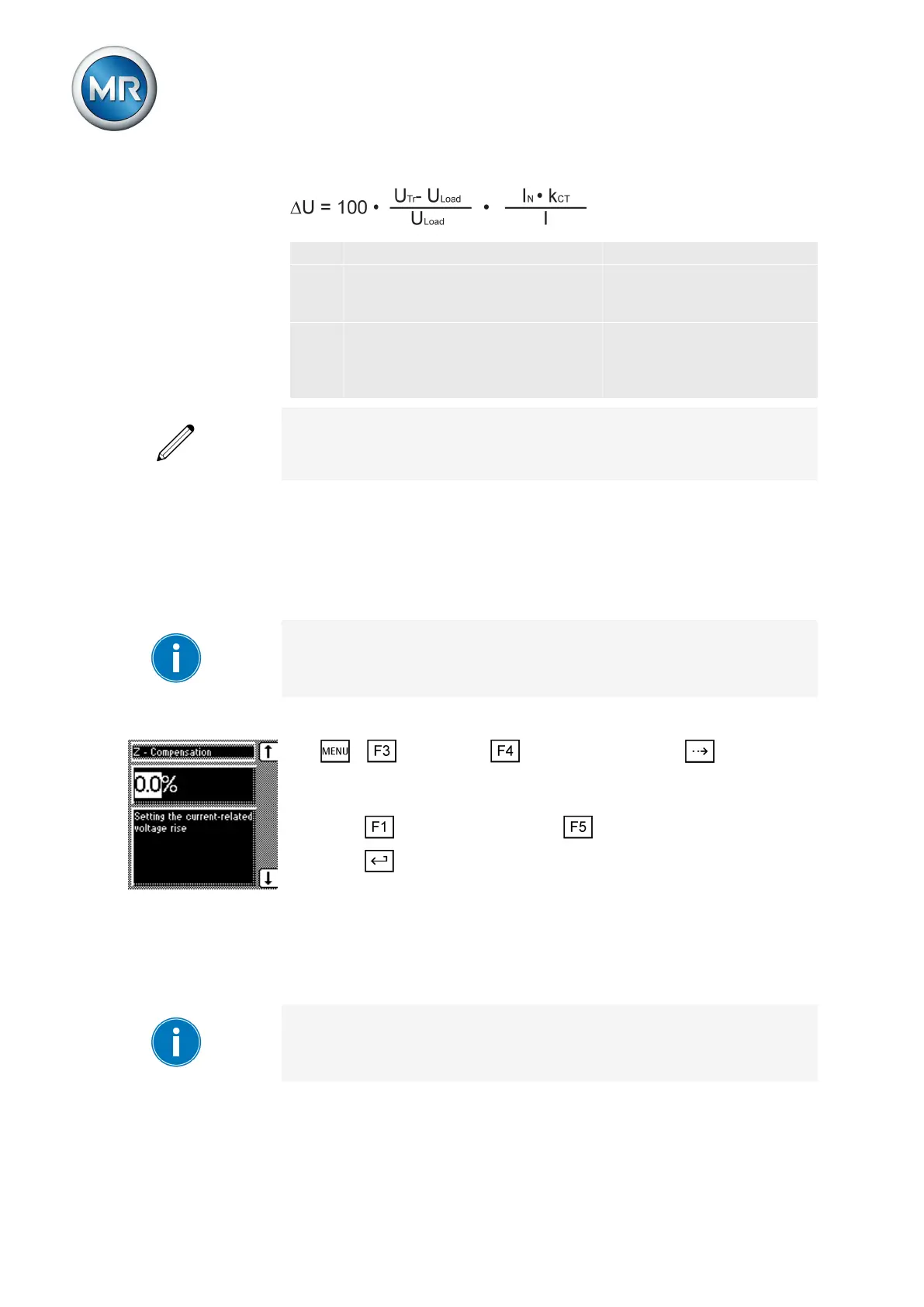
This parameter sets the voltage increase ∆V previously calculated.
If you do not want to use Z compensation, you have to set the value 0.0 %.
To set the Z compensation, proceed as follows:
1. > Parameter > Compensation > Press until the de-
sired parameter is displayed.
ð Z compensation.
2. Press to increase the value or to reduce it.
3. Press .
ð The Z compensation is set.
Setting the Z compensation limit value
You can use this parameter to define the maximum permissible voltage in-
crease to avoid excess voltage on the transformer.
If you do not want to use a limit value, you have to set the value 0.0 %.
To set the limit value, proceed as follows:
7.6.2.1
7.6.2.2



 To Next Page