User’s Guide – Ultima cutting plotter
62 AP-75032, Rev 2.2, 20/04/07
4.2.12. Smoothing
Smoothing can be ENABLED or DISABLED. Depending on your choice, cutting of obtuse angles will be
dealt differently by the cutter.
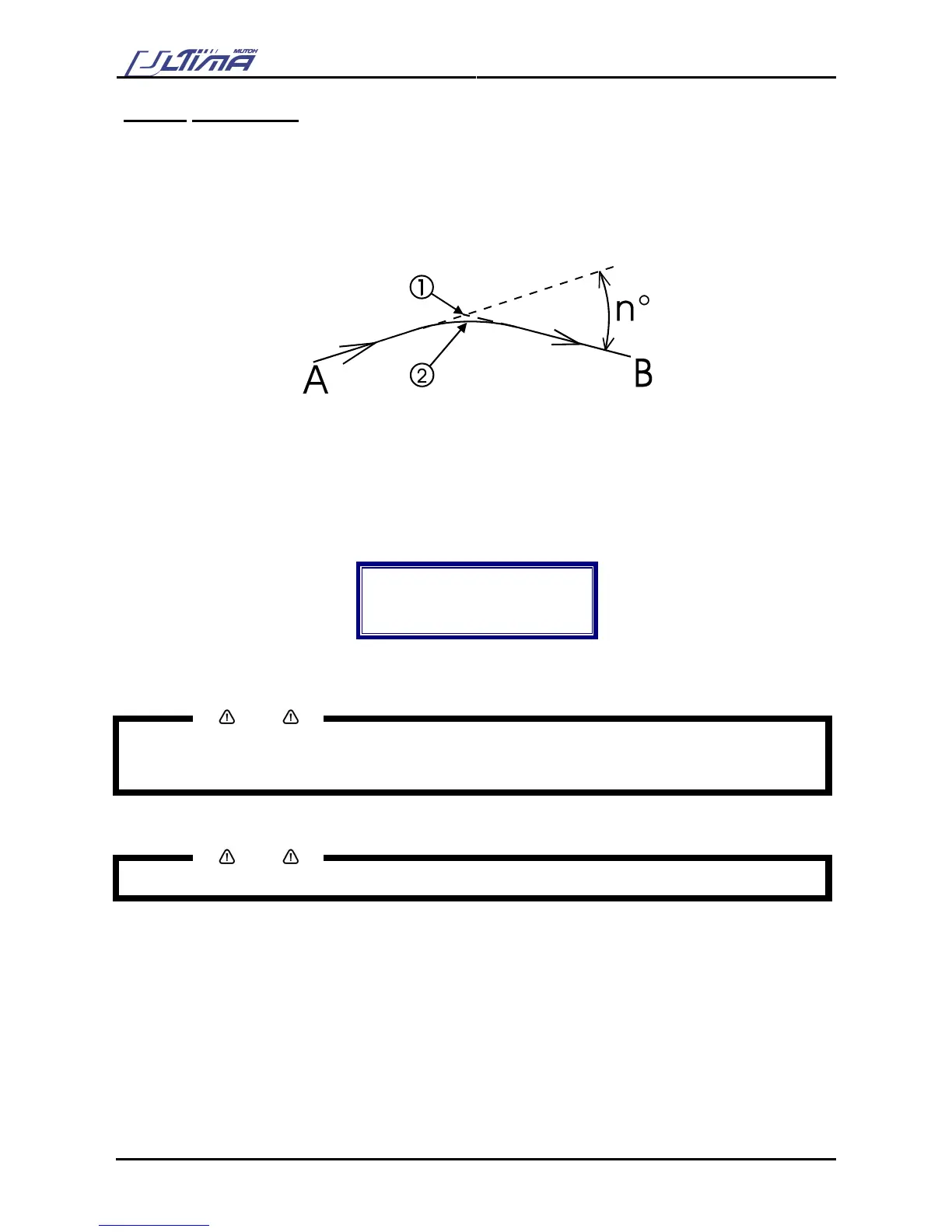
If the complementary angle between two consecutive vectors A & B is larger than the smoothing angle, the
cutter will slow down and cut a sharp corner (1). If the angle is smaller, the cutter will maintain its speed and
cut a rounded corner (2). The optimum smoothing angle is calculated internally.
When smoothing is DISABLED all corners will be cut sharply.
To change the smoothing settings, please follow the instructions mentioned below :
Step 1 : In the general setting select ‘Smoothing’ with the [UP] or [DOWN] key
Step 2 : Press the [ENTER] key to confirm your selection. The actual smoothing setting will now be
shown on the display
Smoothing
Actual : ENABLED
New : ENABLED
Smoothing Status
Step 3 : By pressing the [UP] or [DOWN] key select the appropriate smoothing vector. If ‘Disabled’ is
selected, smoothing will be turned OFF.
Notes
To cancel the changes of the parameter, press the [CANCEL] key. The display will show the previous
value for the parameter.
When you press the [EXIT] key the changed value will be ignored and you go back to the previous menu.
Step 4 : Press the [ENTER] key to confirm and go back to the previous menu.
Notes
The cutting plotter will work significantly slower when smoothing is DISABLED.
= 30°









 To Next Page