User’s Guide – Ultima cutting plotter
85 AP-75032, Rev 2.2, 20/04/07
6.2. WEAR & TEAR
Although all materials used for your cutter have been chosen to ensure good durability, it will be necessary,
in order to maintain high quality output, to replace some parts, which are liable to wear and tear.
Notes
Before performing “wear and tear”, please power OFF the unit and remove the power cable.
6.2.1. Replacing the cutting mat
To replace the cutting mat, proceed as follows:
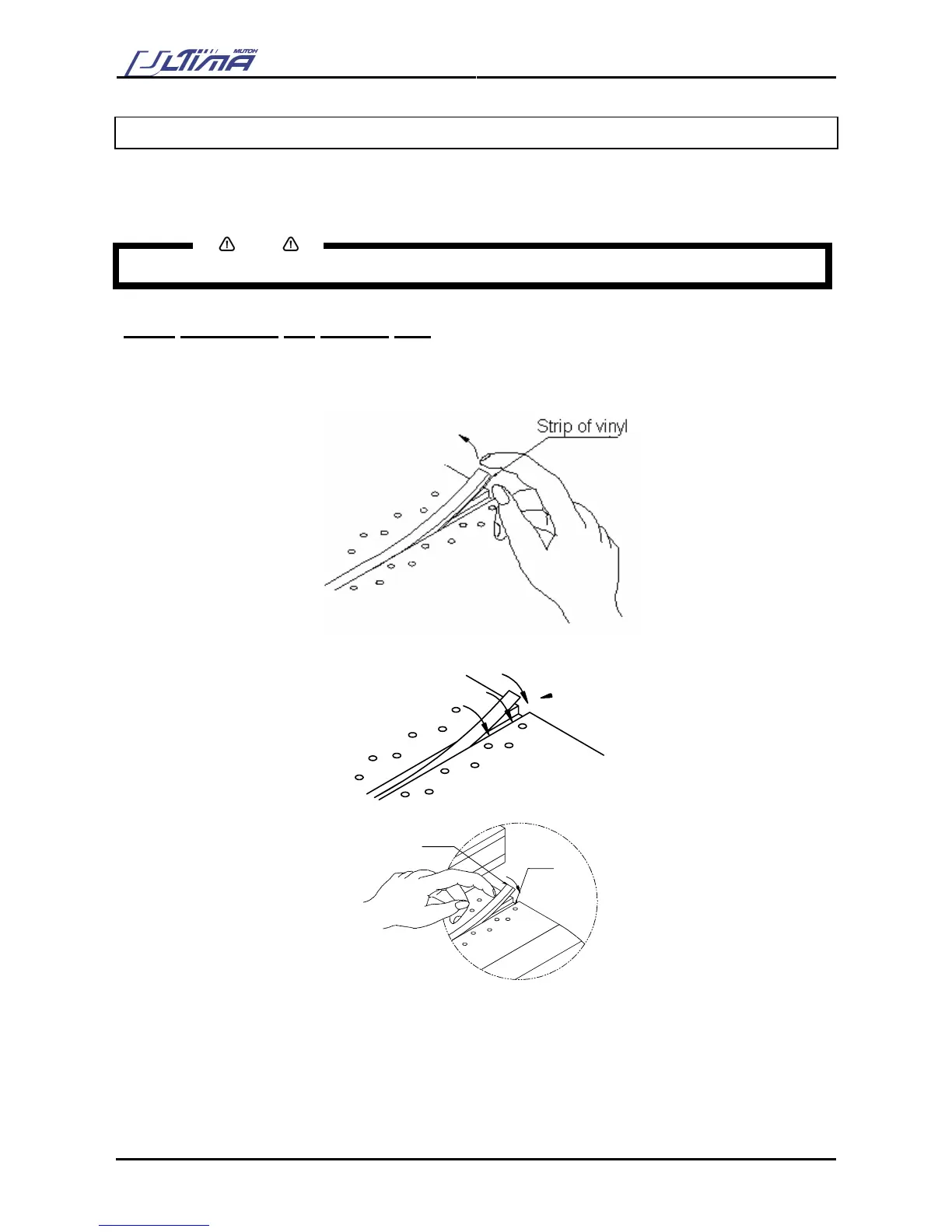
Step 1 : First of all, remove the worn cutting mat by pulling it out, together with the underlying strip of vinyl.
Step 2 : Cut a strip of vinyl ( Width : 8 mm (0,3”) / Length : depending on the size of your cutter.) Stick this
strip into the cutting groove.
Step 3 : Complete this procedure by sticking the new cutting mat into the cutting groove.
1) cutting mat / 2) Strip of vinyl
1
2









 To Next Page