User’s Guide – Ultima cutting plotter
69 AP-75032, Rev 2.2, 20/04/07
5. FINETUNING YOUR CUTTER TO
OBTAIN MUTOH QUALITY
In order to help you to obtain perfect quality our engineers have developed a step-by-step method for the
beginning user. Once you have more experience with your cutter, you will be able to fine-tune your cutter in
a trice.
There are several knife types available, each of them meant for specific cutting media.
Cutting Blade 1 Cutting Blade 2 Cutting Blade 3
Top Angle
45º (Red cap) 30º (Yellow cap) 60º (Blue cap)
Typical Offset
0.50 mm 0.50 mm 0.50 mm
Default Speed
50 cm/s (20 inch/s) 50 cm/s (20 inch/s) 50 cm/s (20 inch/s)
Default Force
100 g 100 g 100 g
Default Acceleration
3.0 G 3.0 G 3.0 G
There are three factors that have to be taken into account when setting up your cutter to execute a
demanding cutting job:
¾ The knife depth
¾ The cutting pressure
¾ The offset
5.1. ADJUSTING THE KNIFE DEPTH
Two types of high quality knife holders are available for the Ultima cutters.
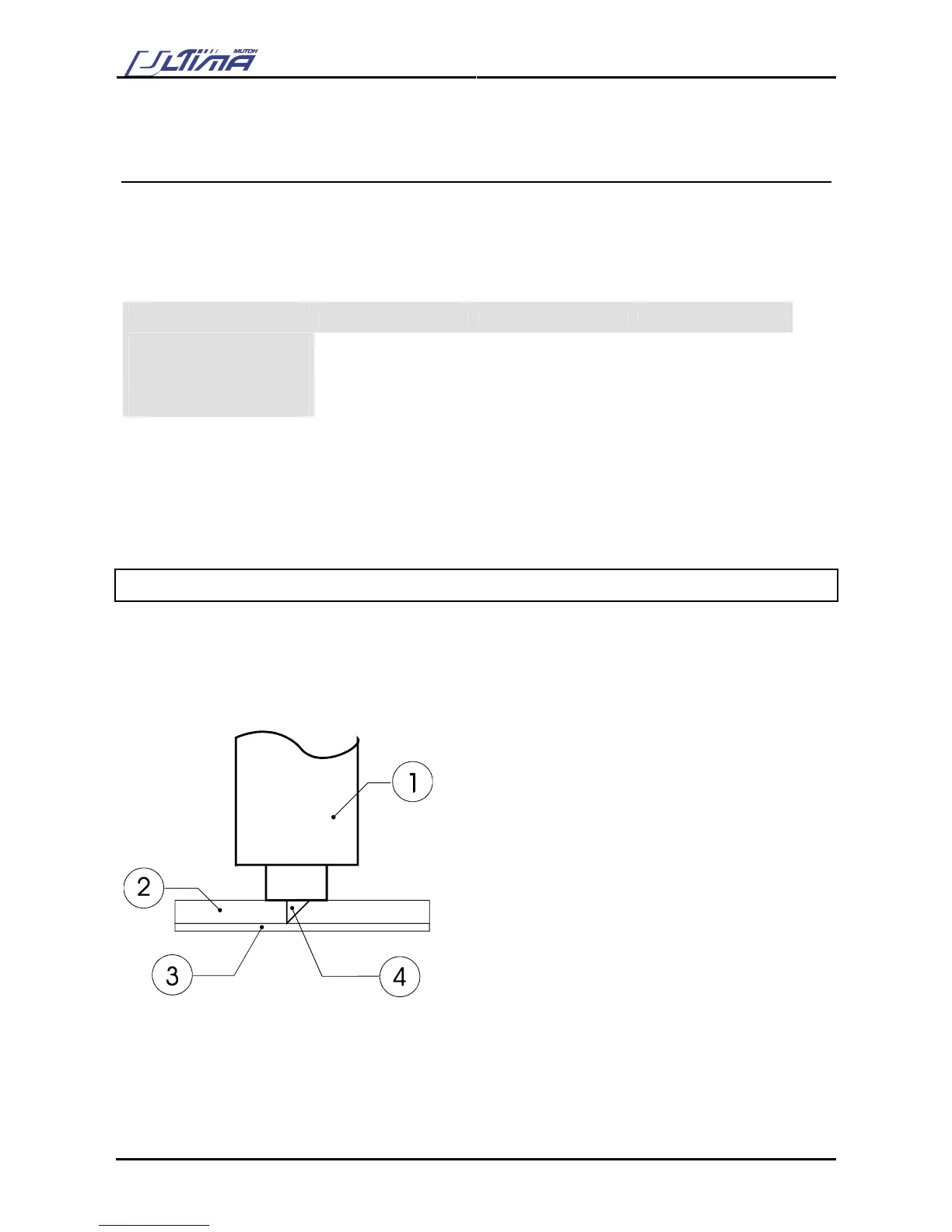
No matter which type of knife holder you are using, adjusting the knife depth is a very important parameter
when it comes to making high quality outputs. Always make sure that the knife blade protrudes enough, but
not too much out of the knife holder.
1. Knife Holder
2. Vinyl
3. Backing
4. Cutting blade









 To Next Page