User’s Guide – Ultima cutting plotter
71 AP-75032, Rev 2.2, 20/04/07
FEATURES OF THE OPTIONAL KNIFEHOLDER
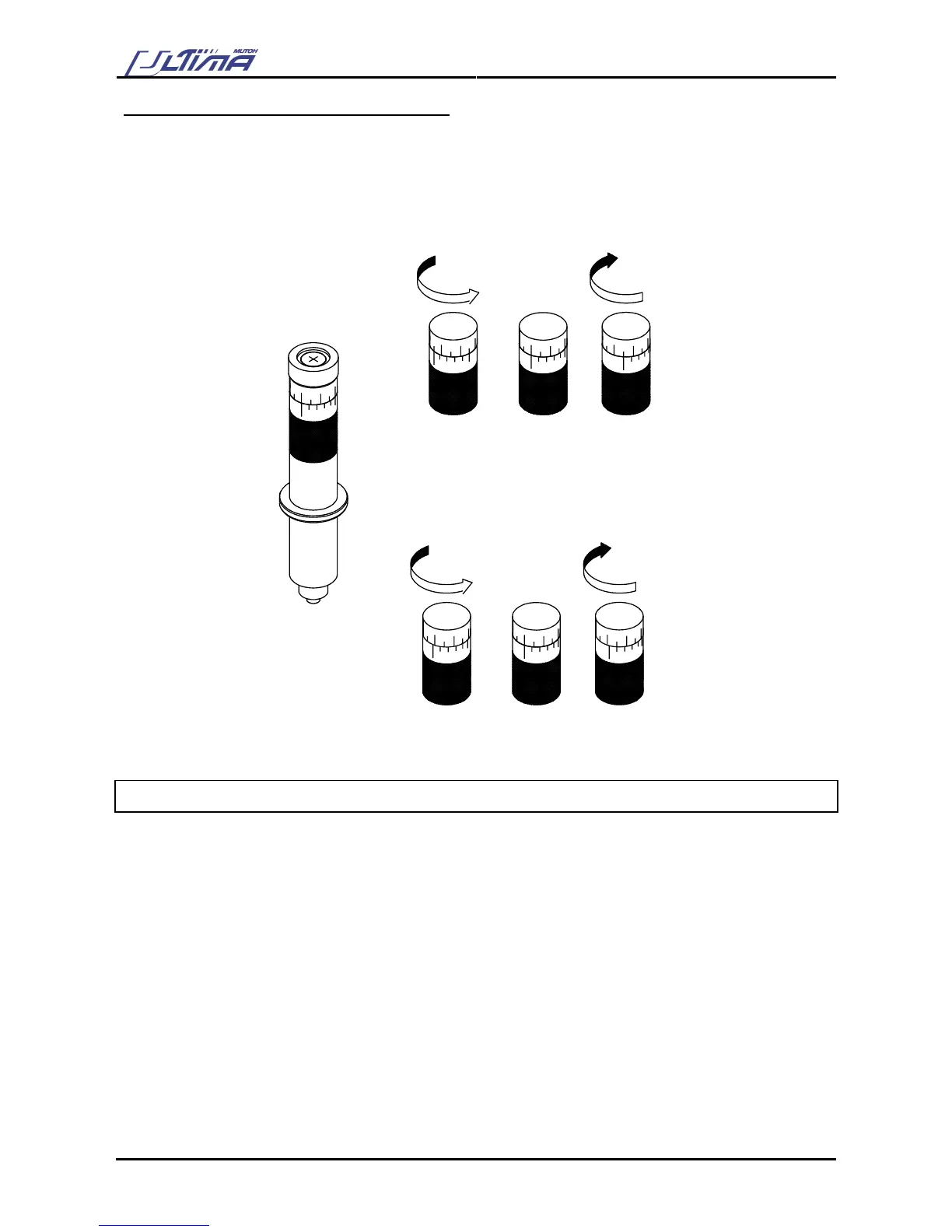
For some applications it might be convenient to be able to very accurately change the depth of the cutting
blade. For those applications, MUTOH can provide you with an optional knife holder, featuring a nonius
(vernier) with which it is possible to adjust the depth of the knife in increments of 0.01 millimeter (0.0004”)
The upper scale lines make it possible to change the knife depth over 0.05 mm (0.002”).
The lower scale (nonius) makes it possible to change the knife depth over 0.01 mm (0.0004”).
-0,05mm
+0,05mm
-0,01mm
+0,01mm
5.2. SETTING THE CUTTING PRESSURE / TEST SQUARES
Here, we merely want to point out that you have to try to cut your design with the lowest possible pressure
that gives no trouble to weed. Some cast media require only 20 grams to be cut completely through. In that
case there is no need to apply 100 grams of pressure. Too much pressure can cause a decrease of quality.
By pressing the [OFFSET] key you can change the offset of the knife:
¾ When you enter this menu you can input the offset or the base offset for cutting the calibration figures.
¾ When you press the [ENTER] key you get a dialog on the cutter that asks if you want to do a test cutting
(select 1 or 2) or not.
¾ When you perform a test cut, 10 reference pictures around the selected base offset are cut. You can
choose the best one by selecting one of the pictures with the laser pointer and the [UP] and [DOWN] key.









 To Next Page