User’s Guide – Ultima cutting plotter
84 AP-75032, Rev 2.2, 20/04/07
6.1.2. Cleaning the cutter blade
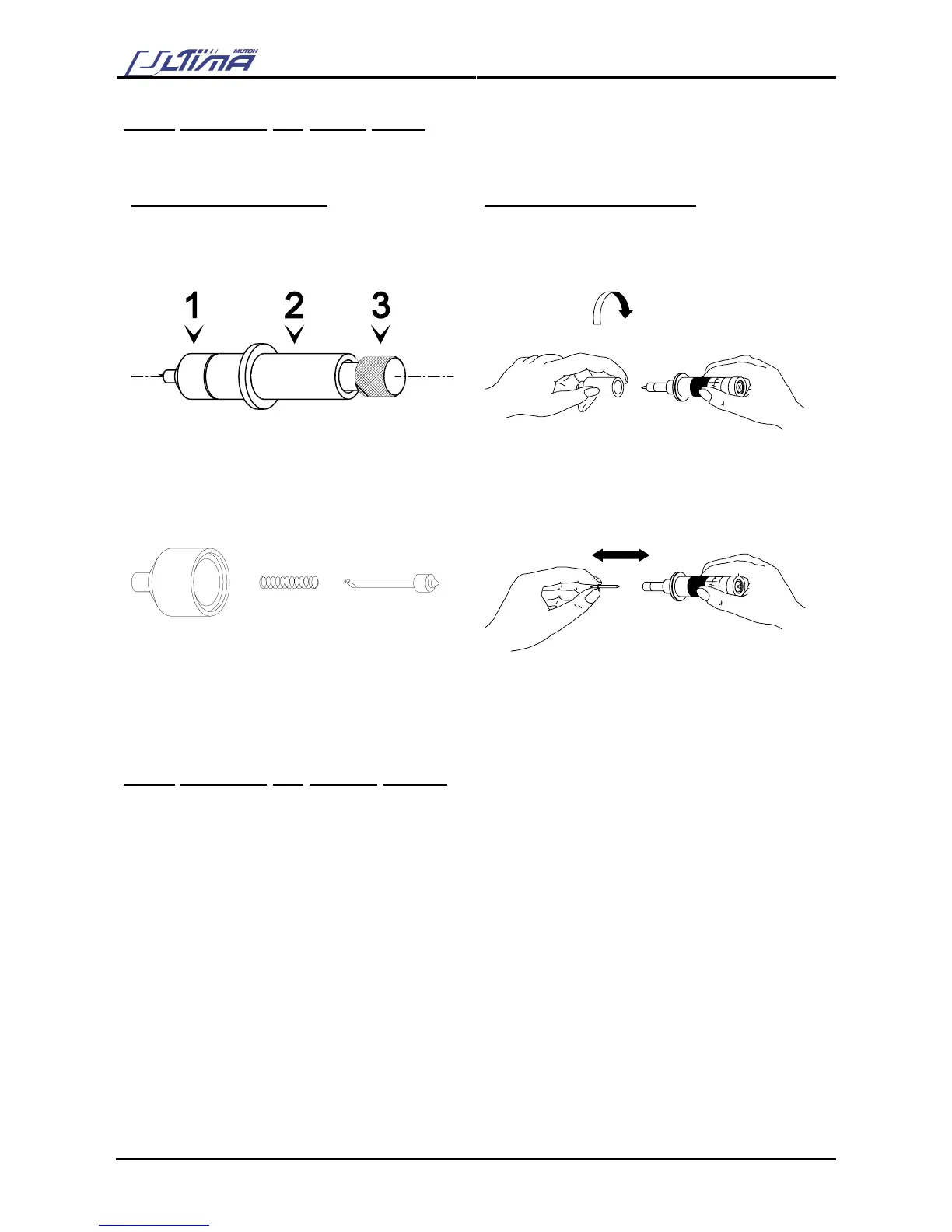
Use following procedure to remove small vinyl particles in the base part of the cutting blade holder.
STANDARD KNIFE HOLDER
KNIFE HOLDER WITH NONIUS
Step 1
Take the body (2) into one hand and unscrew the
base part (1).
Step 1
Take the ring in your hand and remove the base part.
Step 2
Blow away the vinyl particles accumulated in the
top of the base part
Step 2
Blow away the vinyl particles accumulated in the top
of the base part
Step 3
Remove the spring from the cutting blade and
remove any residual material from the blade tip
Step 3
Remove any residual material from the blade tip
Step 4
Place the spring back over the cutting blade and
tightly screw the base part on the holder.
Step 4
Place the base part back on the holder and twist it
tightly.
6.1.3. Cleaning the cutting plotter
Use a soft cloth to clean paper dust and particles off the platen, the grid cover the cutting mat and the
carriage cover.
Use a cotton swab to clean the media sensors and laser.









 To Next Page