User’s Guide – Ultima cutting plotter
17 AP-75032, Rev 2.2, 20/04/07
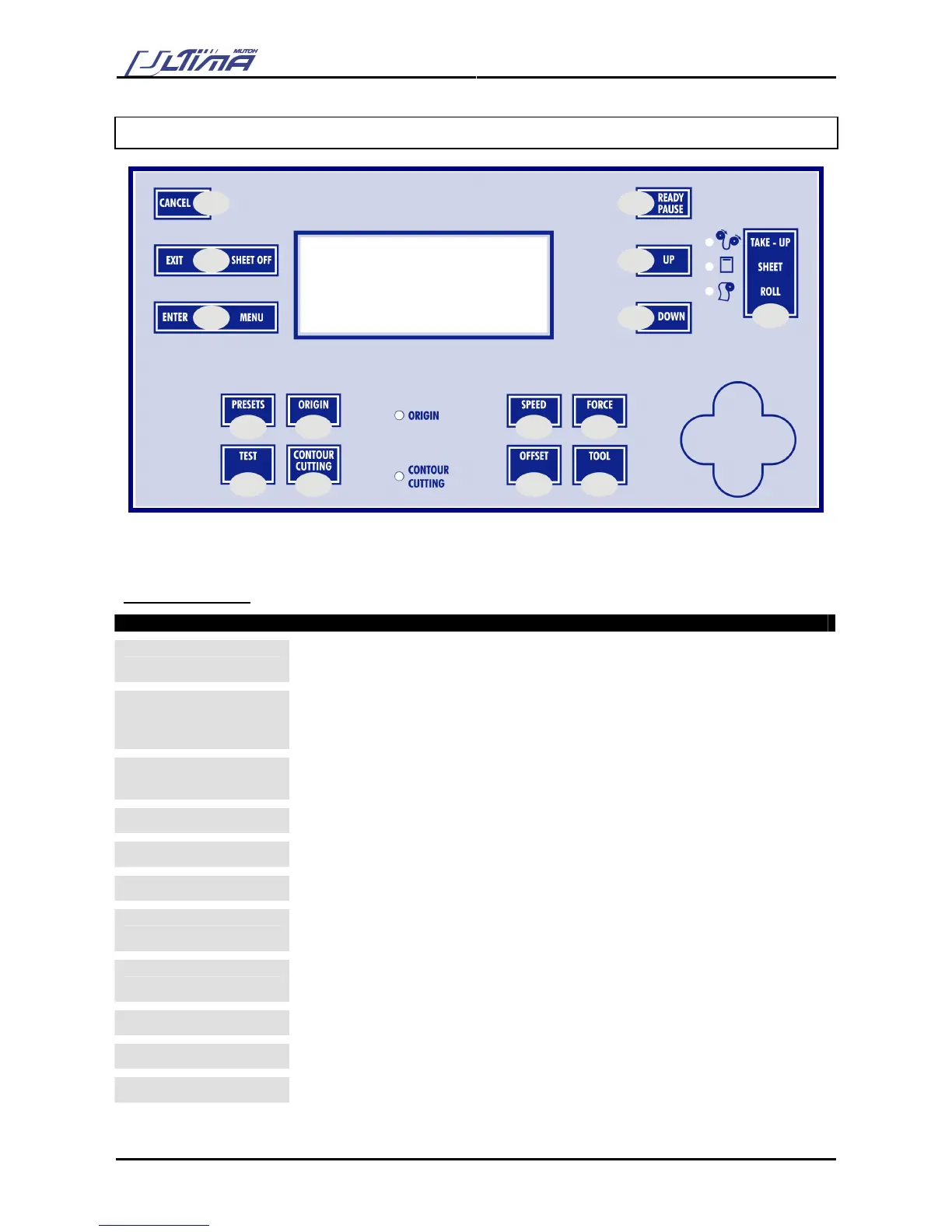
2.5. OPERATION PANEL
Using the operation panel, you can access different modes and alter several settings, in order to fine-tune
the cutter to match all your needs.
CONTROL-KEY
Key Description
CANCEL
Press the [CANCEL] key to clear all received data.
Press the [CANCEL] key to return to the previous setting (without changes).
EXIT – SHEET OFF
The [EXIT-SHEET OFF] key cancels the changes made in the setting. You will
return to the previous menu.
Press the [EXIT-SHEET OFF] key in normal mode to perform a sheet-off.
ENTER - MENU
Press the [ENTER-MENU] key to select a menu.
Press the [ENTER-MENU] key to confirm the changes made to the setting.
READY / PAUSE
Press the [READY / PAUSE] key to set the cutter READY or PAUSE.
UP
Press the [UP] key to increase the value of the setting or select the next option.
DOWN
Press the [DOWN] key to decrease the value of the setting.
PRESETS
Change the user (there are maximum 32 users); each user has his own set of
settings that are saved when the machine is shut down.
ORIGIN
Press the [ORIGIN] key to change the origin position. (This can change the origin
direction and move the origin point.)
TEST
Press the [TEST] key to choose one of the test plots to plot.
CONTOUR CUTTING
Press the [CONTOUR CUTTING] key to start an auto/manual aligning procedure.
SPEED
Press the [SPEED] key to access the speed menu









 To Next Page