User’s Guide – Ultima cutting plotter
87 AP-75032, Rev 2.2, 20/04/07
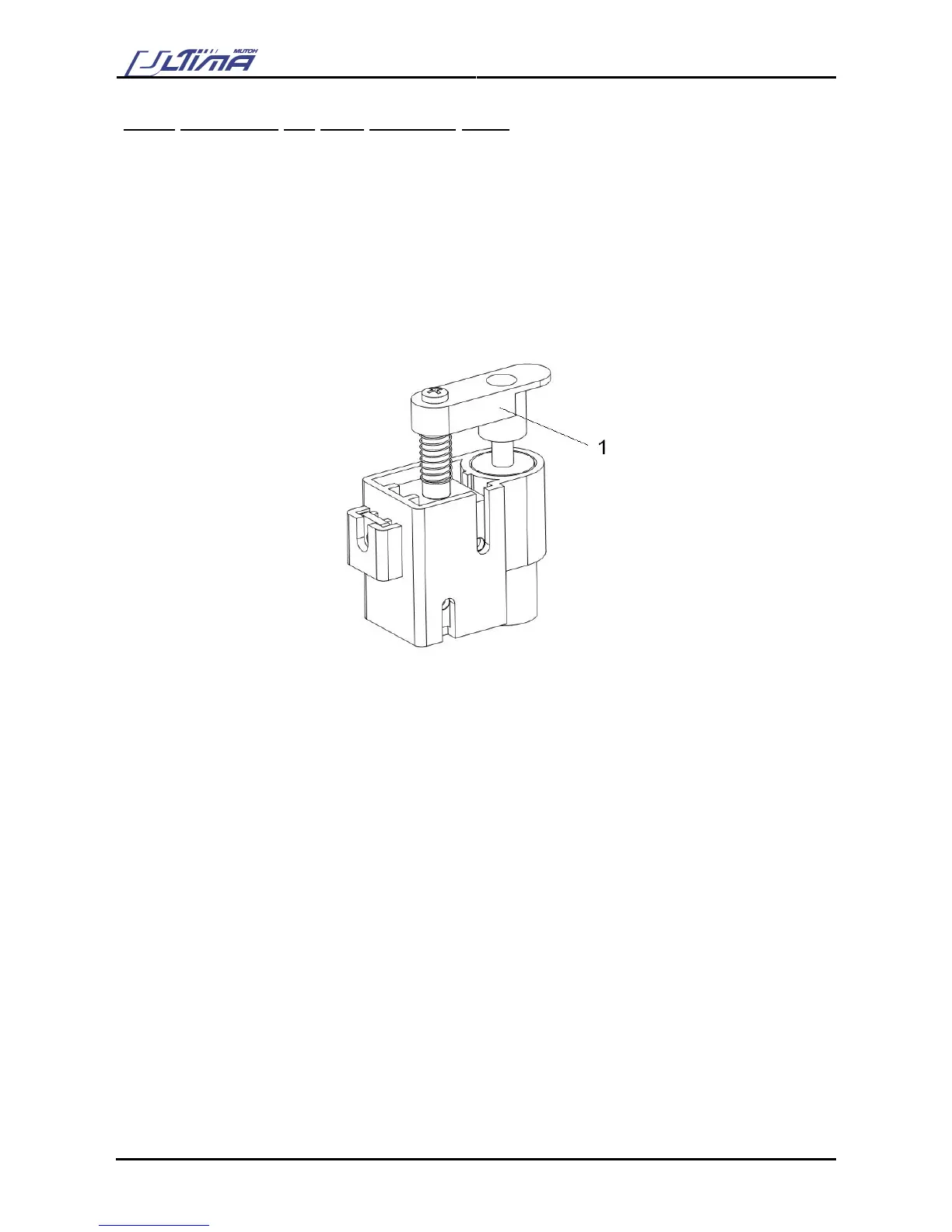
6.2.3. Replacing the auto sheet-off knife
When you frequently use the auto-sheet-off utility, it is a good practice to regularly clean the knife and to
replace it when it starts to wear.
To replace the auto sheet-off knife, please follow the instructions mentioned below.
Step 1 : Power OFF the unit and remove the power cable.
Step 2 : Remove the 2 screws fixing the head cover.
Step 3 : Remove the cutter cap. Please do not lose the spring.
1 = cutter cap
Step 4 : Remove the sheet-off knife.
Step 5 : Clean the sheet-off knife, removing any material residues that might be clogged to the blade. In
case the blade is worn, reinstall a new knife.
Step 6 : Place the (new) knife into the auto sheet-off assembly. Make sure the knife is correctly oriented.
Step 7 : Reinstall the cutter cap onto the auto sheet-off knife.
Step 8 : Reinstall the head cover.









 To Next Page