User’s Guide – Ultima cutting plotter
31 AP-75032, Rev 2.2, 20/04/07
3. CUTTER CONTROLS
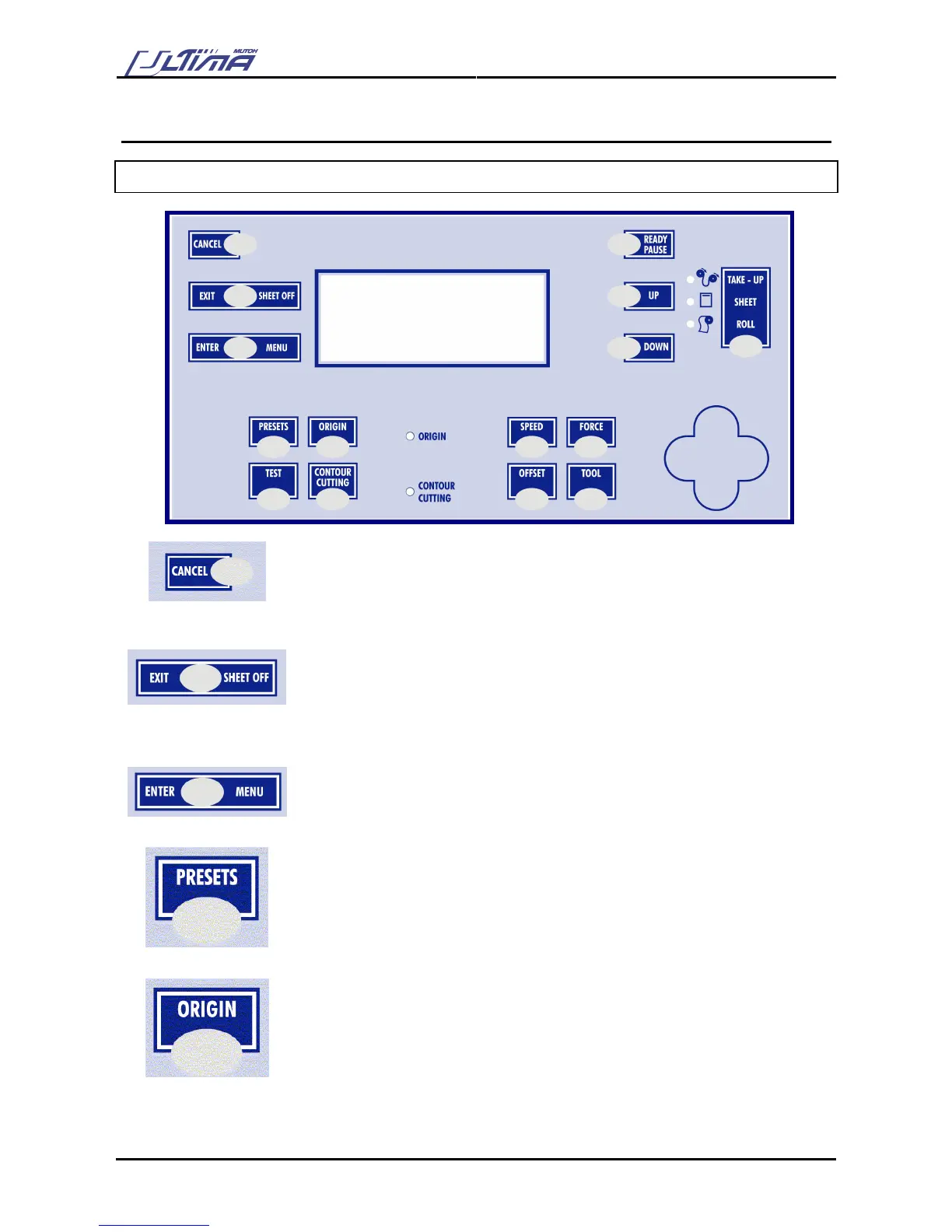
3.1. UNDERSTANDING THE OPERATION PANEL
CANCEL-key
The [CANCEL] key can be used for clearing all received data.
Press the [CANCEL] key to return to the previous setting (without changes).
EXIT/SHEET OFF-key
Press the [EXIT/SHEET OFF] key to go to the previous menu setting.
Press the [EXIT/SHEET OFF] key if you do not want to process the changes in
the cutting settings.
Press the [EXIT/SHEET OFF] key in normal mode to perform a sheet-off.
ENTER/MENU-key
Press the [ENTER-MENU] key to enter the menu system.
Press the [ENTER-MENU] key to confirm the changes made to the setting.
PRESETS-key
Pressing the [PRESETS] key you can choose the active user. Each user has its
own settings that are saved. You can make users for different types of cutting
jobs and so pick the desired settings when necessary by selecting the user.
ORIGIN-key
Use the ARROW keys to set the origin position by means of the laser and confirm
with the [ENTER] key.
Diverse Origin Positions can be set in the Origin Menu (Enter Menu)
L Right (default), L Left, Center, U Right, U left









 To Next Page