User’s Guide ValueJet 1608 HS
Preparations before printing
AP-75810 - Revision 2.0 87
4
Step 14: Press Enter.
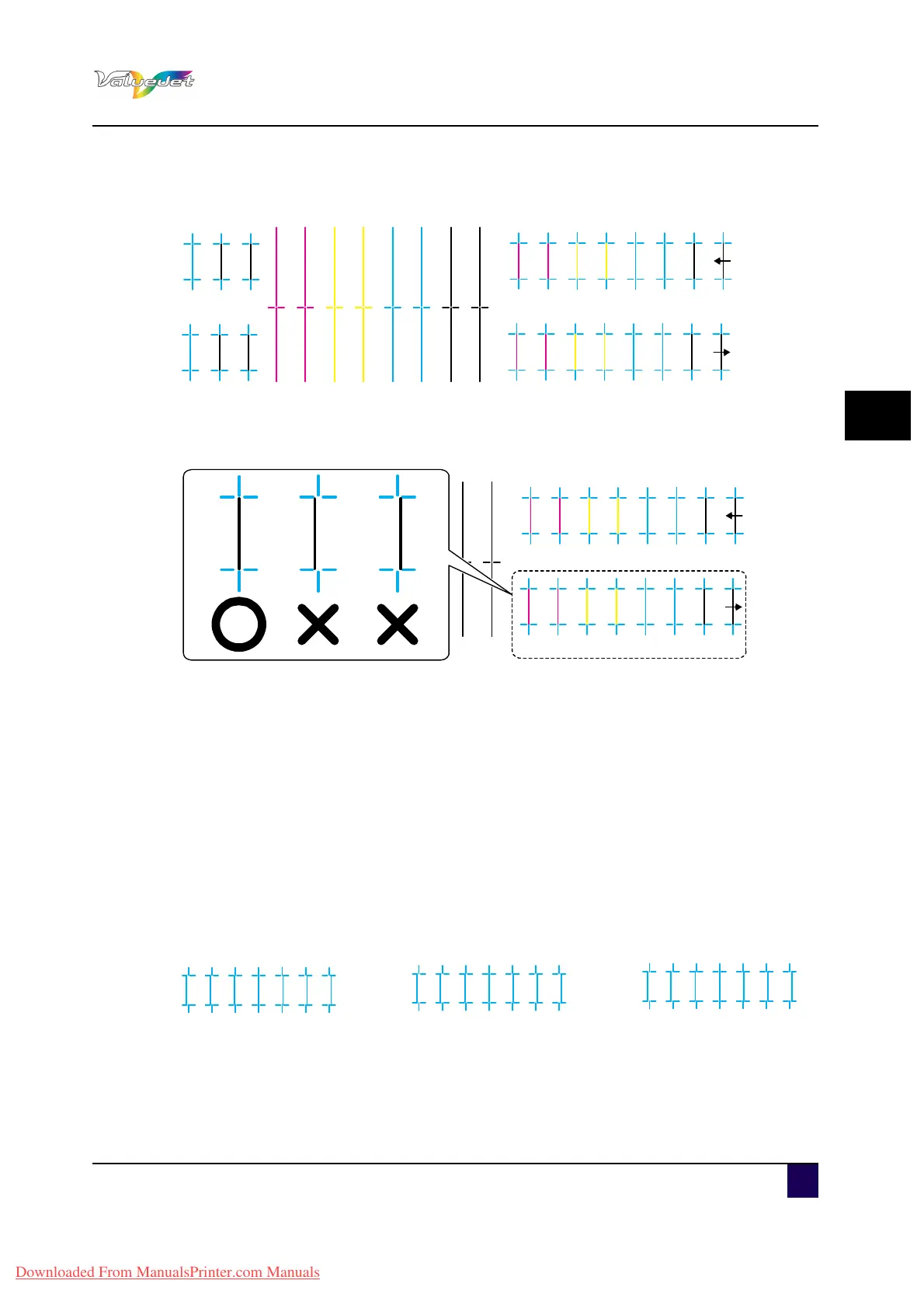
A confirmation pattern for quality adjustment is printed.
After the confirmation pattern is printed, the operation panel shifts to Normal.
Step 15: Confirm that the confirmation pattern printing result is as follows.
When the printing result is O:
You do not need to perform another alignment.
When the printing result is X:
Perform the alignment again.
Step 16: Register a set value for Bi-D quality (two-way printing/quality priority mode).
Display the Adjust Print menu on the operation panel in the same way as in step
5.
Step 17: Press + or – to select “Adj.5: Bi-D Quality”.
Step 18: Press Enter.
Start Bi-D Quality pattern printing.
Check three print samples that printed with Bi-D Quality pattern, and select the
number that is not out of alignment. “4” is selected in the next printing sample.
Step 19: Press + or – to enter the number if your selection.
1A1B2A3A4A 2B3B4B
1A1B2A3A4A 2B3B4B
Q
1A1B2A3A4A 2B3B4B
1A1B2A
1A1B2A
1A1B2A3A4A 2B3B4B
1A1B2A3A4A 2B3B4B
Q
1A1B2A3A4A 2B3B4B
1A1B2A
1A1B2A
1235746
1235746
1235746
AlignmentBi-DQ
Downloaded From ManualsPrinter.com Manuals















 To Next Page