Troubleshooting VJ-1324X OPERATION MANUAL
244 7.2 Error messages
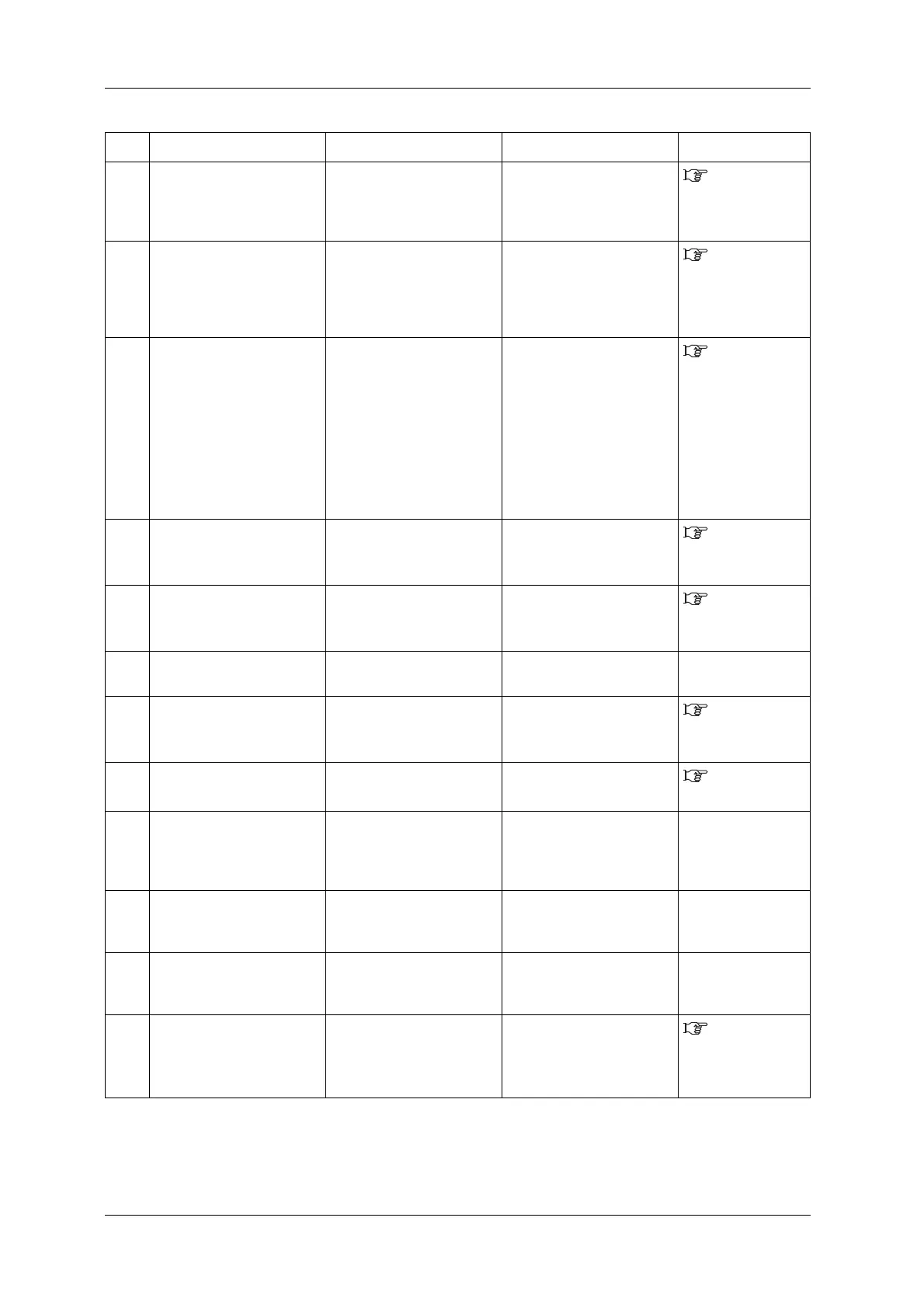
15 [****] S/C ReadErr Reading Smart chip has been
failed.
Insert Ink cartridges again. If
Smart chip still cannot be
read, insert new Ink
cartridges.
6.1.1
Replacing ink
cartridges
16 [***] S/C Recog. Err. An ink cartridge that needs
smartchip recovery may have
been installed.
Remove the ink cartridge and
reload it.
If the printer is still unable to
read it, install a new ink
cartridge.
7.4.1 When the
message “[***] S/C
Recog. Err.”
appears
17 [**] Check Color ->E An ink cartridge that needs
smartchip recovery may have
been installed.
Check that the ink color of the
cartridge inserted is correct.
• In case of wrong color
insertion, load a correct ink
color cartridge.
• If color is correct, press the
[Enter] key. The printer will
perform smart chip
recovery and will continue
to print.
7.4.2 When the
message “[**]
Check Color ->E”
appears
18 [****] S/C Col.Err Ink cartridges are inserted in
wrong slots.
Insert ink cartridges correctly
again.
6.1.1
Replacing ink
cartridges
19 [*] S/C Ink Err The ink cannot be used for
this printer.
Contact your local MUTOH
dealer.
6.1.1
Replacing ink
cartridges
20 [*] S/C CodeErr Inserted Ink cartridge is not a
proper one.
Contact your local MUTOH
dealer.
—
21 [*] Broken Chip Smart Chip has been broken. Insert new Ink cartridges.
6.1.1
Replacing ink
cartridges
22 Full WasteInkTank The waste fluid tank is full.
(Stops operation)
Dispose of waste fluid.
6.3 Disposal
of waste fluids
23 Life Times
[Pump]
The operational life of the
pump motor has almost
expired.
(Continues operation)
Contact your local MUTOH
dealer.
—
24 Life Times
[CR Motor]
The life CR motor is almost
expired.
(Continues operation)
Contact your local MUTOH
dealer.
—
25 Life Times
[PF Motor]
The operational life of the PF
motor has almost expired.
(Continues operation)
Contact your local MUTOH
dealer.
—
26 [****] Change plug Time for replacing Adapter’s
plug of High-capacity pack
adapter (option).
Replace Adapter’s plug.
“3.2 Replacing
Adapter’s plug” of
High-capacity pack
adapter manual.
No. Display Description Remedy Reference















 To Next Page