VJ-1324X OPERATION MANUAL Before using
3.6 Adjust Print 95
• A rough adjust print pattern is printed.
(Starts printing after warming up is complete.)
• For the Adjust print pattern, the same patterns will be printed repeatedly on both sides and center
of the media.
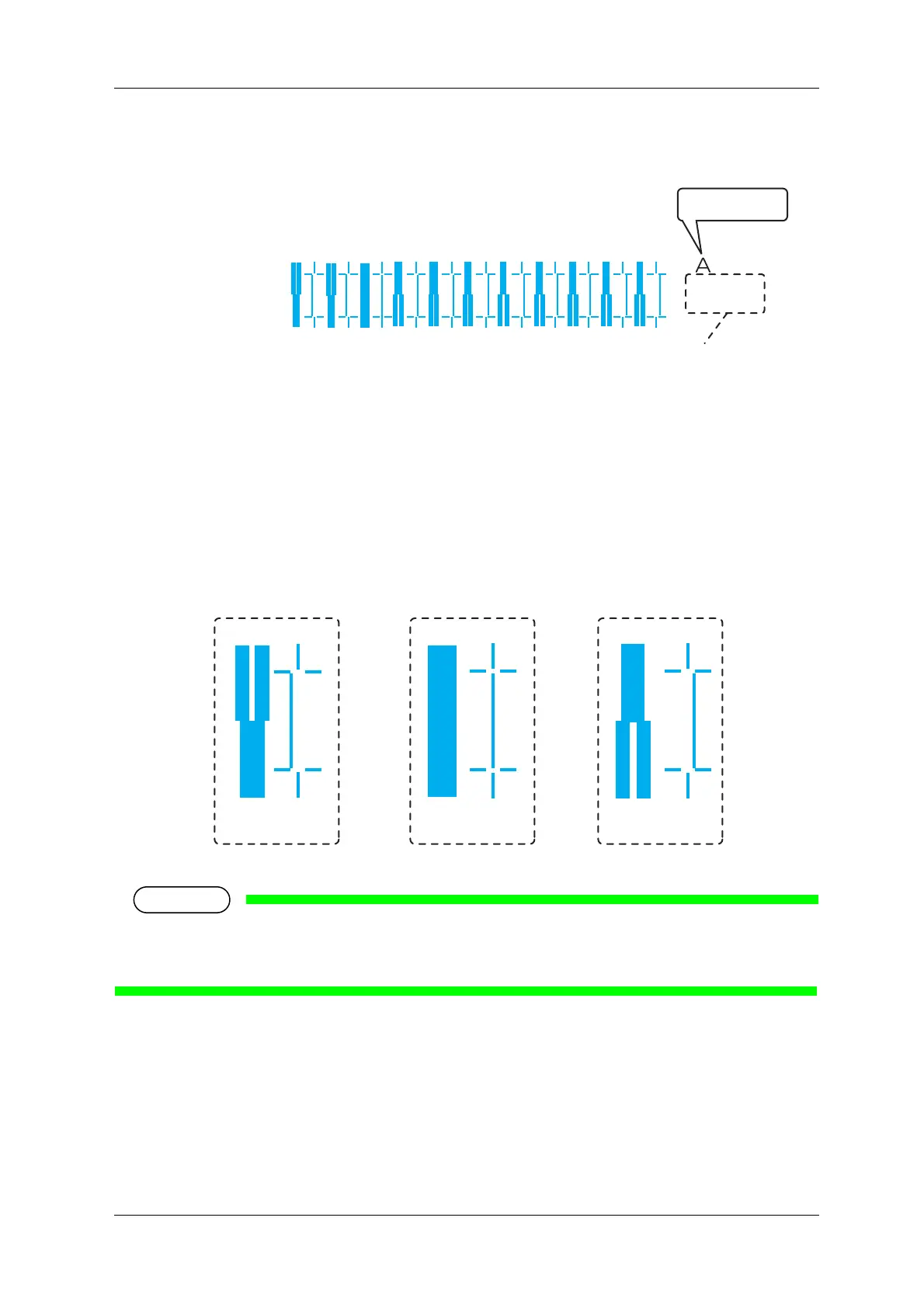
4. Check the print results on both sides and center of the media and select the number that looks most
aligned between 1 and 11.
• “9” is selected in the next printing sample.
• “6” represents the current setting value.
• When the line is aligned, the bold line on its left side does not have a white vertical line.
• “PatternA: 6” is displayed on Operation panel.
1234567891011
Bi dir
Low H.Height
normal speed
large drop family
Pattern name
Print information
8910
Not adequate Adequate
Not adequate















 To Next Page