- 92 -
Maintenance
B
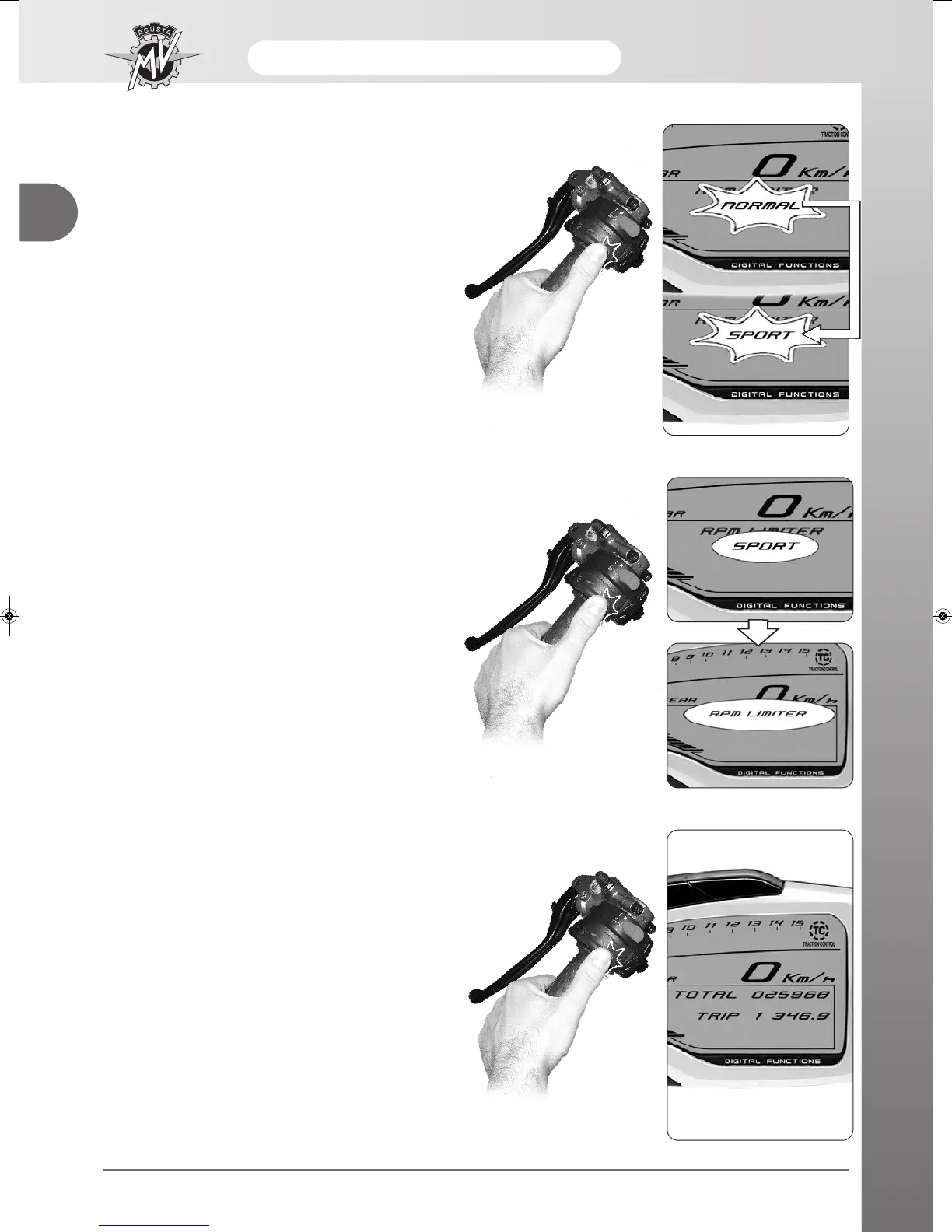
- Press “OK” for less than three seconds; the displayed
setting will start flashing.
- By repeatedly pressing “OK” for less than three
seconds, the following settings can be displayed in
sequence:
•
“NORMAL”
• “SPORT”
- Press “OK” for more than three seconds; the new set-
ting will be confirmed. The displayed caption stops
flashing and after a few seconds the display returns to
“RPM LIMITER” mode.
- Press “OK” for less than three seconds until the
display switches to the “RUN” mode. The setting of
the “Custom” mapping is completed.





 To Next Page