Menu Key 5
Pulse Laser Station NPL-302 Series Instruction Manual 157
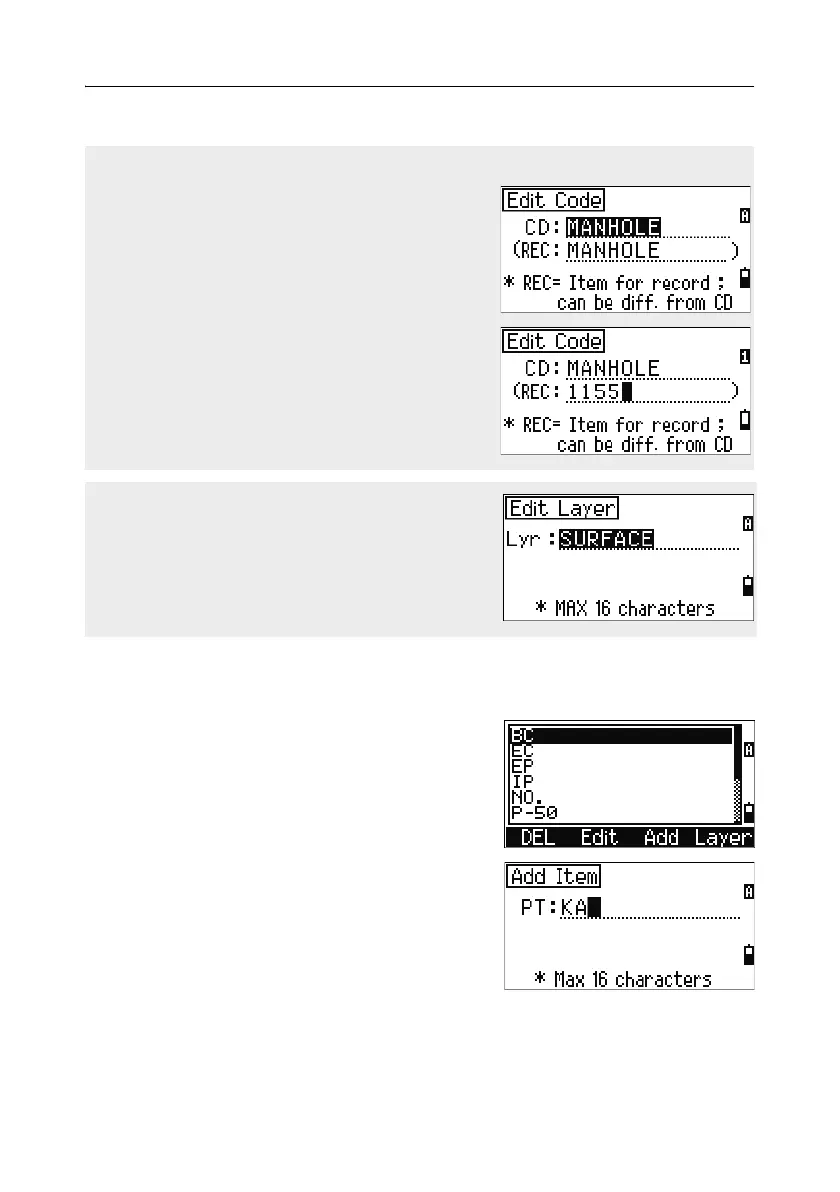
Adding a point name
In the point list, press the Add softkey to add a
new point name to the current layer.
Enter a new point name and then press
[ENT].
Edit code list
The Edit Code screen has two fields. The CD field
contains the text that appears in the list screen.
The REC field is optional. It contains the text that
is stored in the job. If you leave the REC field
blank, the value in the CD field is used.
You can use the REC field to use familiar words or
codes on the screen, but store a numeric code in
the job. For example, if you set the CD field to
MANHOLE and the REC field to 1155, the text
MANHOLE appears on the screen, but the code
1155 is stored.
If you press the Edit softkey when a layer name
appears, only the Lyr field appears. To save
changes to the layer name, press [ENT] in the Lyr
field.



 To Next Page