Replacing the floppy disk drive 119
To install a replacement floppy disk drive
Step Action
1
Remove the new floppy disk drive from its protective wrapper, and
place it component-side up on an antistatic surface.
2 Record the drive model and serial numbers in your equipment log.
3
Set any jumpers or switches according to the drive manufacturer’s
instructions.
4
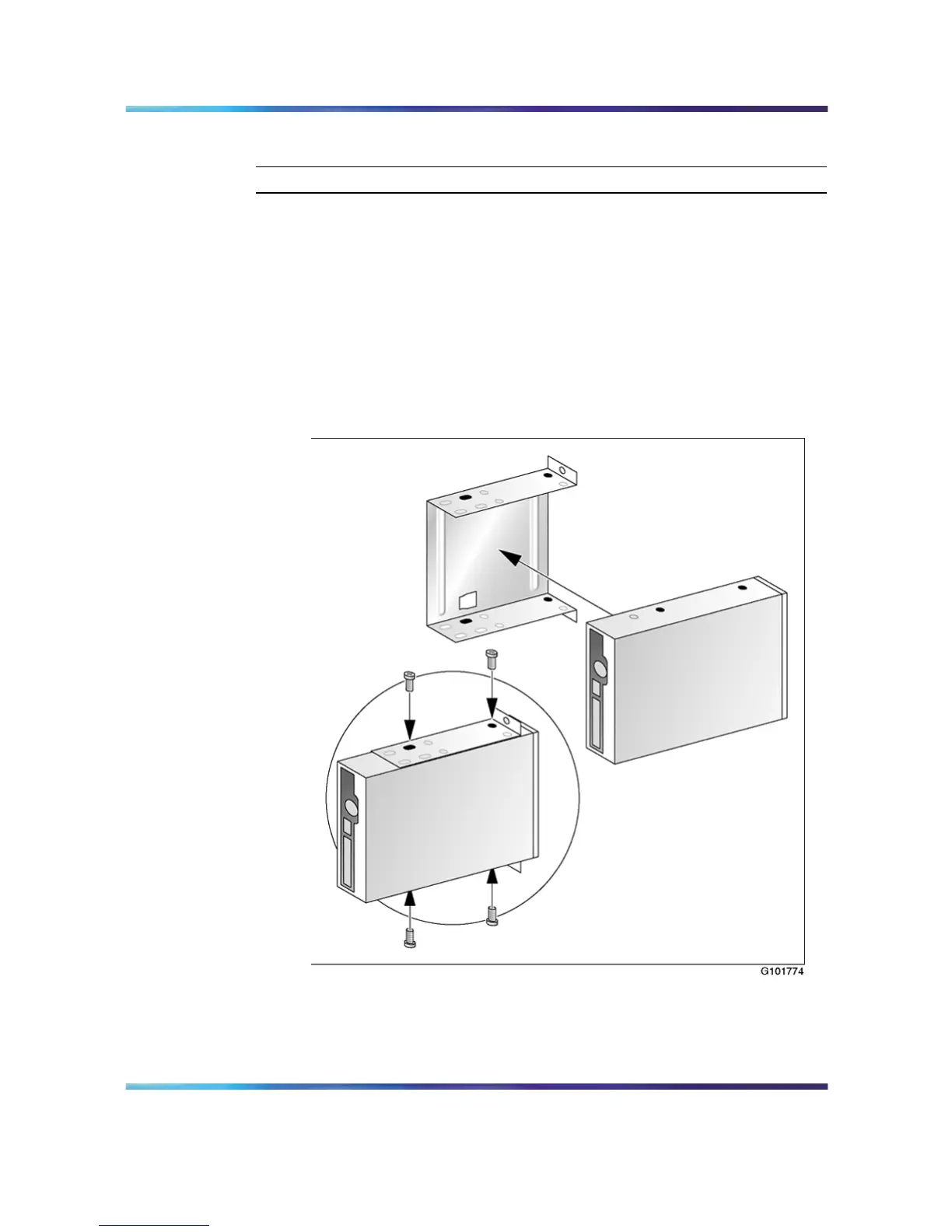
Place the drive label-side up inside the carrier, and then attach the
drive to the carrier with the four screws you removed earlier. See
"Attach disk drive to carrier" (page 119).
Attach disk drive to carrier
Ensure that the carrier is aligned with the two screw holes closest to
the front of the floppy disk drive. Tighten the screws firmly.
5
Install the drive carrier inside the server.
Nortel CallPilot
703t Server Maintenance and Diagnostics
NN44200-702 01.03 Standard
5.0 3 April 2007
Copyright © 2007, Nortel Networks Nortel Networks Confidential
.











 To Next Page