150 Chapter 12 Working with DIMMs and the CPU
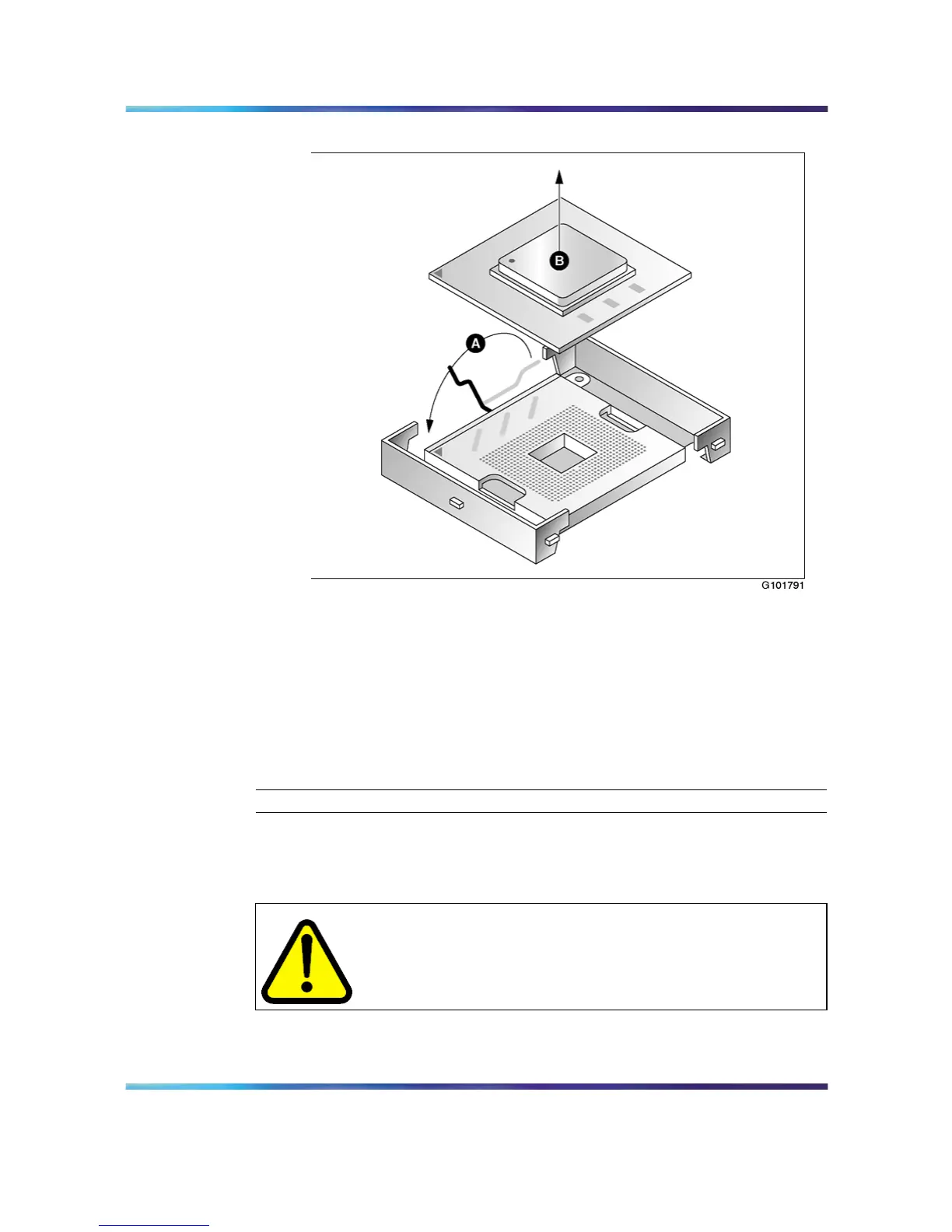
Remove microprocessor from heat sink
a. Lift the lever that secures the microprocessor to the motherboard.
While applying gentle downward pressure, push the lever away
from you (towards the top of the server), and then lift it all the
way to the left.
b. Remove the microprocessor, and put it in an antistatic package.
7
Continue with "To install a new CPU" (page 150).
—End—
To install a new CPU
CAUTION
Wear an antistatic ESD wrist strap during the entire CPU
replacement process.
Nortel CallPilot
703t Server Maintenance and Diagnostics
NN44200-702 01.03 Standard
5.0 3 April 2007
Copyright © 2007, Nortel Networks Nortel Networks Confidential
.











 To Next Page