Replacing the CPU 153
e. Apply all of the thermal grease in the syringe that was provided
in the CPU assembly package to the metal square on the
microprocessor.
f. Place the heat sink on top of the microprocessor, and then apply
light pressure in a circular motion to spread the grease evenly
over the entire metal square.
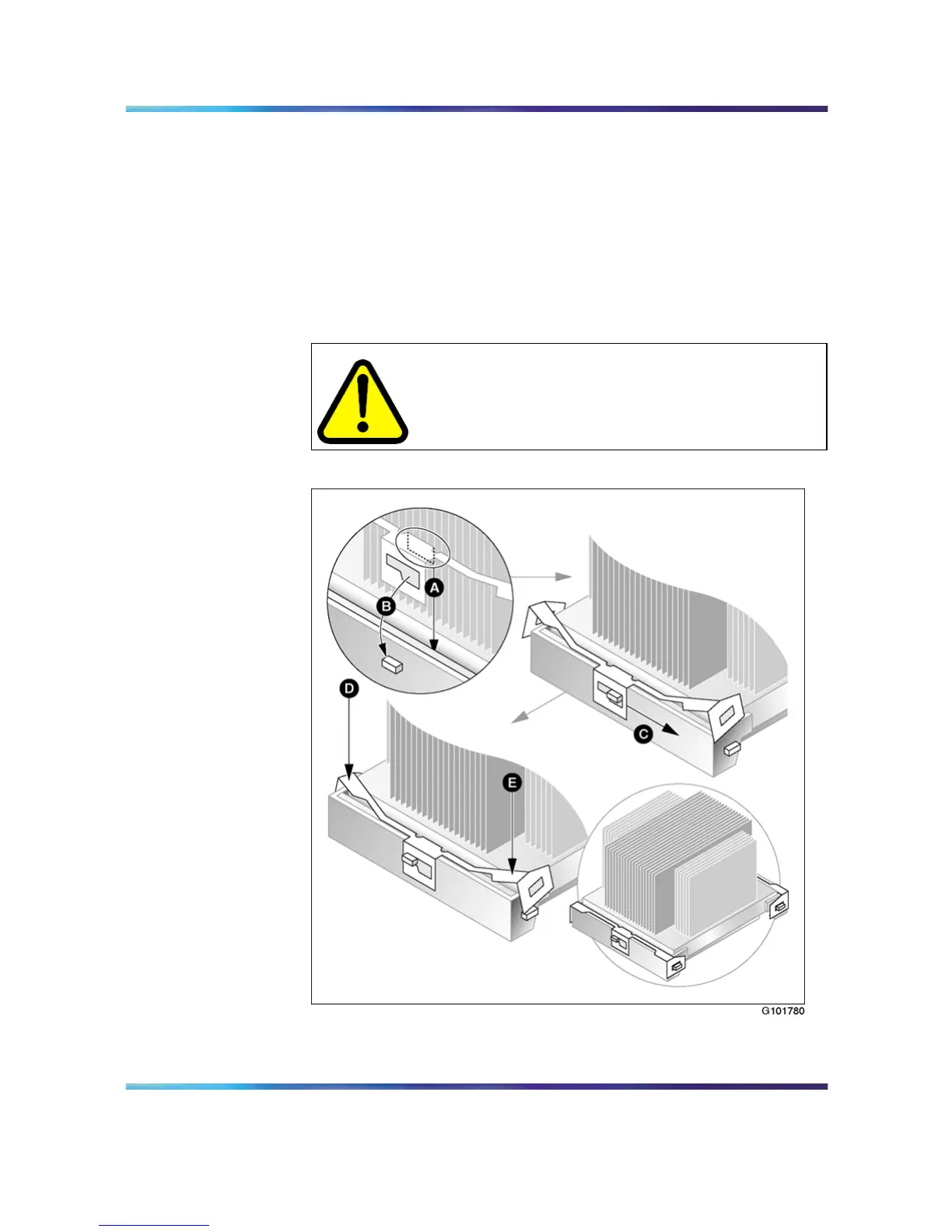
3 Install the heat sink clips as shown in "Install heat sink clips" (page
153). See also the description that follows.
CAUTION
Ensure that you do not bend the wings of the heat sink
while installing the clips as this will cause damage to the
heat sink.
Install heat sink clips
a. Align the side tabs on the clip over the heat sink guide.
Nortel CallPilot
703t Server Maintenance and Diagnostics
NN44200-702 01.03 Standard
5.0 3 April 2007
Copyright © 2007, Nortel Networks Nortel Networks Confidential
.











 To Next Page